Agro Admin app
Farm task management app for field teams
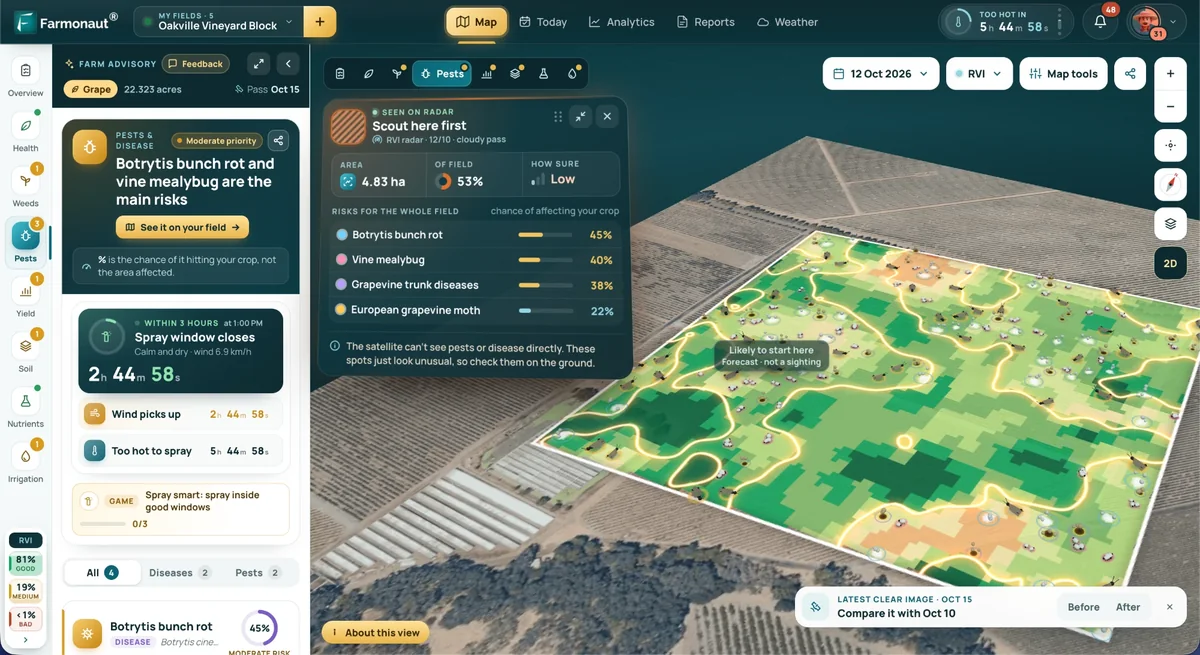
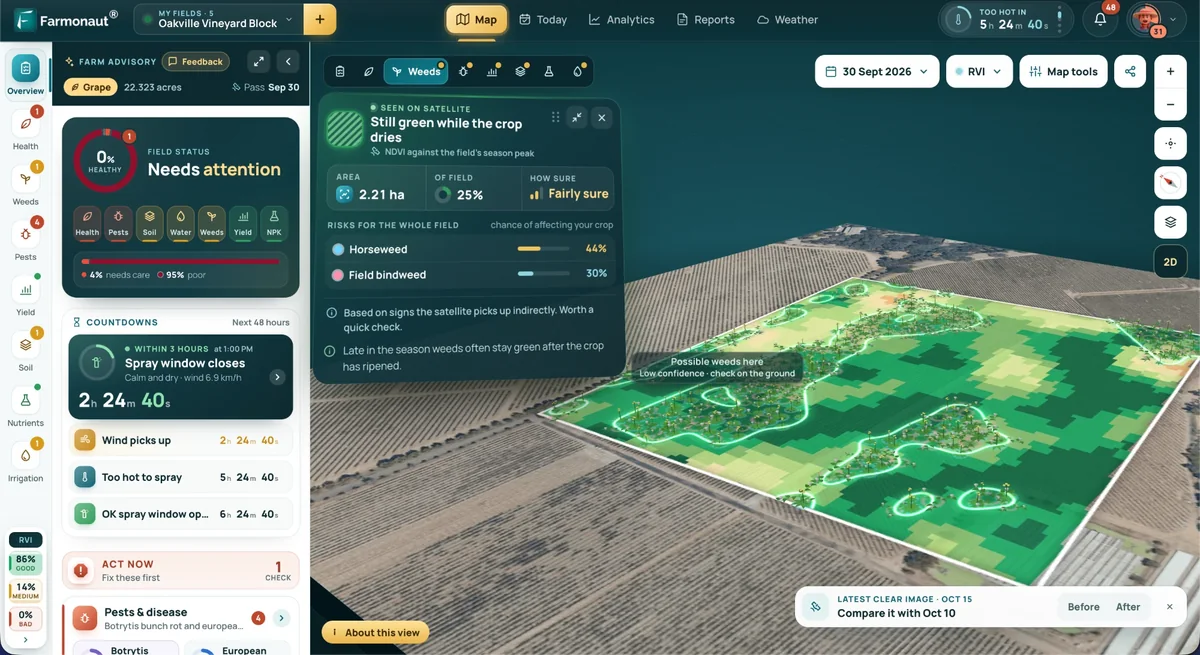
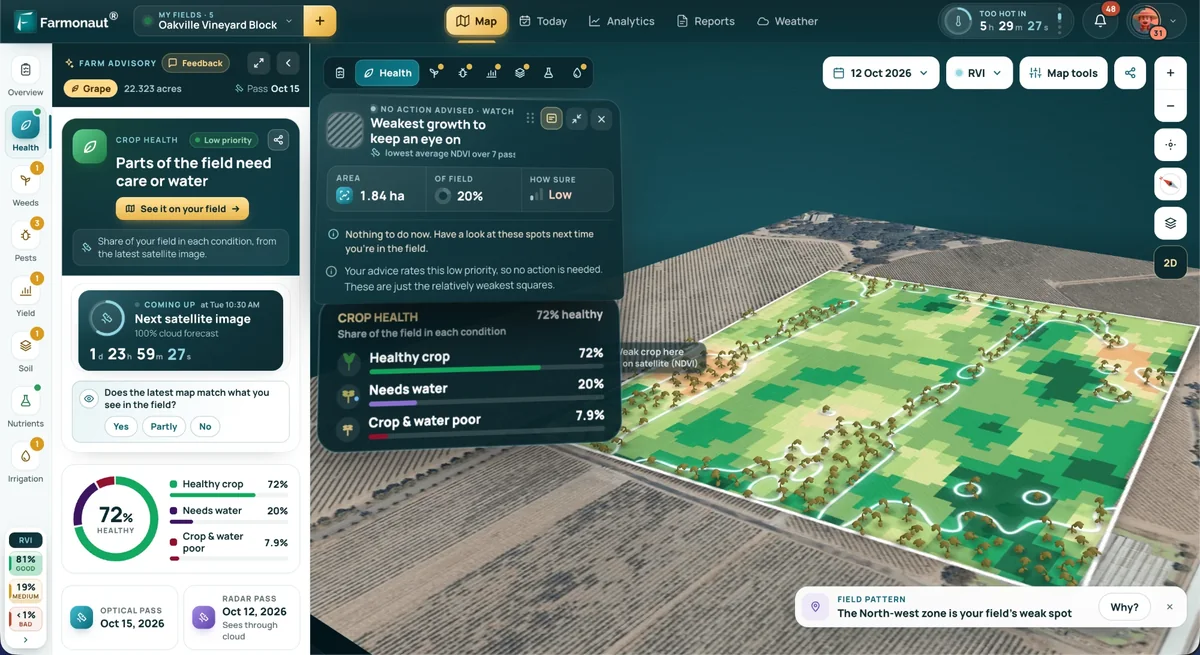
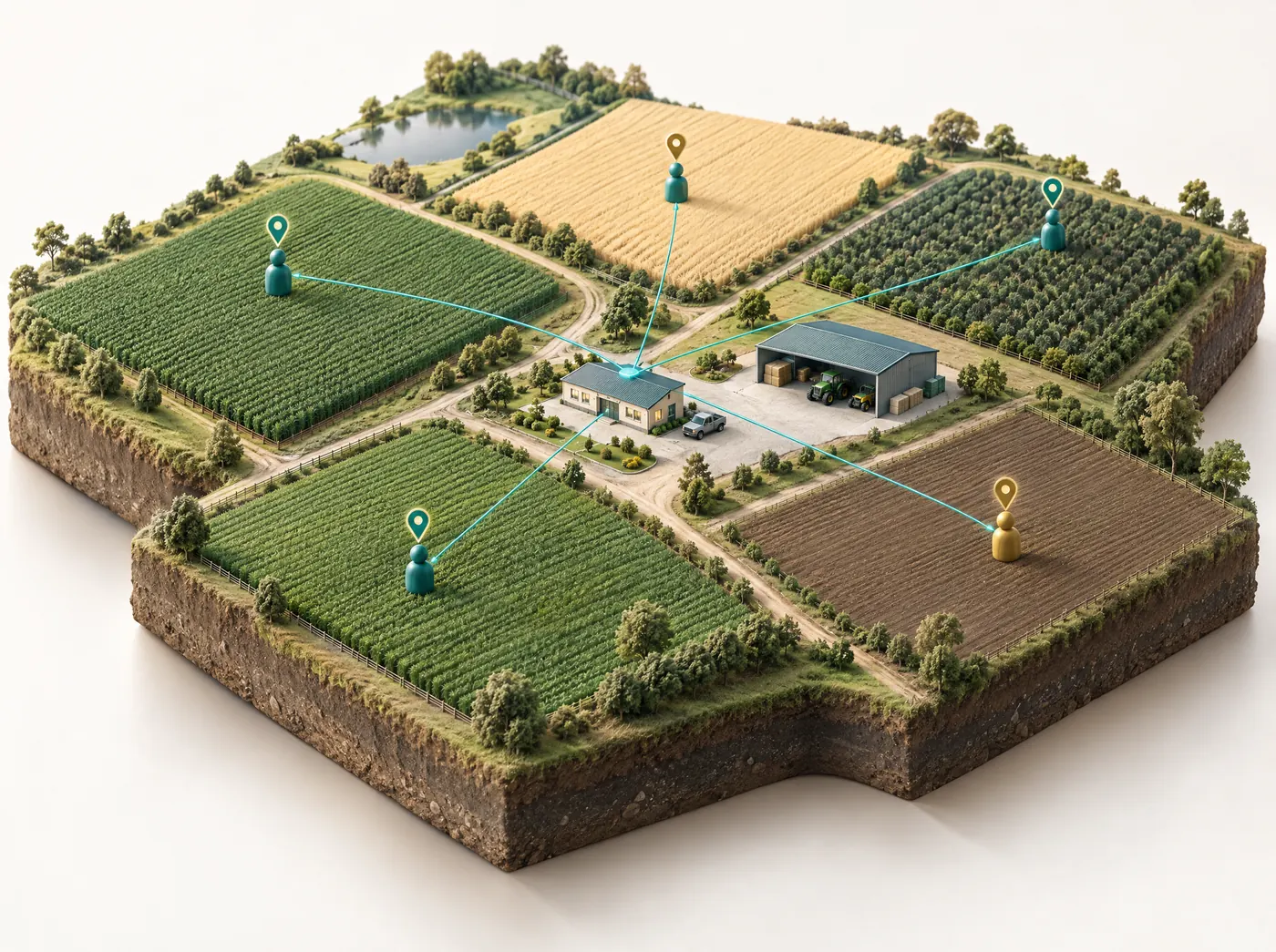
Agro Admin is Farmonaut's farm task management app for agribusinesses. Our satellite crop monitoring shows you which fields need attention. In Agro Admin you assign someone to visit, follow the task from pending to done, and see on one dashboard which teams are keeping up.
Businesses with fields on the Farmonaut platform
- Hayleys Agriculture
- Sun Palm Australia
- Unifrutti Gulf
- BayWa
- Elders
- Kubota
- John Deere
- CGIAR
- Esri North East Africa
- Fair Climate Fund
- Soybean Processors Association
Why field work slips
Where group chats stop working for field teams
Most agribusinesses run their field teams on group chats, spreadsheets and phone calls. That works fine until there are more plots than one supervisor can keep in their head.
Instructions get buried
A spray instruction sent at 7 a.m. is twenty messages down by noon, and nobody knows who said they'd do it.
Status means a phone call
Finding out whether a block was scouted means calling whoever was supposed to do it, and a supervisor ends up making those calls for each field daily.
Reports are rebuilt by hand
Weekly summaries are pieced together from chats and sheets, so they arrive late and nobody trusts the numbers.
How the farm task management app works
Managers work from the dashboard, and field staff only need the mobile app on their phone. A typical task goes through four steps.
See which field needs attention
Check the satellite maps for crop health, water and pest risk to find the blocks that need someone on the ground this week.
Assign the task
Choose a person or a team and add instructions, a deadline and the resources they'll need. A task can be planting, spraying, scouting or equipment upkeep.
Field staff update it
The team works from the mobile app and marks each task done. Anything late shows as delayed.
Review on the dashboard
The dashboard shows task status, completion rate and time spent for each person and team.
Farm workforce management features
Task assignment
Send work to one person or a whole team with instructions, a deadline and the resources needed. Each task has a named owner.
Live task status
Each task shows as done, pending or delayed, and the status changes when someone in the field updates it. You don't have to call around to find out.
Team performance
Completion rate and time spent for each person and team. Managers use it to spot bottlenecks and plan the next week.
Manager dashboard
Fields, tasks and teams in one view for managers, instead of five chats and three spreadsheets.
Mobile app for field staff
The people doing the work see their tasks on their phone and report back from the field.
Using satellite crop data to decide where crews go
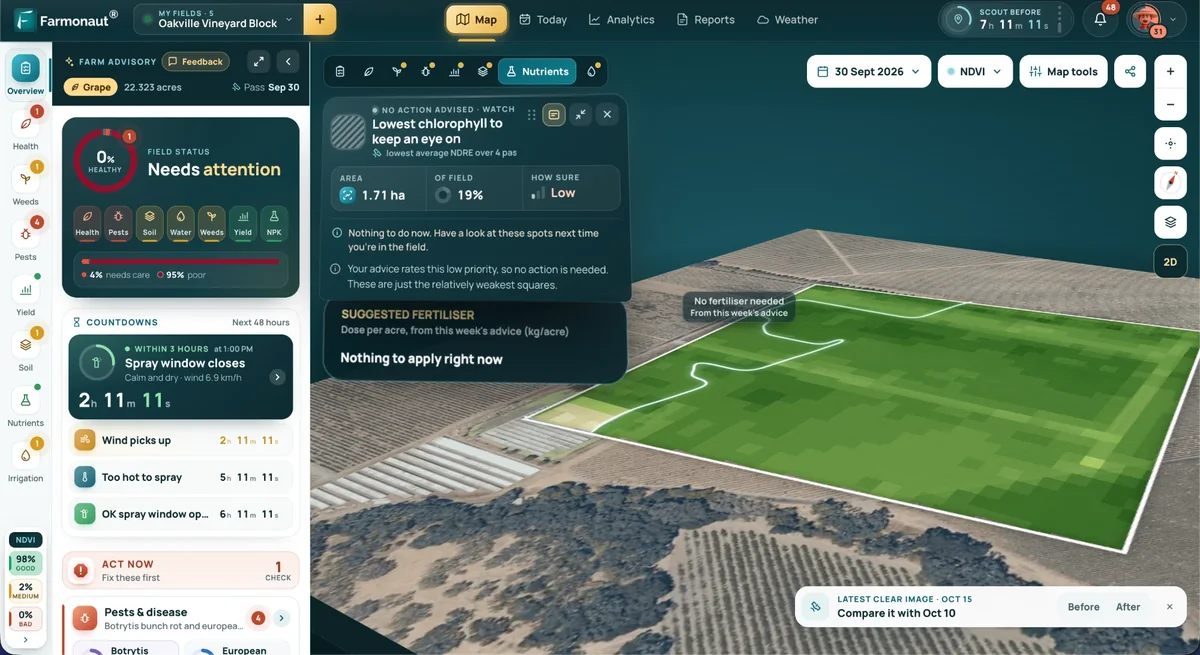
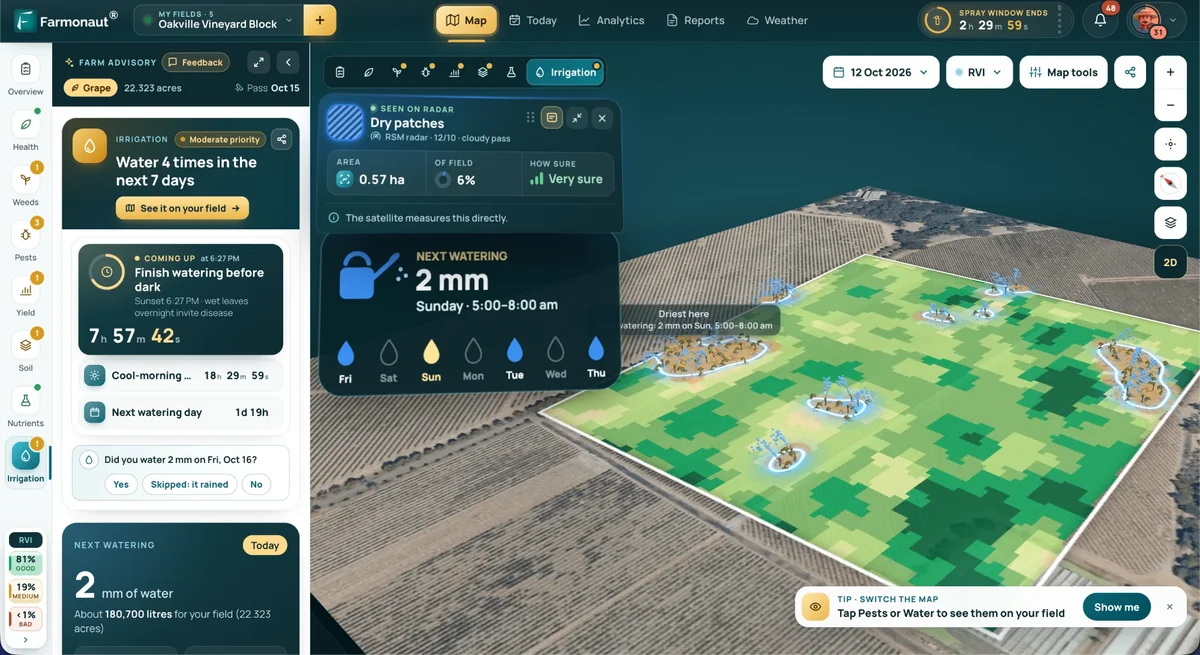
Agro Admin works alongside Farmonaut's satellite crop monitoring. Here's how teams use the two together.
- Targeted scouting: send people straight to the stressed patch instead of having them walk every block.
- Checking the result: after the visit, the next satellite pass shows whether the field has responded.
- Advice for the crew: pair the task with the field's AI farm advisory on water, fertilizer and pest risk.

What a manager sees
A sample week of field tasks
Here's what a week of field work might look like in Agro Admin. The names and blocks are made up for the example.
| Task | Field | Assigned to | Due | Status |
|---|---|---|---|---|
| Scout stressed patch flagged by satellite | Block 7 | North crew | Tue | Done |
| Apply fungicide on the east rows | Block 3 | Spray team | Wed | Pending |
| Check drip lines after low water reading | Block 12 | Irrigation team | Wed | Delayed |
| Service the sprayer pump | Workshop | Maintenance | Thu | Pending |
| Plant replacement seedlings | Block 9 | South crew | Fri | Done |
Who uses Agro Admin
Agro Admin is an agricultural field team app for operations where one office coordinates many plots and many people, like these.
- Oil palm, tea, fruit and other plantations and estates, where blocks need regular scouting, spraying and upkeep by different crews.
- Contract farming and outgrower programs, where field officers visit hundreds of contracted growers and every visit is assigned and logged.
- Seed, fertilizer and crop-protection companies whose field forces run demo plots and farmer visits across a territory.
- Cooperatives that want member support and field checks run from a shared dashboard rather than from one coordinator's phone.
Farm labor management software
How it compares with chats, spreadsheets and calls
| What you needNeed | Group chatsChats | SpreadsheetsSheets | Phone callsCalls | Agro Admin |
|---|---|---|---|---|
| Clear owner and deadline for each task | lost in the thread | if someone keeps it updated | ||
| Live status: done, pending, delayed | only as fresh as the last edit | one call at a time | ||
| Completion rate and time spent per team | built by hand | |||
| Easy for field staff on a phone | ||||
| Linked to satellite data for each field |
Operations managers
See every field, task and team together, and judge performance on completion rate rather than on who called last.
Field supervisors
Hand out the day's work from the dashboard and see straight away which tasks are running late.
Field staff
See each day's tasks on your phone with the field and the deadline, and mark them done before you leave the block.
Field workflows you can run in a farm task management app
Most of what a field team does in a week falls into a handful of repeat jobs, and each goes wrong in its own way. It's worth thinking them through before you set anything up.
Scouting
Scouting is usually the first job teams move into a farm task management app, because it's where follow-up gets lost. A good scouting task names the block, says what to look for ("check the west half for leaf spotting and count the affected rows") and has a deadline measured in days. When satellite monitoring flags a stressed patch, the task should send the scout to that patch rather than around the whole block.
Spraying
Spray jobs are time-critical, and the product, rate and block all have to be right. Put the product and rate in the instructions, list the sprayer and operator as resources, and set the deadline at the end of the spray window instead of the end of the week.
Harvest
Harvest is a sequence: which block is ready first, which crew picks it, when the bins or trailers need to be there. We'd set one task per block per crew, so a delay in one block shows up straight away instead of hiding inside a single "harvest the north farm" task. If you also run trucks, agriculture fleet management puts them on a live map.
Input distribution
Deliveries of seed, fertilizer and crop protection to fields or growers work well as tasks, with the quantity in the instructions and the driver or storekeeper as the owner. The finished task becomes your record that the delivery was made.
Outgrower and contract farmer visits
In a contract farming program, each visit to a grower is a task for a field officer. Over a season that builds a visit history for every grower, and each officer's completion rate shows whose territory is falling behind. If buyers ask where a lot came from, those visits also support farm-level traceability.
How to structure tasks so crews can act on them
The quickest way to make an app unpopular with a field crew is to fill it with vague tasks. A few rules keep them usable:
- Give every task one owner, even when a team does the work. Assign the team, but make sure one person is answerable when it runs late.
- Use the block names your crew already uses. If the office says "Block 7" and the crew says "the pump field", pick one and use it on the map and in the app.
- Write the instruction as an action with an outcome. "Check drip lines in rows 1 to 20 and fix any leaks" is clear to whoever picks it up; "irrigation check" means something different to each person.
- Set the deadline at the point where the work stops being useful. A scouting visit three days after a pest warning is worth doing. Three weeks later it isn't.
- List the resources: the sprayer, the product, the number of people, the vehicle. That's how a supervisor spots two crews booked on one tractor before the morning starts.
Keep recurring jobs (weekly scouting rounds, monthly equipment checks) apart from one-off jobs triggered by a satellite reading or a call from a grower. When you review the week, you'll want to know whether delays come from routine work or from reacting to problems.
Roles, responsibilities and sign-off
Agro Admin is organized around three kinds of user: operations managers, field supervisors and field staff (the cards above describe what each one sees). A common split is that the manager sets priorities and reviews the dashboard, supervisors create and assign the day's tasks, and field staff do the work and update the status from their phone.
Agree on sign-off early. For low-risk jobs, the person who did the work can mark it done. For jobs where a mistake is expensive, like a pesticide application close to harvest or inputs handed to a grower on credit, many teams have a supervisor check the work before the task counts as closed. Write that rule down and apply it the same way in every crew, or completion rates won't be comparable between teams.
Job titles vary a lot. A plantation has estate managers, division heads and gang leaders, while an input company has regional managers and field officers. Map your titles onto manager, supervisor and field staff once, at setup, and everyone knows who assigns work and who reports back.
What to track: farm workforce management KPIs
Agro Admin reports task status (done, pending or delayed), completion rate and time spent for each person and team. Those cover most of what an operations manager asks in a weekly review. The last two rows below you work out yourself from the task list.
| Measure | What it shows | What to look for |
|---|---|---|
| Completion rate by team | Share of assigned tasks finished | One team that's lower than the rest week after week |
| Delayed tasks | Work past its deadline | Delays bunched in one block, job type or supervisor |
| Time spent by task type | How long scouting, spraying or a grower visit really takes | Big gaps between crews doing the same job |
| Flag-to-visit time | Days from a satellite-triggered task being created to being done | Visits that land after the next satellite pass |
| Tasks per person | How evenly work is spread | One person carrying far more than everyone else |
Be careful with completion rate on its own: a crew that gets the hardest blocks will look slow. Use the numbers to rebalance work between crews before you use them to judge people.
Rolling out a farm task app to a field team
Start with one crew
Pick one supervisor who's keen and one crew, and run real work through the app for a few weeks before anyone else joins. You'll find out which task types and block names need tidying, and you'll have someone who can show the next crew how it works.
Keep training short
Field staff need three things: where to find today's tasks, how to mark one done, and what to do when they can't finish. Teach that on the phone they actually carry, out in the field, in one short session. Save the dashboard training for managers and supervisors.
Check connectivity first
Signal is patchy on many farms. Drive your blocks with a phone before rollout and note where coverage drops. If crews regularly work out of range, agree that they update tasks once they're back in coverage, and allow for that lag before you treat a task as delayed.
How tasks connect with satellite crop monitoring
Farmonaut's satellite crop monitoring combines optical and radar satellites. The optical data gives a reading for each 10-meter square of a field, and radar keeps the record going when cloud hides the field from optical sensors. Each field gets 16 views, including NDVI (a vegetation index calculated as (NIR − Red) / (NIR + Red)), NDRE and moisture indices, plus a report on crop health, water need, soil, yield, pest risk and fertilizer. Our guide to monitoring crop health with satellites explains the indices in more depth.
For a field team, the useful part is the routine around it:
- A field report shows a patch of low crop health or a high pest-risk score.
- A supervisor creates a scouting task for that patch in Agro Admin and assigns the nearest crew.
- The crew checks the patch and either deals with what they find or raises a follow-up task, such as a spray job or an irrigation repair.
- The next satellite pass shows whether the patch is recovering.
Scouting then goes where it's needed, and the regular rota still covers the rest. Crews can pair the task with the field's AI farm advisory for the water, fertilizer and pest guidance that goes with it.
Choosing a farm task management app or full farm management software
Farm management software is usually about records: what was planted where, which inputs went on, inventory, costs, compliance paperwork, sometimes payroll or livestock. A farm task management app is narrower. It deals with people and work, meaning who is doing what, by when, and whether it got done. Many agribusinesses use both.
Questions worth asking when you compare options:
- Will field staff use it on their own phones after a short demo?
- Can a task go to a team as well as a person, with instructions, a deadline and resources?
- Does the dashboard show status, completion rate and time spent without someone rebuilding it in a spreadsheet?
- Is it linked to crop data for each field, or will supervisors still be guessing where to send people?
If you're weighing up general farm apps for a smaller farm, our roundup of the best farm management apps in Australia and our overview of agriculture farm management software cover that ground. Agro Admin is for operations that coordinate many people over many fields. A family farm working its own land will usually get more out of satellite crop monitoring on its own.
What teams usually ask us
What is a farm task management app?
It's software for assigning field work, tracking it and measuring it, instead of spreading it across chats, whiteboards and spreadsheets. In Agro Admin, managers assign tasks to people or teams with instructions, deadlines and resources, field staff update them from their phone, and the dashboard shows what is done, pending or delayed.
Who is Agro Admin for?
Agribusinesses that coordinate people across many fields: plantations and estates, contract farming and outgrower programs, agri-input companies with field forces, and cooperatives. If you farm your own fields and want crop advice, start with satellite crop monitoring instead.
How does it work with satellite crop monitoring?
Farmonaut's satellite crop monitoring updates the health, water need and pest risk of each field every few days. Managers look at that to decide which fields need a visit, then assign the visit as a task in Agro Admin and follow it until it's done.
What performance data does it show?
Task status (done, pending or delayed), completion rate and time spent, for each person and each team. Managers use it to spot bottlenecks and balance the work across crews.
Do field staff need a computer?
No. Field staff use the mobile app on their phone to see their tasks and update them. Managers use the central dashboard.
Can it replace our WhatsApp groups?
For assigning and tracking work, yes: every task has an owner, a deadline and a status that doesn't scroll away. Many teams keep a chat for quick conversation and move the work itself into the app.
What's the difference between a farm management app and a farm task management app?
A farm management app usually keeps records of plantings, inputs, inventory and costs. A farm task management app is about the people doing the work: who has which job, by when, and whether it's finished. Agro Admin is the second kind, and it sits next to Farmonaut's satellite crop monitoring.
How do I track farm labor productivity?
Agro Admin records completion rate and time spent for each person and team, along with which tasks are delayed. Compare crews doing similar work on similar blocks, because a team on the hardest ground will always look slower than one on easy blocks.
Can we use it to manage outgrower or contract farmer visits?
Yes. Each visit to a grower is assigned to a field officer as a task with a deadline, and the dashboard shows which visits are done, pending or delayed. Over a season you build up a visit history for every grower in the program.
What if field staff have no mobile signal in some blocks?
Staff can update their tasks once they're back in coverage. If crews often work out of range, mention it in the walkthrough and allow for the lag before you treat a task as delayed.
How long does it take to roll out to a field team?
It depends on how many crews and fields you have. We suggest starting with one supervisor and one crew for a few weeks, fixing task types and block names, and then adding the other crews one at a time.
How is Agro Admin priced?
Agro Admin is set up for each business, so pricing depends on your team and the area you manage. Contact our team for a walkthrough and a quote.
For agribusinesses
How many fields and crews do you manage?
Give us a rough count and we'll walk you through Agro Admin and satellite crop monitoring on fields like yours.
More Farmonaut solutions

 AgroRisk
 Oath Inc
 Reddane Farming
 Esri North East Africa
 Farmer Amigo
 Cresol
 Atur Kuliner
 MDCV UK
 Zerella Group
 Etech Consulting Madagascar
 Vestlandsforsking
 Agritein
 Delicio
 WB Dev
 Sama Premium
 Prochecker
 Tres Valles
 LACOS Geoinformation
 Magrifly
 LatConnect 60
 Blickwinkel
 Agricultural Credit Policy Council
 Exploration consultancy · South Africa · Gold
 Licence holder · Niger · Gold
 Licence holder · Nigeria · Gold + lithium