
Remote sensing · Formula guide
NDWI Formula for Landsat 8: Bands, Scaling and Calculator
On Landsat 8, NDWI = (Band 3 − Band 5) / (Band 3 + Band 5), using green and near-infrared. On Level-2 data, first convert each band with DN × 0.0000275 − 0.2 (USGS scale values), because the offset changes the answer.
Key takeaways
- Formula: NDWI = (B3 − B5) / (B3 + B5). Landsat 9 uses the same band numbers.
- Level-2 Collection 2 bands need DN × 0.0000275 − 0.2 first. In our worked pixel, skipping this turns 0.50 into 0.08.
- Values above 0.5 usually mean water (Sentinel Hub), but no single threshold fits every scene.
- Green-NIR NDWI maps open water. For moisture in crops use NDMI: (B5 − B6) / (B5 + B6) (USGS).
- Sentinel-2 uses (B3 − B8) / (B3 + B8) at 10 m; Landsat 8 works at 30 m.
In this article
- NDWI formula for Landsat 8, by band
- Scale the bands before you calculate NDWI
- How to calculate NDWI on a Landsat 8 scene
- What NDWI values mean
- NDWI, MNDWI and NDMI are not the same
- NDWI on Sentinel-2 compared with Landsat 8
- Where NDWI helps on the farm and beyond
- Common NDWI errors to avoid
- What is changing in water mapping
- FAQ
The NDWI formula for Landsat 8 is NDWI = (Band 3 − Band 5) / (Band 3 + Band 5), where Band 3 is green and Band 5 is near-infrared (NIR). Results run from −1 to +1, and open water usually sits at the positive end. Before you use it on Level-2 data, convert each band to surface reflectance: DN × 0.0000275 − 0.2. Skip that step and your values, and any threshold you apply, will be wrong.
This page gives the band numbers for each satellite, a pixel calculator, a chart of the error from skipping the scale step, and copy-ready snippets. It also clears up a common mix-up: two different indices are both called NDWI, and one of them is the wrong tool for finding open water.
NDWI formula for Landsat 8, by band
Water absorbs strongly in the near-infrared and reflects more green light. Dividing the difference of the two bands by their sum pushes water up and pushes plants and soil down. The index was proposed by McFeeters in 1996, according to the Sentinel Hub NDWI script notes. Landsat 9 carries the same band numbers, so the same formula works on both satellites.
| Sensor | Green band | NIR band | NDWI formula |
|---|---|---|---|
| Landsat 8-9 OLI | Band 3 | Band 5 | (B3 − B5) / (B3 + B5) |
| Landsat 4-5 TM | Band 2 | Band 4 | (B2 − B4) / (B2 + B4) |
| Landsat 7 ETM+ | Band 2 | Band 4 | (B2 − B4) / (B2 + B4) |
| Sentinel-2 MSI | B3 | B8 | (B3 − B8) / (B3 + B8) |
The Landsat band positions come from the USGS Landsat band guide. Check them each time you change sensor. The number 5 is NIR on Landsat 8 but shortwave infrared on Landsat 4-5, so a script copied from an older project can run with no error and still give the wrong index.
The USGS guide lists Landsat 8 green as 0.53-0.59 µm and NIR as 0.85-0.88 µm. The chart compares those windows with the Sentinel-2 bands. Sentinel-2 Band 8 is far wider than Landsat Band 5, while its narrow Band 8A sits close to the Landsat window. That matters if you want to compare the two satellites directly.
Chart
Green and NIR band windows by sensor
Wavelength in nm, start and end of each band; Sentinel-2A values are centre ± half bandwidth, rounded
Scale the bands before you calculate NDWI
Landsat Collection 2 Level-2 files store reflectance as whole numbers to save disk space. USGS says to multiply each pixel by the scale factor and then add the offset. For surface reflectance bands, the Earth Engine catalog entry for Landsat 8 Level 2 lists a scale of 0.0000275 (2.75e-05) and an offset of −0.2.
Try the numbers for your own farm below.
Calculator
What is the NDWI of your Landsat 8 pixel?
Enter Band 3 and Band 5 values from a Level-2 Collection 2 scene.
- Green reflectance: 0.08
- NIR reflectance: 0.06
- NDWI if you skip scaling: 0.03
Example values only, not benchmarks. Scale 0.0000275 and offset −0.2 are the Collection 2 surface reflectance values (Google Earth Engine catalog, read November 2026); change them for other products.
The offset is the part that changes the answer. NDWI is a ratio, so a plain multiplier cancels out. An added offset does not. If you run the formula on raw numbers, the difference between the bands stays correct in proportion, but the sum grows by 0.4 in reflectance terms. Every value shrinks toward zero.
Here is one worked pixel. Band 3 DN is 9,455 and Band 5 DN is 8,000. Green reflectance is 9,455 × 0.0000275 − 0.2 = 0.06. NIR reflectance is 8,000 × 0.0000275 − 0.2 = 0.02. NDWI is (0.06 − 0.02) / (0.06 + 0.02) = 0.50. The same pixel calculated on raw DNs gives only 0.08. A fixed water threshold set on scaled data would treat those two results very differently.
Older Landsat Collection 1 products used different scale values, so check the product guide for anything you did not download recently. Top-of-atmosphere bands also have their own factors, listed in each scene’s metadata file.
Chart
NDWI with and without the scale step
Green reflectance fixed at 0.06; x axis is NIR reflectance; our calculation
How to calculate NDWI on a Landsat 8 scene
- Download Level-2 data. Choose Collection 2 Level-2 surface reflectance for your area and date from USGS EarthExplorer, or load it in a cloud platform. It is already corrected for the atmosphere.
- Pick clear scenes. Open the scene preview and note cloud cover over your area, not just the scene total.
- Mask clouds and shadow. Use the QA_PIXEL band. The catalog lists bits for dilated cloud, cirrus, cloud, cloud shadow and snow. Cloud shadow and snow are easy to confuse with water.
- Scale SR_B3 and SR_B5. Apply DN × 0.0000275 − 0.2 to each band.
- Apply the formula. Use a raster calculator, Python or Earth Engine. Guard against a zero in the denominator.
- Choose a threshold. Start at 0, inspect the histogram, then test it against imagery or known water.
- Check the result. Compare it with a true-colour view. Look closely at shadows, roofs and dark roads.
QGIS raster calculator
Load both bands, then enter this, replacing the layer names with yours: ((“B3@1″*0.0000275-0.2) – (“B5@1″*0.0000275-0.2)) / ((“B3@1″*0.0000275-0.2) + (“B5@1″*0.0000275-0.2)). The calculator writes a new single-band raster. Style it with a colour ramp from −1 to +1.
Python with NumPy
Read both bands as floats and set the fill value (0) to missing first. Then run: g = b3*0.0000275-0.2; n = b5*0.0000275-0.2; ndwi = (g-n)/(g+n). Use np.errstate(divide=”ignore”, invalid=”ignore”) around the division so empty pixels stay blank and do not stop the run.
Google Earth Engine
Load LANDSAT/LC08/C02/T1_L2, then scale the bands with image.select(‘SR_B.’).multiply(0.0000275).add(-0.2). Finish with scaled.normalizedDifference([‘SR_B3′,’SR_B5’]).rename(‘NDWI’). The function returns the first band minus the second over their sum, so the order of the two names matters.
What NDWI values mean
There is no universal cut-off. Treat these as starting points to test, not as rules. Sentinel Hub notes that values above 0.5 usually mean water bodies, vegetation gives much smaller values, and built-up areas tend to fall between 0 and 0.2. That is why NDWI can overstate water near towns.
| NDWI value | Likely surface | What to check |
|---|---|---|
| Above 0.5 | Water body | Cloud shadow, ice |
| 0.2 to 0.5 | Often water, or mixed water and land | Test against known water |
| 0.2 to 0.5 | Often water, or mixed water and land | Test against known water |
| 0 to 0.2 | Built-up land, mixed pixels, shallow or muddy water | Roofs, field edges, turbid ponds |
| Below 0 | Vegetation, dry soil | Flooded crops under a full canopy |
Published tests show why you should test your own scene. A 2021 Lake Salda shoreline study found that a threshold of 0 gave high accuracy only for NDWI from Landsat 8, and that the best cut-off varied with the image and the atmospheric correction used. Otsu was among the best automatic methods on Landsat 8 NDWI there. This was one lake on one date. Otsu picks a cut-off from the image’s own histogram, so it can follow changes between scenes.
Mixed pixels are the other limit. A Landsat pixel is 30 m wide, or 0.09 hectares. A farm pond smaller than that cannot fill one pixel, so its signal blends with the bank and the crop around it.

▶ A longer walk through NDWI and what it tells farmers about water availability. · 12:25
NDWI, MNDWI and NDMI are not the same
Two indices published in 1996 share the name NDWI. McFeeters used green and NIR for open water. Gao used NIR and shortwave infrared for water held in plants. Sentinel Hub notes that the names are often used as if they were the same, although the two band pairs work very differently. If your goal is crop water status, the green-NIR index is the wrong one.
| Index | Landsat 8 bands | Best used for |
|---|---|---|
| NDWI (McFeeters) | (B3 − B5) / (B3 + B5) | Open water, ponds, flooding |
| MNDWI | (B3 − B6) / (B3 + B6) | Water near built-up land |
| NDMI or Gao NDWI | (B5 − B6) / (B5 + B6) | Moisture in leaves and canopy |
| NDVI | (B5 − B4) / (B5 + B4) | Green plant cover |
The USGS definition of NDMI confirms the Band 5 and Band 6 pair for Landsat 8-9. For a choice between NDWI and MNDWI, neither wins everywhere. A 2025 Landsat-8 study in Water Resources Management compared both across 12 test sites with Otsu thresholds. It favoured NDWI in mountainous and arid or semi-arid settings, and MNDWI in urban and humid or semi-humid ones. Band 6 is also listed at 30 m in the Level-2 product, so both indices share the same pixel size on Landsat. For crop water work, see our guide to crop hydration with NDWI, NDMI and evapotranspiration.
NDWI on Sentinel-2 compared with Landsat 8
The Sentinel-2 version is (B3 − B8) / (B3 + B8). Sentinel Hub’s band list gives both bands at 10 m per pixel. The Copernicus band table puts their centres near 560 nm and 833 nm. Our separate Sentinel-2 NDWI guide covers that workflow in detail. Scaling differs too: the Earth Engine Sentinel-2 surface reflectance catalog lists a scale of 0.0001 for its bands. That collection is harmonized: after January 2022, scenes with processing baseline 04.00 or above have values shifted by 1000, so files from other sources may need that shift removed first. That collection is harmonized: after January 2022, scenes with processing baseline 04.00 or above have values shifted by 1000, so files from other sources may need that shift removed first.
| Feature | Landsat 8 | Sentinel-2 |
|---|---|---|
| Pixel size | 30 m | 10 m (B3, B8) |
| Repeat | 16 days; 8 with Landsat 9 | 10 days each; 5 with the pair |
| Record starts | 2013 | 2015 |
| Best for | Long records, matching older Landsat work | Small ponds, field-level detail |
The USGS Landsat 8 page gives a 16-day repeat cycle with an 8-day offset from Landsat 9. The Copernicus Sentinel-2 mission page gives a 10-day cycle per satellite and 5 days for the pair at the Equator. Sentinel-2C replaced Sentinel-2A in routine operations in January 2025. Used together, the sensors can cut the wait further: a modelled global analysis in Sensors (2020) put the median revisit for Landsat 8-9 and Sentinel-2A-2B combined at 2.3 days. Clouds reduce usable views, so real gaps will often be longer.
Chart
Days between satellite views
Nominal repeat in days; the combined figure is a modelled global median, before cloud
Where NDWI helps on the farm and beyond
- Farm ponds and reservoirs. Compare dates to see how much open water is left before and during the irrigation season. This supports agricultural management of water.
- Flooded fields. Compare a pre-flood and a post-flood scene to map standing water. Full crop canopy can hide water beneath it.
- Wetlands. A series of scenes shows seasonal changes at wetland edges.
- Drought tracking. Shrinking water surfaces can show a drought’s effect on stored water. They do not measure crop stress directly.
- Crop water status. Use NDMI instead, with field checks before you change agricultural applications such as irrigation timing.
Satellite indices show where to look. They do not replace a soil probe or a look at the field. Check local water rules and get agronomic advice before making large irrigation changes.
If you would rather see water and vegetation maps without processing scenes yourself, the Farmonaut Satellite + AI Farm Monitoring System offers farm monitoring through a web app, an Android app and an iOS app.

▶ How NDWI and satellite data feed into water management on farms. · 7:57
Common NDWI errors to avoid
- Wrong bands. Using Band 4 (red) or Band 6 (SWIR) in place of Band 5 gives a different index.
- Reversed order. NIR minus green flips the sign, so water turns negative.
- No scaling. The offset changes the answer, as the chart above shows.
- Fill values kept. A fill value of 0 becomes −0.2 after scaling. Set it to missing first.
- Negative reflectance. Dark water can scale to values just under zero, and the ratio can then pass ±1. Mask these or treat them with care.
- Shadows counted as water. Mountain and cloud shadows can pass a water threshold. Mask them with QA_PIXEL or a terrain layer.
- Mixed sensors with one threshold. Landsat and Sentinel-2 bands differ, so test the cut-off for each.
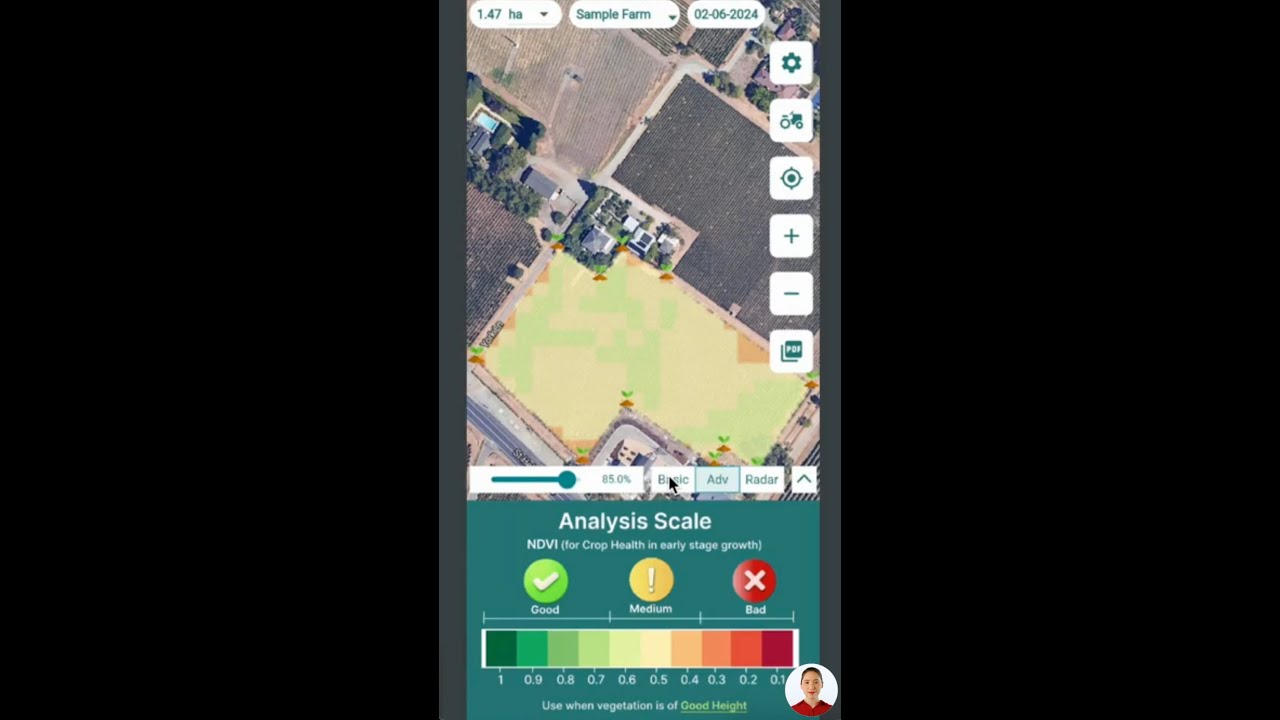
▶ A tutorial on reading satellite data layers for agriculture in the mobile app. · 4:01
What is changing in water mapping
Radar can see through cloud, so it can fill gaps in optical water maps during storms and floods. Machine-learning classifiers can use many bands at once rather than one ratio. Even so, simple band ratios remain easy to explain and repeat, and they need little computing. Developers who want processed field data rather than raw scenes can read the satellite and weather API documentation or try the API console.
FAQ
What is the NDWI formula for Landsat 8?
NDWI = (Band 3 − Band 5) / (Band 3 + Band 5). In Level-2 Collection 2 data, these are SR_B3 and SR_B5, and each one should be converted with DN × 0.0000275 − 0.2 first.
Does Landsat 9 use the same NDWI formula?
Yes. Band 3 is green and Band 5 is NIR on both satellites, so you can use one formula across the two.
What is a good NDWI threshold for water?
Start at 0, then adjust using the histogram and known water. Values above 0.5 usually indicate water, but shallow, muddy and mixed-edge pixels can fall lower. An automatic method such as Otsu is an option when you process many scenes.
What is the difference between NDWI and NDVI?
NDWI (green and NIR) highlights open water. NDVI (NIR and red) tracks green plant cover. The two use the same NIR band but different partners, and the sign of the NIR term is reversed.
Can NDWI measure water quality?
Not on its own. It mainly shows where water is. Turbidity can shift the values, but water quality work needs other bands and samples taken on site.
Is cloud cover a problem for NDWI?
Yes. Optical sensors cannot see through cloud, and shadows can look like water. Mask both, use more dates, or add radar when clouds persist.
Related pages on our site: sustainable agriculture and sustainable agricultural practices and farm sector cooperation between Belarus and Algeria.
Farmonaut crop monitoring
See your own fields from space
Draw your fields once and view satellite water and vegetation layers for them on web, Android or iOS.



Sources
- USGS, What are the best Landsat spectral bands for use in my research?: usgs.gov
- USGS, How do I use a scale factor with Landsat Level-2 science products?: usgs.gov
- Google Earth Engine catalog, USGS Landsat 8 Level 2, Collection 2, Tier 1: developers.google.com
- Google Earth Engine catalog, Harmonized Sentinel-2 MSI Level-2A: developers.google.com
- USGS, Normalized Difference Moisture Index: usgs.gov
- USGS, Landsat 8 mission page: usgs.gov
- Copernicus SentiWiki, Sentinel-2 mission: sentiwiki.copernicus.eu
- Sentinel Hub, NDWI custom script notes: custom-scripts.sentinel-hub.com
- Sentinel Hub, Sentinel-2 bands: custom-scripts.sentinel-hub.com
- Li et al., Global Revisit Interval Analysis of Landsat-8, -9 and Sentinel-2A, -2B, Sensors (2020): ncbi.nlm.nih.gov
- Comparison of thresholding methods for shoreline extraction, Journal of Environmental Management (2021): research.itu.edu.tr
- NDWI and MNDWI across hydro-geomorphological settings with Landsat-8, Water Resources Management (2025): ideas.repec.org
- Android app: play.google.com
- iOS app: apps.apple.com
Discussion
Questions, corrections or field experience? Share them below. First-time comments are reviewed before they appear, and your email is never published.
No comments yet. Be the first to add a question or your experience.

 Leher
 AgroRisk
 Oath Inc
 Reddane Farming
 Esri North East Africa
 Cresol
 Atur Kuliner
 MDCV UK
 Zerella Group
 Etech Consulting Madagascar
 Vestlandsforsking
 Agritein
 Delicio
 WB Dev
 Sama Premium
 Prochecker
 Tres Valles
 LACOS Geoinformation
 Magrifly
 LatConnect 60
 Blickwinkel
 Agricultural Credit Policy Council

 Exploration consultancy · South Africa · Gold
 Licence holder · Niger · Gold
 Licence holder · Nigeria · Gold + lithium
 Client · Tanzania · Gold
 Client · Somalia · Gold
 Client & affiliate partner · Ghana · Gold