
Tractors, sprayers, trucks
Agriculture fleet management linked to your crop data
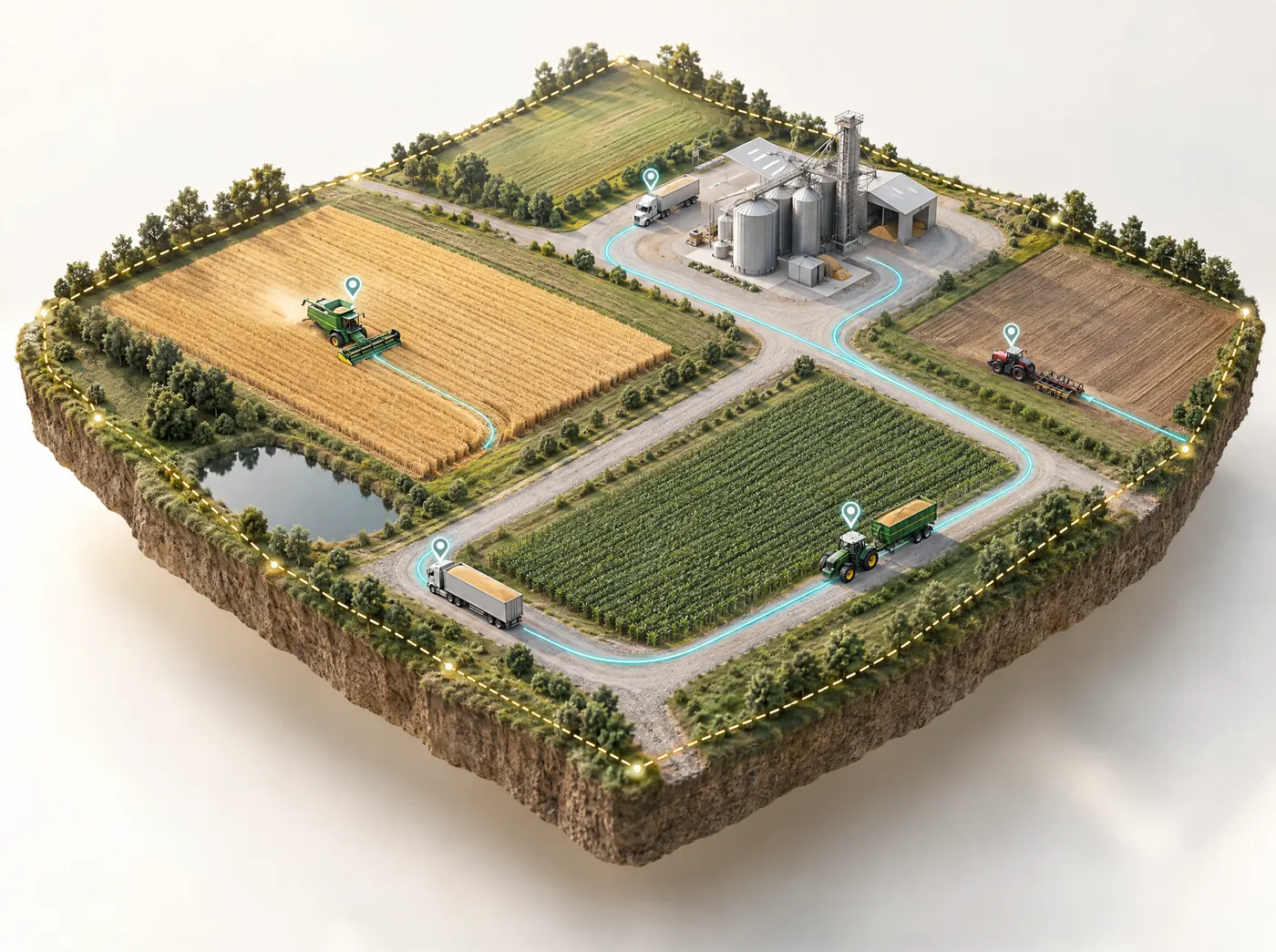
Farmonaut's agriculture fleet management shows your tractors, sprayers and trucks on a live GPS map. You can plan routes between fields, get a warning before a machine is due for service, and get an alert when one leaves its boundary. It runs on the same platform as our satellite crop monitoring, so crop health for each field sits on the same map as your machines.
What our agricultural fleet management software does
Most fleet tools are designed around road transport, with depots and delivery stops. On a farm, machines work in blocks, and the timing depends on the season and on short spray windows. We put standard fleet tracking and that field-level view in the same system.
Live GPS tracking
See where every vehicle is, how fast it is moving and the route it took, on a map you can switch to satellite view.
Route optimization
Plan shorter routes between fields, sheds and depots, so machines spend more of their hours working and less of them on the road.
Predictive maintenance alerts
Alerts based on operating hours, usage and vehicle health. That gives you time to book a service before something breaks down in the middle of harvest.
Geofencing with alerts
Draw virtual boundaries around farms, yards and storage. Get an alert when a machine leaves one or strays off its route.
Fleet analytics
Fuel use, driver behavior and machine use for each vehicle. It's where you find the machines that sit idle, and it helps when you plan the season.
Linked to crop data
Use satellite crop health, pest risk and harvest estimates for each field to decide when to spray and when to harvest.
Farm vehicle tracking
What tractor GPS tracking shows you
Click a machine in the list and its live record opens next to the map. You'll see where it is, what it has done today, and whether it's working or standing idle.
- Tractors, combines, sprayers, trucks and cars all go in one list, which you can search by name or plate number.
- You can follow a vehicle live as it moves and see the path it has already driven.
- Drive time and idle time are shown side by side, which makes it easy to see which machines are earning their keep.
- Position
- Latitude, longitude and direction on the map
- Speed
- Current speed, live
- Distance
- Today's distance and the running total
- Engine
- On or off, right now
- Drive time
- Hours spent moving today
- Idle time
- Hours stopped with no work done
Needs a GPS tracker on each vehicle
Setting it up
Connect each machine
Fit a GPS tracking device to each vehicle. It then appears in your fleet list under its own name.
Map fields and fences
Add your fields and draw geofences around the farm, yards, sheds and fuel stores.
Plan the work
Use crop data and route planning to decide which machine goes where, and in what order.
Act on alerts
You get geofence, route and maintenance alerts as they happen, and the analytics show how the week went.
Planning machine work around crop conditions
Because our fleet tools run on the same platform as Farmonaut's satellite crop monitoring, you can plan machine work around what's happening in each field.
Spray timing
Pest and disease risk for each field shows where the sprayer is needed first, instead of working through blocks in a fixed order.
Harvest timing
Yield estimates and expected harvest dates help line up combines, trailers and trucks before the crop is ready.
Water and inputs
The 7-day irrigation needs and fertilizer doses show which fields need a water cart or a spreader this week and which can wait.
Geofencing for farms
Alerts when a machine leaves the farm
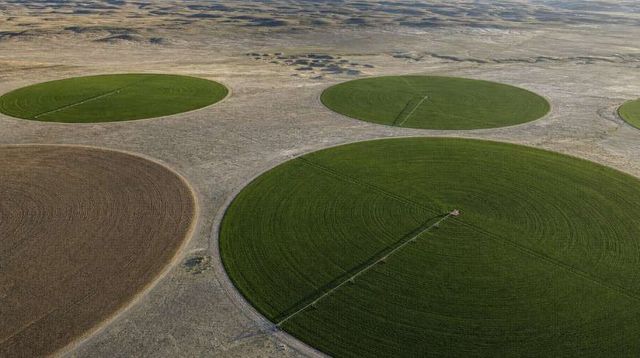
Farm machinery is expensive and often left parked a long way from the yard. You draw boundaries on the map, and we send an alert when a machine crosses one.
Farm equipment tracking
Logbooks and phone calls compared with live tracking
If you run the fleet from a logbook today, these are the four jobs that change most.
| Job | Logbook and phone | Farmonaut |
|---|---|---|
| Finding a machine | Call the driver and ask | Every machine is live on the map |
| Servicing | Dates in a notebook, often found after the breakdown | An alert before the service is overdue |
| Fuel and hours | Added up at the end of the month | Fuel, driver behavior and machine use in one report |
| Spray order | Decided by habit rather than field condition | Follows the satellite crop data for each field |
Farms and businesses running several machines
Large farms
Tractors, sprayers and harvesters spread across many fields, managed from one screen by the farm manager.
Plantations and estates
Vehicles moving between blocks every day, with crews that also run on the Agro Admin app.
Contractors
Custom spraying and harvesting crews working on many farms, who need to know where each machine is.
Agri logistics
Grain, cane and produce haulage from field to store, with routes and live positions in view.
Cooperatives
Shared machinery used by many members, with a record of where each machine went and for how long.
What GPS trackers and telematics report on farm machines
Agriculture fleet management starts with a GPS tracking device on each vehicle you want on the map. The tracker works out its position from navigation satellites and sends it over the mobile network, along with speed, direction and whether the engine is on. From that stream we calculate what you see for each machine: distance today and in total, drive time and idle time.
GPS tracking and machine telematics
People use the two terms loosely. A GPS tracker reports where a machine is and whether it's moving. Telematics usually means data read from the machine itself, such as engine hours, fuel rate and fault codes, which newer tractors expose through their onboard electronics. The big equipment brands each run a telematics service for their own machines. On a farm with a mixed fleet (a ten-year-old tractor, two newer sprayers from another brand, a hired truck), a tracker on each vehicle is the simplest way to get all of them on one map.
How precise the position is
A standard GPS receiver in open sky is usually accurate to within a few meters. That's plenty to see which field a tractor is in and the route it drove, but it isn't guidance-grade. Auto-steer systems use RTK correction to get passes accurate to a couple of centimeters, and that's a separate system from farm vehicle tracking.
Geofencing setups that work on farms
A geofence only helps if people read its alerts. Draw too many fences, or draw them too tightly, and the notifications turn into noise. These setups tend to earn their place:
- The farm boundary, drawn a little outside the real fence line so GPS drift along the edge doesn't set off alerts.
- The yard, workshop and machinery sheds, to see when machines leave in the morning and come back in the evening.
- Fuel and chemical stores, where an unplanned visit is worth a look.
- Fields you work under contract on someone else's land, which gives a contractor a record of when a machine arrived and left.
- Routes between blocks that cross public roads, where you want to know a machine kept to the route it was given.
Agree who responds to which alert before you switch them on. The farm manager probably wants boundary alerts at any hour, the workshop lead cares about yard movements, and a contractor's office wants arrivals and departures at client farms.
Planning spray and harvest logistics around crop data
On a farm, machine time follows the crop. A sprayer is only useful in the hours when wind, rain and temperature allow it, and a combine waits until the grain is dry enough. Tracking shows where the machines are, and satellite crop monitoring shows which fields need them.
Spray rounds
Instead of spraying blocks in the same order every round, sort them by the pest and disease risk in each field's report and send the sprayer to the highest-risk fields first. With machine positions on the same map, you can also see which sprayer is nearest and how far it has to travel between blocks.
Harvest
The yield estimate and expected harvest date for each field give you a rough order weeks ahead. Use that time to line up combines, grain carts and trucks, check which machines will be due a service in the middle of it, and plan the routes from field to store. Harvest is also when idle time piles up, mostly trucks waiting at the field edge, so it's the week to watch that report closely.
Water and fertilizer runs
The 7-day irrigation needs and fertilizer doses for each field show which ones need a water cart or a spreader this week. Fields where the recommended dose is zero drop off the list, which shortens the route. If your crews also take their daily jobs from the Agro Admin app, the same field list drives both.
Scheduling maintenance by engine hours
Tractors, combines and sprayers are serviced by engine hours rather than miles. The intervals in the operator's manual for oil, filters, hydraulic fluid and greasing are given in hours, and a machine that idles a lot builds up hours quickly while covering very little ground.
Our predictive maintenance alerts use operating hours, usage and vehicle health data for each machine, and warn you when a service is coming due or a problem is developing. A few habits make them more useful:
- At setup, have each machine's current hours, last service date and the manufacturer's service intervals to hand.
- Do pre-season services in the quiet weeks, when a machine in the workshop costs you least.
- During spraying and harvest, look two weeks ahead for machines that will reach a service interval, and book the work for a rain day.
Tracking fuel use and idle time
Idle time is the easiest number in the fleet report to act on. An engine running while the machine stands still burns fuel and adds engine hours, which brings the next service closer and uses up warranty hours on machines covered by an hours-based warranty.
| Common cause | How it shows in the data | What farms usually change |
|---|---|---|
| Trucks waiting at the field during harvest | Long idle blocks at the field edge | Fewer trucks per combine, or a grain cart shuttling |
| Engines left running through breaks | Idle time spread across the day | A rule agreed with operators |
| Long warm-ups in the yard | Idle time first thing in the morning | Warm-up time set from the manufacturer's guidance |
| Waiting for product, parts or instructions | Idle time at the start of a job | Supplies and jobs planned the day before |
Fleet analytics also cover fuel use, driver behavior and machine use for each vehicle. Compare machines doing similar work, such as two sprayers on similar blocks, because a tractor on heavy cultivation will always burn more than one on light haulage. We don't quote a fuel saving figure, since it depends on how your fleet runs today.
Data and connectivity in rural areas
Most GPS trackers send data over the mobile network, and coverage on farms is patchy. Many commercial trackers store positions while they're out of signal and upload them when the connection comes back, so the route is complete but appears late. Check how a device behaves out of coverage before you buy it. Where there's no mobile coverage at all, satellite-connected trackers exist, at a higher running cost.
Settle two other points before rollout. Tell operators what's tracked and why, and check the employment and privacy rules where you farm, since some countries expect a written policy for tracking staff-driven vehicles. And agree who owns the data and who can see it, especially when contractors or cooperative members share machines.
Tracking a machine and tracking a person are treated differently in many places. Writing down what you track, why, and who can see it helps keep operators on side. Check local employment and privacy law for anything more it requires.
Choosing agricultural fleet management software and rolling it out
Most fleet software is designed for road transport. When you compare tools for agriculture fleet management, these are the questions that matter:
- Does it show machines on a map with your field boundaries and crop data for each field?
- Can it handle a mixed fleet of tractors, sprayers, harvesters, trucks and cars from different brands?
- Are maintenance alerts based on engine hours as well as distance?
- Can you draw your own geofences around fields, yards and stores?
- What does the tracker need (power, mounting, a SIM card), and what happens out of coverage?
A rollout plan
- List every vehicle with its plate or ID, current hours and last service.
- Fit trackers to a few machines first, ideally ones that move between fields every day.
- Add your field boundaries and draw geofences around the farm, yards and stores.
- Run it for a few weeks, loosen any fence that alerts too often, then fit the rest of the fleet before the next busy season.
For background, read our overview of what agriculture fleet management is and our article on ways to use GPS tracking in agriculture. This page covers farms. If you run haul trucks and excavators, our article on mobile fleet networks in mining is the better starting point.
What farm managers ask about agriculture fleet management
What is agriculture fleet management?
It means tracking and planning how farm vehicles and machinery are used: where each one is, what it is doing, when it needs service and how much it costs to run. Farmonaut adds satellite crop data, which means each machine's work can be planned around what's happening in the fields.
Can I track tractors with GPS?
Yes. Each tractor, sprayer, harvester or truck with a GPS tracking device shows up on the live map with its position, speed, direction, distance traveled, drive time, idle time and engine status.
Do I need hardware on each vehicle?
Yes. Live tracking needs a GPS tracking device on each vehicle. Talk to our team about your fleet and we'll confirm the setup.
How do predictive maintenance alerts work?
We track operating hours, usage and vehicle health data for each machine and send an alert when service is coming due or a problem is developing. That way maintenance can be planned around the work.
What is geofencing for farms?
A geofence is a virtual boundary you draw on the map, for example around the farm, a yard or a storage shed. When a tracked machine crosses it, or leaves its planned route, you get an alert.
How does fleet data connect to crop data?
Farmonaut's satellite crop monitoring reports crop health, water need, pest risk and harvest estimates for each field every few days. Those readings help decide which field gets the sprayer, the water cart or the harvester first.
How does farm vehicle tracking work?
A GPS tracking device on each vehicle sends its position, speed, direction and engine status over the mobile network. We show each machine live on the map and work out its distance, drive time and idle time for the day.
Can I schedule farm equipment maintenance by engine hours?
Yes. Maintenance alerts use operating hours, usage and vehicle health data, which suits tractors and harvesters whose service intervals are set in hours. Have each machine's current hours and service intervals ready at setup.
Does tracking work where there's no mobile signal?
It depends on the tracker. Many devices store positions while out of coverage and upload them when the signal returns, so the route shows up late but complete. In areas with no coverage at all, satellite-connected trackers are an option.
Can fleet tracking reduce fuel costs on a farm?
It shows where fuel and engine hours go, especially idle time, such as trucks waiting at the field edge at harvest. How much you save depends on how your fleet runs today, so we don't quote a figure.
Is this for mining fleet management?
No, this service is designed around farms, with field boundaries and crop data on the map. For mines, see our article on mobile fleet networks in mining.
How is fleet management priced?
It depends on the number of vehicles and the features you need. Contact us for a quote.
See your machines and your crop data on the same map
Let us know roughly how many vehicles you run and where your fields are, and we'll show you live tracking, geofences and maintenance alerts working next to your crop data.
More Farmonaut solutions