
Mining GIS software · Buyer guide
GIS for Gold Exploration: 10 GIS and 3D Tools Compared
Use a desktop GIS such as ArcGIS Pro or QGIS for the base map, add a drillhole or 3D tool once you drill, and screen the ground from satellites first. Ten tools compared by job, with pros and cons, a five-step targeting workflow and a cost calculator.
Key takeaways
- ArcGIS Pro is Windows-only desktop GIS with 2,000+ geoprocessing tools sold by annual user type; QGIS has no licence fee (GNU GPLv2+) and runs on Windows, macOS and Linux (Esri and QGIS pages, October 2026).
- Sentinel-2 gives 13 bands at 10, 20 and 60 m with a 5-day revisit; Landsat 9 gives 11 bands at 30 m; ASTER’s shortwave-infrared data ended on 1 April 2008 (ESA, NASA, 2026).
- A published Argentina study built gold prospectivity models in a GIS from public geoscience data using weights of evidence and fuzzy logic (Ore Geology Reviews, 2015).
- USGS lists US gold reserves at 3,000 t and resources at 33,000 t (a 1998 assessment), of which 18,000 t are undiscovered estimates (Mineral Commodity Summaries, 2026).
- Most mining vendors do not list prices on the pages we opened (Blue Marble does for Global Mapper), so the calculator totals licences, add-ons, training and data over your chosen years from your own quotes.
In this article
- How we chose these 10 tools
- Mining GIS software compared at a glance
- The 10 tools in detail: best for, pros and cons
- Which tool to pick: by team and stage
- How to build a gold prospectivity map: 5 steps
- Open satellite and geology data to load first
- Where gold is mined, and why target generation matters
- Undiscovered gold: why exploration data work still pays
- GIS in mining after exploration: planning, operations and closure
- What mining GIS costs and how to estimate your own
- Where satellite screening fits beside desktop mapping software
- Mistakes that spoil a gold targeting project
- Frequently asked questions
For gold exploration, most teams run a desktop GIS (geographic information system, software that stores and analyses map layers) for the base map, add a drillhole or 3D modelling package once drilling starts, and screen the ground from satellites before any of that. ArcGIS Pro and QGIS are the two general-purpose desktop options. Leapfrog Geo, Micromine Origin, Maptek Vulcan and GEOVIA Surpac handle models and mine design. Add-ons such as Datamine Discover and Oasis montaj cover drillholes and geophysics.
This guide compares ten tools by the job they do, with a “best for” line and honest pros and cons for each, including our own product, which is labelled “Our product”. It then shows how a gold targeting project is built in a GIS, which open data to load first, where satellite screening fits, what the software costs to own, and a calculator for your own team. It also covers GIS across the rest of the mine life, from planning to closure. Software prices are rarely published, so we say so where that is the case instead of guessing.
How we chose these 10 tools
We picked tools that a gold explorer, consultant or small mining company would actually meet, and that have a vendor page we could open and read in October 2026. Each tool had to do at least one job in the path from first map to drill target to mine plan. We did not rank them from best to worst, because a QGIS user and a Vulcan user are doing different work. Instead each tool gets a “best for” line.
- Job covered: general GIS, drillhole data, 3D geology, geophysics, resource and mine planning, or satellite screening.
- Stage: before drilling, during drilling, or resource and mine planning.
- What the vendor page states: we use only features written on the vendor’s own page. We did not test the software ourselves.
- Price: we report a price only when the vendor publishes one. Most of the vendor pages we opened did not show one. The exceptions are QGIS, which has no licence fee, and Blue Marble, which lists Global Mapper subscription prices on its purchase page (read 15 October 2026).
Two things are left out on purpose. We do not quote user counts or price ranges, because we found no published source for them. We also do not claim that any tool finds gold by itself. A GIS organises evidence. People decide where to drill.
Mining GIS software compared at a glance
| Tool | Main job | Stage | Licence model on vendor page |
|---|---|---|---|
| ArcGIS Pro (Esri) | Full desktop GIS | All stages | Annual user-type licence; price not shown |
| QGIS | Open-source desktop GIS | All stages | No licence fee (GNU GPLv2+) |
| Global Mapper (Blue Marble) | Terrain, lidar and field maps | Survey, closure | Annual plans from $599 (Essentials), $1,199 (Advanced), $2,199 (Professional), per Blue Marble, 15 October 2026 |
| Datamine Discover | Drillhole and section add-on for ArcGIS Pro or MapInfo | Exploration | Price not shown |
| Leapfrog Geo (Seequent) | 3D implicit geological models | Drilling, resource | 12-month named licence online; shared and enterprise licences via sales; price not shown |
| Oasis montaj (Seequent) | Geophysical data processing | Before and during drilling | Price not shown |
| Micromine Origin | Exploration, modelling, resource estimate | Drilling, resource | Licence needed; price not shown |
| Maptek Vulcan | 3D modelling, mine design, scheduling | Resource, mine plan | Price not shown |
| GEOVIA Surpac (Dassault Systèmes) | Drillholes, resource models, mine design | Resource, mine plan | Price not shown |
| Farmonaut Mining Pro (Our product) | Satellite screening of a licence area | Before drilling | Paid service; quote on request |
The 10 tools in detail: best for, pros and cons
1. ArcGIS Pro (Esri)
Best for: consultants and companies that want one full desktop GIS and plan to add mining add-ons later.
Esri describes ArcGIS Pro as desktop GIS software with more than 2,000 geoprocessing tools that runs on Windows only. It is sold through annual user-type licences, and the product has three licence levels: Basic, Standard and Advanced (Esri licensing page). Esri also publishes a page on GIS across the mining life cycle, from exploration to remediation.
- Pros: a very large toolset; both Datamine Discover and Seequent’s Target add-on run inside it; 2D maps switch to 3D scenes.
- Cons: Windows only; the price is not on the page, so you need a quote; the personal-use plan is limited to noncommercial use.
2. QGIS
Best for: solo geologists, juniors and small teams, and anyone on macOS or Linux.
QGIS is licensed under the GNU GPLv2 or later, so there is no licence fee. Its download page lists Windows, macOS, Linux and mobile builds, and offers a long-term release (3.44) next to the newest release (4.2), as shown on the page on 15 October 2026. It has a layout designer for print maps, digitising tools, an analysis toolbox and a large set of third-party plugins.
- Pros: no licence cost, so your budget goes to training and data; works on all main desktop systems; the toolbox lets you chain steps into repeatable workflows.
- Cons: it is a general GIS, so block models (3D grids that hold the estimated grade of each block of rock) and resource estimates sit in the mining packages below; plan how you will get training and support, since there is no vendor account manager by default.
3. Global Mapper (Blue Marble Geographics)
Best for: terrain, lidar (laser scanning) and drone-survey work, and field maps that go out to a phone.
Global Mapper is a desktop GIS built around point clouds, terrain and coordinate handling. Blue Marble says it supports more than 12,000 geodetic definitions (coordinate systems and datums), adds AI-assisted feature extraction, and sends office-prepared maps to the Avenza Maps app for offline field use.
- Pros: strong on lidar and coordinate conversion; a clear office-to-field route.
- Cons: the page describes surveying and rehabilitation work, not geology targeting; plan prices are on Blue Marble’s purchase page, so confirm them there.
4. Datamine Discover
Best for: exploration teams already working in ArcGIS Pro or MapInfo.
Discover is a plugin, not a stand-alone GIS. According to Datamine’s own documentation, Discover for ArcGIS Pro imports drillhole data from many repositories and refreshes it when new data arrives. It also builds section templates in 2D or 3D and shares scenes by web link. Datamine’s exploration page adds data-collection tools for field mapping and drillhole logging.
- Pros: keeps drillholes, maps and sections in one project; sections follow a standard style.
- Cons: you still need the host GIS licence; check with Datamine how far its resource-modelling support goes; no price is shown.
5. Leapfrog Geo (Seequent)
Best for: geologists who need a fast 3D model of veins, shears or rock units from drillhole data.
Seequent says Leapfrog Geo uses implicit modelling. In plain terms, the software fits smooth surfaces through your drillhole contacts instead of making you draw each outline by hand, and the model updates as new data comes in. A Leapfrog Edge extension adds geostatistics (statistics that use the position of samples to estimate values between them). Seequent also offers Target for ArcGIS Pro, which works with surface, subsurface and drillhole data inside ArcGIS Pro.
- Pros: quick model updates; strong fit once drilling has started; Seequent’s separate Target add-on covers drillholes inside ArcGIS Pro.
- Cons: it needs drillhole data to be useful, so it is later in the project than a map-based GIS; no price is shown.
6. Oasis montaj (Seequent)
Best for: projects with airborne or ground geophysics, where magnetic data helps map the faults that can control gold.
Seequent describes Oasis montaj as desktop software for magnetic, gravity, electromagnetic, resistivity and radiometric data, keeping the full path from raw data to final maps in one project.
- Pros: built for large geophysical datasets; traceable from raw data to outputs.
- Cons: a specialist tool that needs geophysics skills; not a general map package; no price is shown.
7. Micromine Origin
Best for: teams that want one package from drillhole data to a resource estimate.
Micromine lists Origin under exploration, geological modelling and resource estimation on its software page. Its Origin course outline covers data management, wireframing (drawing solid outlines of rock bodies), implicit modelling, fault integration, block models, grade estimation and resource reporting. Micromine says a current licence is needed to enrol in its online training courses.
- Pros: one path from data to resource; an in-person Origin course was held at its Perth office in December 2025.
- Cons: geared to drilled projects, so it is more than a pre-drilling screen needs; no price is shown.
8. Maptek Vulcan
Best for: operations moving from a resource model to a mine design and schedule.
Maptek presents Vulcan as 3D mining software for geological modelling, mine design and scheduling, handling very large datasets.
- Pros: covers design and scheduling as well as modelling.
- Cons: more than a prospecting project needs; no price is shown.
9. GEOVIA Surpac (Dassault Systèmes)
Best for: geologists and mine engineers who want drillhole management, resource models and mine design for open pit or underground work in one tool.
Dassault Systèmes says Surpac offers drillhole-data management, statistical and geostatistical analysis, resource models and mine plans. It can work with limited information and produces outputs for regulatory reports.
- Pros: one tool from drillholes to design.
- Cons: built for mining and resource teams rather than first-pass screening; no price is shown.
10. Farmonaut Mining Pro (Our product)
Best for: a first screen of a licence area from satellite images before field crews or drill rigs go in.
We built this one, so read it with that in mind. You send an area of interest as a KML, KMZ or polygon and name the target minerals, which include gold. The analysis uses multispectral and hyperspectral satellite data and flags zones that look like alteration, faults and other patterns linked to mineralisation. Delivery takes 5 to 20 business days depending on size and complexity. Reports come with georeferenced GIS files. Farmonaut states that it can cut early-exploration time from months to days and early-exploration cost by up to 80 to 85 percent; those are company figures.
- Pros: no ground disturbance; covers large areas quickly; delivers GIS files you can add to your own project.
- Cons: it is not a desktop GIS or a modelling package; satellites read the surface, so a target still needs field checks and drilling; results are exploration targets, not a resource estimate and not JORC or NI 43-101 compliant; it is a paid service, so you need a quote.
Which tool to pick: by team and stage
Match the tool to the stage you are in and the data you hold. A tool that is right for a mine planner can be a poor buy for a prospector.
- Solo prospector or small licence holder, no drilling yet: QGIS plus open geology data, then satellite screening if the area is large.
- Consultant serving several clients: a desktop GIS that clients already use, with the add-on that matches their drillhole data. Esri-based clients point to ArcGIS Pro with Discover or Target.
- Explorer with drillholes: Leapfrog Geo or Micromine Origin for models, plus Oasis montaj if you hold geophysics.
- Operation planning a pit or underground mine: Maptek Vulcan or GEOVIA Surpac.
- Survey, drone and terrain work: Global Mapper or a desktop GIS with lidar support.
Before you buy any of them, ask the vendor three things: which file formats it reads from your drilling contractor and lab, how many licences you need at once, and what training and support are included. Our short video on the kinds of AI geology tools explains the same checks for newer products.

▶ Six kinds of AI geology tools and three questions to ask before you pick one (3:18). · 3:18
How to build a gold prospectivity map: 5 steps
A prospectivity map (a map that scores each patch of ground by how likely it is to host mineralisation) is the main product of GIS in gold exploration. The steps below are a simple workflow of our own, based on how published studies build such maps. Ford and colleagues built GIS prospectivity models for gold in Argentina from publicly available digital geoscience data. They used weights of evidence (a statistical method that scores each map layer by how often known deposits sit on it) and fuzzy logic. Their maps highlighted known deposits and also ground with no known deposits (Ore Geology Reviews, 2015).
Infographic
From licence to drill target in 5 steps
- 1Set upPick one coordinate system and keep it.
- 2Load recordsAdd geology, tenure, occurrences and drillholes.
- 3Add imageryBring in satellite scenes and a DEM.
- 4Build layersMake rock, fault, geophysics, geochemistry and alteration layers.
- 5Rank and checkCombine, rank the top zones, then sample them.
- Set the project up. Pick one coordinate system for the whole project and note it in the file name. Mixed systems are the most common cause of layers that do not line up.
- Load geology, tenure (who holds the legal right to each block of ground) and past work. Add geological maps, mineral occurrence points, drillhole collars and licence boundaries. Our guide to mining cadastre portals shows where to find tenure maps by country.
- Add imagery and terrain. Bring in satellite scenes for alteration and a digital elevation model (DEM, a grid of ground heights) for structure and drainage.
- Build evidence layers. Typical layers are favourable rock units, fault density, magnetic or radiometric grids, stream-sediment or soil gold values, and alteration indexes. Sampling data comes from soil, stream-sediment or rock surveys.
- Combine, rank and check on the ground. Combine the layers, rank the top zones, then visit them. A model of the deposit style helps; see our guides on epithermal gold deposits and on deposit types, signs and methods for finding gold.
The Geological Survey of Western Australia shows how much a state map system can offer. Its GeoVIEW.WA lets you search public exploration reports and drillholes, search geochemistry sites, and extract layers in shapefile or file geodatabase format for your own GIS.
Open satellite and geology data to load first
You can start a gold GIS with public data that carries no charge. Pixel size (the ground width of one image cell) is the first number to compare across the four sources below.
Chart
Pixel size of visible and SWIR bands
Metres on the ground; smaller is sharper; ASTER shortwave infrared is archive only (ended 2008)
- Sentinel-2: the European Space Agency’s twin-satellite mission carries a 13-band imager with four bands at 10 m, six at 20 m and three at 60 m, a 290 km swath and a 5-day revisit at the equator (ESA SentiWiki).
- Landsat 9: 11 bands, 30 m for visible and shortwave infrared, 15 m panchromatic, 100 m thermal, a 16-day revisit on its own, and data distributed at no cost to users (NASA).
- ASTER archive: 15 m visible, 30 m shortwave infrared and 90 m thermal. Its shortwave infrared (SWIR) data became unusable on 1 April 2008, so only older scenes carry the clay bands (NASA LP DAAC).
- Copernicus DEM GLO-30: worldwide 30 m elevation, available to registered users at no charge, though Copernicus says the datasets are maintained until 2026, so check availability (Copernicus Data Space).
Why do the SWIR bands matter for gold? Hydrothermal alteration (rock changed by hot fluids) makes clay and mica minerals, and alunite, kaolinite and muscovite absorb light near 2.165 and 2.2 micrometres. A USGS study explains that ASTER’s SWIR bands 4 to 7 capture those features, and that such altered rocks are typically linked to porphyry copper and other vein-alteration ore deposits (USGS Open-File Report 2007-1006). Sentinel-2 has two SWIR bands at 20 m, which is the practical source for new scenes.
For deposit records, the USGS Mineral Resources Data System holds worldwide deposit reports. USGS stopped systematic updates in 2011, so treat it as a starting list and not a current register.
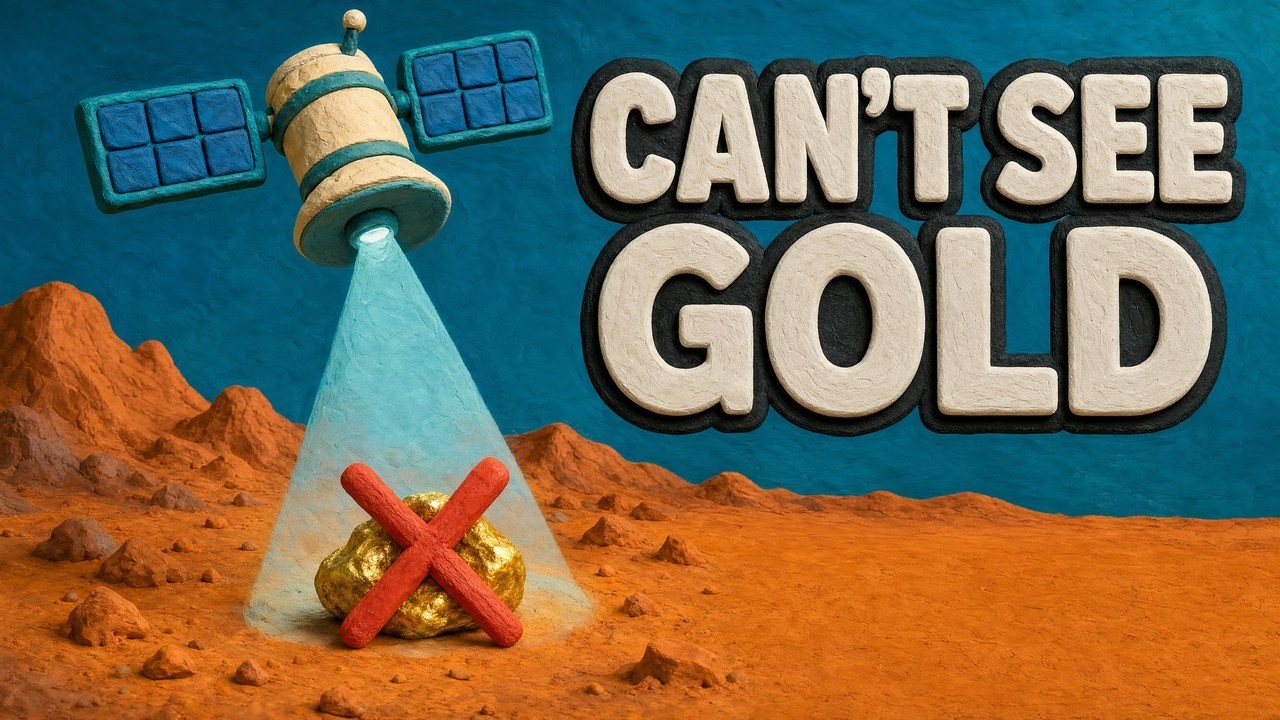
▶ Explains how satellites help find gold by mapping iron stains, clay and fractures, not the gold itself (4:25). · 4:25
Where gold is mined, and why target generation matters
Gold mining is spread across many countries, which is why GIS work on gold happens on every continent. USGS estimates world mine production at 3,300 tonnes in 2025 (USGS Mineral Commodity Summaries, 2026). China, Russia and Australia lead, and Ghana produced about 150 tonnes. In the United States, Nevada accounted for about 64 percent of 2025 output, ahead of Alaska at about 22 percent.
Chart
Largest gold-producing countries
Mine production, tonnes of gold, 2025 estimate; seven largest
Public geoscience data differs by country, so check the national or state survey portal before you buy any data.
Undiscovered gold: why exploration data work still pays
The same USGS report separates what is mined, what is economic today and what is still to be found. For the United States it lists reserves of 3,000 tonnes. Reserves are the part of the resource that can be mined profitably now. A USGS assessment of US gold resources (a 1998 assessment, published 2000) found 33,000 tonnes: 15,000 tonnes identified and 18,000 tonnes undiscovered.
Chart
US gold: reserves, identified and undiscovered resources
Metric tons of gold; reserves are the 2025 figure, resources come from a 1998 assessment
USGS adds that nearly a quarter of the undiscovered gold is estimated to sit in porphyry copper deposits. That is one reason geologists map copper and gold systems together. Undiscovered resources are estimates, not proven ounces, and finding them takes mapping, sampling and drilling. A GIS is the tool that pulls that evidence together.
GIS in mining after exploration: planning, operations and closure
A GIS does not stop when drilling ends. The same layers feed mine design, daily operations and closure, and different software takes over at each stage.
- Resource and design: Surpac, Vulcan and Micromine Origin build resource models and mine designs from drillhole data, as the vendor pages above describe.
- Planning and scheduling: Vulcan lists scheduling among its jobs, and Micromine’s range includes mine planning for underground and open-pit soft rock.
- Land disturbance and rehabilitation: a long satellite record lets teams compare cleared ground against the plan. Landsat 9 joins Landsat 8 in orbit and doubles the data available to researchers (NASA). Global Mapper’s page also describes rehabilitation work with terrain and lidar.
- Emissions and fleet: some operators map emissions and vehicle movement next to the pit; see our pages on carbon footprinting and fleet management.
- Community and permits: maps of the licence, buffers and closure plans give regulators and neighbours something concrete to review. Esri’s mining page presents location data as useful from exploration to remediation.
What mining GIS costs and how to estimate your own
Most mining vendors do not list prices on the pages we opened. QGIS has no licence fee, Esri sells ArcGIS Pro by annual user type without a price on the pages we opened, and Blue Marble lists Global Mapper plans from $599 a year (page read 15 October 2026). For the rest, you need a quote. Total cost of ownership, which covers licences, add-ons, training and data, matters more than the first invoice. A zero-fee tool still costs hours of training.
The calculator below adds licences, add-ons, one-off training and data costs over your chosen number of years, then divides by your licence area. Enter quotes you have received. The default numbers are round examples, not vendor prices.
Calculator
What will your GIS setup cost over several years?
Enter your own quotes. Results update as you type.
- Average cost per year: $19,700
- Cost per seat per year: $6,567
- Cost per hectare covered: $12
Example values only, not vendor prices or benchmarks: the vendor pages we opened do not publish prices, so use the quotes you receive. Set the licence fee to 0 for QGIS and keep training and support costs. Total = seats x (licence + add-ons) x years + seats x training + data cost x years. Money is in US$.
Where satellite screening fits beside desktop mapping software
Desktop GIS holds and combines data. Satellite screening produces one of the layers. The two work together: screening ranks zones in a large licence cheaply, the GIS then merges those zones with geology, tenure and geochemistry, and drilling or sampling tests the best ones. Our guide to reading a satellite gold map covers what the colours mean and what they do not.
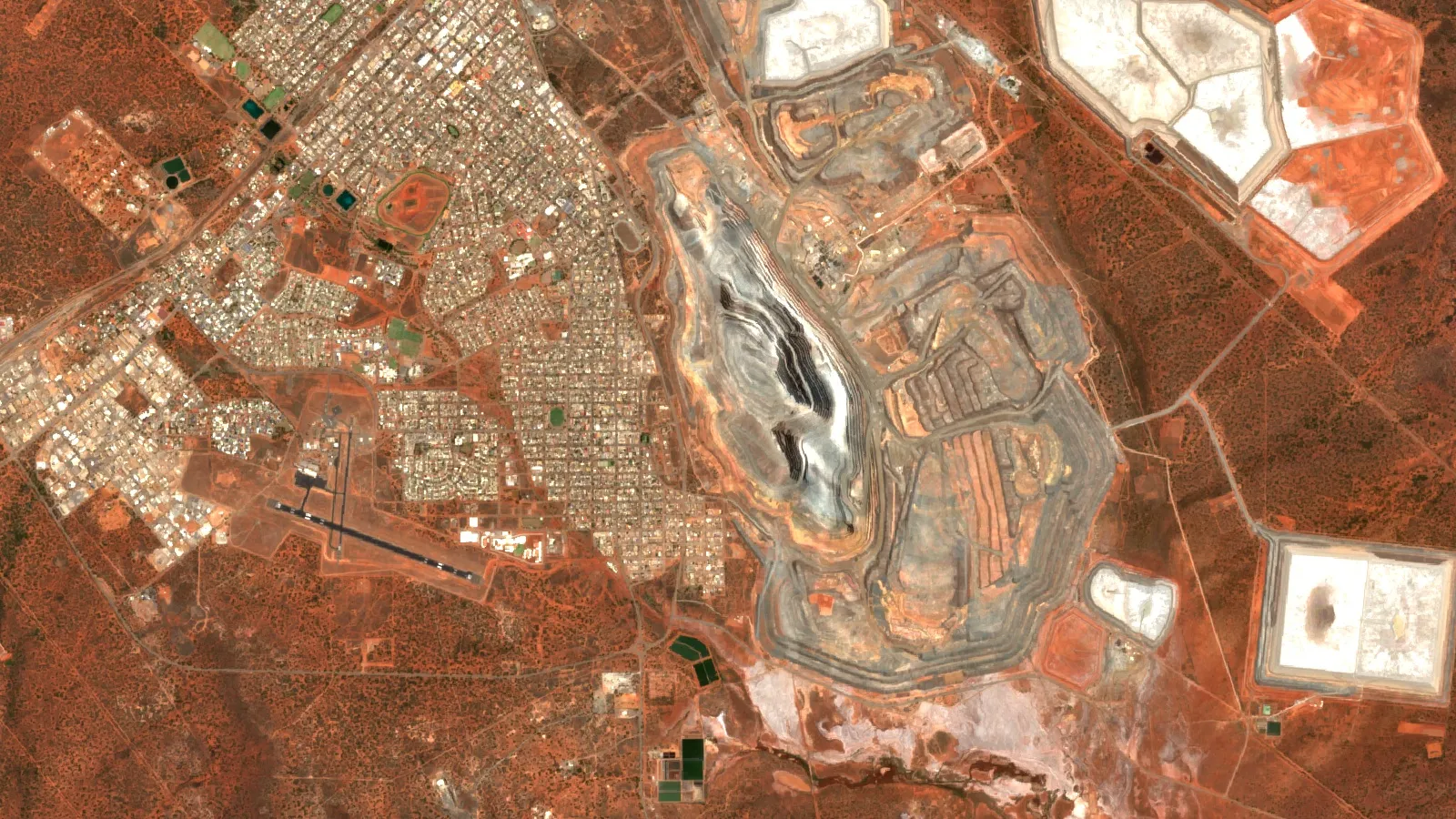
Be clear about the limits. Satellites do not see gold. They see surface minerals, rust-coloured iron stains, clays and linear features, and a model turns those into a likelihood. Cloud, soil and vegetation cover can hide the signal, and any result is an exploration target to confirm, not a resource estimate.
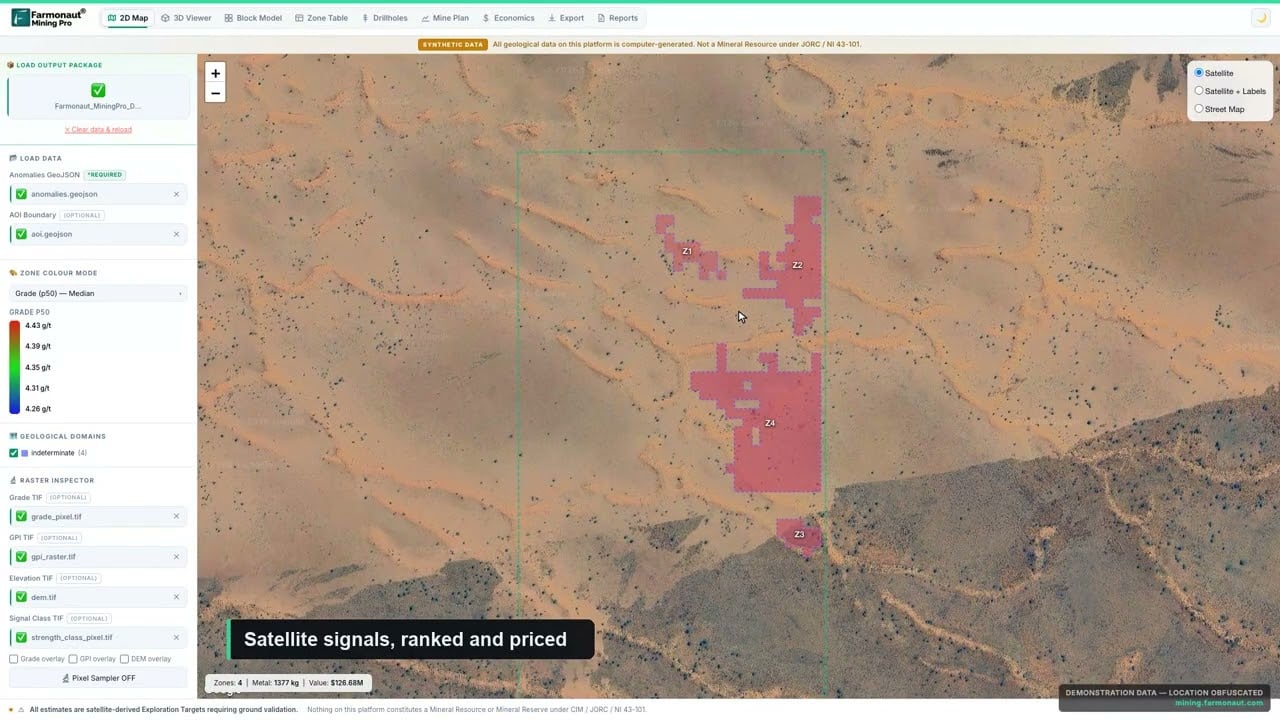
▶ A quick look at Farmonaut Mining Pro, which turns a licence boundary into a geological and economic picture (4:56). · 4:56
Mistakes that spoil a gold targeting project
- Mixed coordinate systems. Layers drift by metres to kilometres. Fix one system at the start.
- Old deposit points treated as current. Public occurrence databases such as USGS MRDS stopped systematic updates in 2011. Check each point against a recent source.
- Pixels that are too big. A 30 m pixel covers 900 square metres. A narrow vein will not show as its own cell.
- Too few known deposits. Statistical methods such as weights of evidence need known deposits as training points. With only a handful, the model is weak.
- Layers that repeat each other. Two layers made from the same image give the same evidence twice and inflate scores.
- Skipping the field check. Always sample the top zones, with the landowner’s permission and the right licence, before spending on drilling.
We cover a connected topic in AME Roundup and VRIC: Costs, Formats, PDAC Compared.
For a closer look at a related question, see our guide: Resolution Copper Oak Flat: Land Swap, Courts, Resource.
Frequently asked questions
What is GIS in mining?
GIS in mining is software that stores, maps and analyses spatial data such as geology, drillhole collars, licences, terrain and satellite images. Explorers use it to rank ground before drilling. Mine teams use it for design, operations and closure.
Which GIS software is best for gold exploration?
There is no single best. QGIS and ArcGIS Pro are the general-purpose choices. Leapfrog Geo, Micromine Origin, Surpac and Vulcan are better once you have drillholes. Pick by stage and by what your clients, contractors and lab already use.
Is QGIS good enough for gold exploration?
For maps, imagery, DEMs, structure and prospectivity layers, yes. QGIS is open source under GNU GPLv2 or later and runs on Windows, macOS and Linux. For block models and resource estimates you will add a mining package.
How much does mining GIS software cost?
The mining packages are quoted, not priced, on the vendor pages we opened. Esri sells ArcGIS Pro through annual user-type licences, QGIS has no licence fee, and Blue Marble lists Global Mapper plans from $599 a year (October 2026). Use the calculator on this page with your own quotes to compare total cost.
Can I use satellite images inside my gold exploration GIS?
Yes. Sentinel-2 offers 13 bands at 10, 20 and 60 m, and Landsat 9 offers 11 bands at 30 m for visible and SWIR. Both are open data. Load them as raster layers, then build alteration indexes from the bands.
What data do I need to start a gold prospectivity map?
A geological map, known gold occurrences, licence boundaries, a DEM and a satellite scene are enough for a first pass. Add geophysics and geochemistry when you have them. State survey portals such as GeoVIEW.WA supply many layers.
What is the difference between GIS and 3D geological modelling software?
A GIS handles maps and surfaces in two dimensions, with some 3D scenes. Modelling software such as Leapfrog Geo builds volumes of rock from drillhole data underground. Many teams use both, and add-ons link them.
Which mining tools run inside a desktop GIS?
Datamine Discover runs as a plugin to ArcGIS Pro, and Datamine also offers a MapInfo version. Seequent’s Target runs inside ArcGIS Pro. Both add drillhole and section tools to the GIS.
What is weights of evidence in gold targeting?
It is a statistical method that scores each map layer by how often known deposits fall on it, then combines the scores into a likelihood map. A 2015 study used it, with fuzzy logic, to map gold prospectivity across Argentina from public data.
Does a GIS replace drilling or a resource estimate?
No. A GIS ranks targets from evidence. Only drilling and a qualified person’s report can confirm a resource. Satellite and GIS results should be treated as exploration targets.
How good is Sentinel-2 compared with Landsat for mineral mapping?
Sentinel-2 has the finer pixels (10 m against 30 m) and a 5-day revisit with two satellites. Landsat 9 adds a thermal sensor at 100 m. Many teams use both.
This page is for information only. It is not investment advice. Vendor features are as stated on each vendor’s own page and were not tested by us; confirm features, platforms and prices with the vendor. Satellite and GIS results are exploration targets, not a resource estimate. When prospecting, get a licence and the landowner’s permission, stay off other people’s claims and protected land, and never use mercury.
Farmonaut mining
Map your mining site before you drill
Send a KML, KMZ or polygon and get a satellite screening report with georeferenced GIS files to add to your own project.
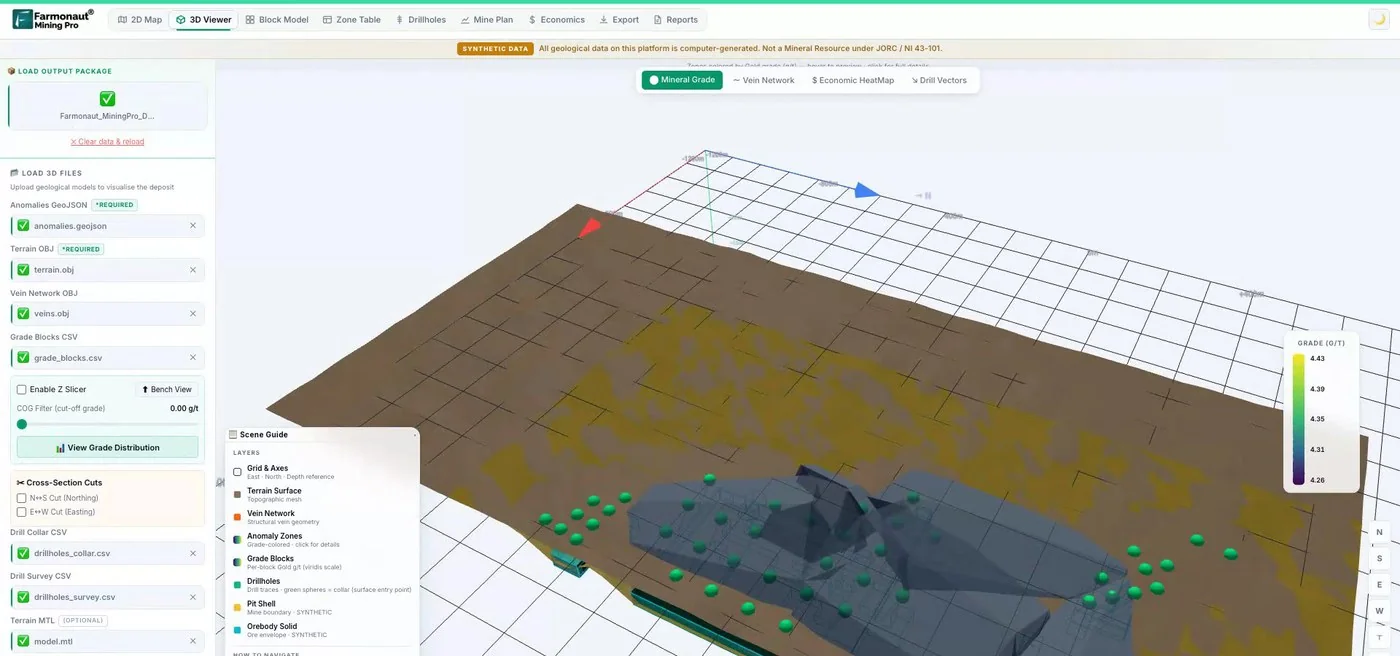
Mining Pro sample view, synthetic data
Keep reading
Sources
- USGS, Mineral Commodity Summaries 2026: Gold: pubs.usgs.gov
- ESA SentiWiki, Sentinel-2 mission: sentiwiki.copernicus.eu
- NASA, Landsat 9 instruments: landsat.gsfc.nasa.gov
- NASA, Landsat 9 mission: landsat.gsfc.nasa.gov
- NASA LP DAAC, ASTER Level 1 precision terrain corrected radiance V003: lpdaac.usgs.gov
- Copernicus Data Space, Copernicus DEM: dataspace.copernicus.eu
- USGS, Mineral Resources Data System (MRDS): mrdata.usgs.gov
- USGS Open-File Report 2007-1006, ASTER mapping of phyllic and argillic alteration: pubs.usgs.gov
- Geological Survey of Western Australia, GeoVIEW.WA: dmirs.wa.gov.au
- Ford et al., Porphyry, epithermal, and orogenic gold prospectivity of Argentina, Ore Geology Reviews (2015): researchonline.jcu.edu.au
- Esri, ArcGIS Pro overview: esri.com
- Esri, ArcGIS Pro pricing and licensing: esri.com
- Esri, GIS in mining: esri.com
- QGIS, home page and licence: qgis.org
- QGIS, download page: qgis.org
- Blue Marble Geographics, Global Mapper: bluemarblegeo.com
- Datamine, Discover for ArcGIS Pro functionality: docs.dataminesoftware.com
- Datamine, mineral exploration software: dataminesoftware.com
- Seequent, Leapfrog Geo: seequent.com
- Seequent, Target for ArcGIS Pro: seequent.com
- Seequent, Oasis montaj: seequent.com
- Micromine, mining software: micromine.com
- Micromine, Origin course: micromine.com
- Maptek, Vulcan: maptek.com
- Dassault Systèmes, GEOVIA Surpac: 3ds.com
- Datamine, Discover documentation home: docs.dataminesoftware.com
- Blue Marble Geographics, Global Mapper pricing and plans: bluemarblegeo.com
Discussion
Questions, corrections or field experience? Share them below. First-time comments are reviewed before they appear, and your email is never published.
No comments yet. Be the first to add a question or your experience.

 Process Metrology LLC
 Dalgety Minerals Pty Ltd
 Vortex Minerals Pty Ltd
 Faith At Work (Pty) Ltd
 Geotech Mining Solutions plc
 Vulcan International Limited
 Kidepo Associates
 GKY Mining
 Alkimy SARL
 Double A Trading
 GemSprout Metals Limited
 Qader Group
 Ileys General Trading
 SG Gold Mining LLC
 VRV Global Pte Ltd
 Omsri International FZE
 G.I.T.T.
 Jaunita Erss Ltd
 Almosi SARL
 SRK Consulting
 Berks Gold Limited
 Mwerezi Minerals Company Limited
 Exploration consultancy · South Africa · Gold