Reviewed August 2026 against USDA National Agricultural Statistics Service (NASS), USDA Economic Research Service (ERS), and IMARC Group market research.
Try it: Run your own numbers →
Introduction: What Agriculture Scheduling Software Actually Does
Agriculture scheduling software is a digital system that plans, assigns, and tracks farm tasks, staff shifts, contractor jobs, and equipment use on a shared calendar instead of paper logs or scattered text messages. It matters now because US farm labor costs and headcounts are both climbing at once: hired farm workers earned an average gross wage of $19.52 an hour in April 2025, up 3% from April 2024, according to USDA’s National Agricultural Statistics Service (NASS Farm Labor report). Every hour lost to a missed task, a double-booked contractor, or an unrecorded shift is now more expensive than it was a year earlier — which is exactly the gap scheduling software is built to close.
This article covers agriculture job scheduling end to end: staff rostering, contractor coordination, livestock task automation, mobile (Android and iOS) access, and time tracking. We name real rostering and time-clock tools, list prices where vendors publish them, and include a calculator so you can size the payback for your own operation rather than take a vendor’s word for it.


Agriculture Scheduling and Rostering Software Explained
“Agriculture scheduling,” “scheduling agriculture software,” and “agriculture rostering software” describe the same core function from different search habits: a shared calendar that assigns planting, spraying, irrigation, harvest, and maintenance jobs to specific people, dates, and equipment, then tracks whether each job was completed on time. The distinction that matters operationally is between task scheduling (what needs doing, and when) and staff rostering (who is doing it, and for how long) — most platforms bundle both, but buyers searching “agriculture rostering software” are usually further along and comparing shift-management depth, not just task lists.
The US farm management software market, the category this software sits within, was worth USD 766.3 million in 2025 and is forecast to reach USD 1,860.1 million by 2034, a 10.04% annual growth rate for 2026–2034, according to IMARC Group. No public source separates adoption of scheduling tools from field-mapping or inventory modules, so ask each vendor for a scheduling-only use case rather than relying on a blended industry number.
- Synchronize all farm activities on one dashboard, replacing whiteboards and group texts
- Surface AI-generated recommendations for planting and harvest windows based on weather feeds
- Alert managers to weather risk, pest pressure, or delayed operations before they compound
- Integrate with inventory, fleet, and UAV systems so one schedule change updates every connected module
- Try it: Run your own numbers

The average US farm covered 466 acres in 2024 and 469 acres in 2025, per USDA NASS — large enough that a missed spray window or an unrecorded irrigation cycle on one block is easy to lose track of without a shared system. Centralizing that record is what turns scheduling software from a convenience into an audit trail: every completed job, every reassignment, and every delay is timestamped, which matters when a lender, insurer, or certification body asks for proof of practice.
Why Scheduling Software Is Now a Baseline Tool, Not an Extra
- Labor is scarcer and pricier: hired farm worker wages rose to $19.52/hour in April 2025 (NASS), making each labor-hour worth protecting from scheduling errors.
- Headcount is still growing: US agricultural employment rose 10%, from 1.07 million in 2010 to 1.18 million in 2024, per USDA ERS — more people to coordinate, not fewer.
- Consistent timing protects quality: centralized schedules reduce the gap between planned and actual task dates, which is what drives crop quality and traceability outcomes.
- Integrated systems forecast risk instead of just logging history, using live weather and sensor feeds alongside the calendar.

Key Features to Check Before Buying
- Visual calendars showing planned and completed activities by field, crew, or asset
- Automated alerts and reminders for upcoming or overdue tasks
- IoT sensor integration for real-time soil moisture, equipment status, or crop health updates feeding the schedule
- Multi-user collaboration for assigning jobs and tracking progress across internal staff and outside contractors
- Mobile access — see the Android and time tracking section below for what to check specifically
To maximize the value of a scheduling record, pair it with traceability:
see how traceability solutions turn a schedule into a verifiable farm-to-fork record.

Agriculture Staff Scheduling and Rostering: Coordinating People
“Agriculture staff scheduling software” and “farm task scheduling software” searches usually come from operations managing a mixed crew: permanent staff, seasonal hires, and outside contractors on the same fields in the same week. USDA NASS counted 637,000 hired farm workers in its April 2025 reference week, and the USDA Economic Research Service counts 22.1 million full- and part-time jobs tied to the agricultural and food sectors in 2022 — the widest figure available, spanning farm labor through processing and distribution. Rostering software exists to make sure that labor pool is deployed against the right task on the right day, not just logged after the fact.
Contractor-heavy operations look for a specific feature set, because contractors sit outside normal payroll and shift systems:
- GPS-enabled workforce tracking for on-site accountability
- Automated invoicing and contractor payment records tied to logged hours
- Real-time job-status updates captured from mobile devices in the field
- Customizable job templates to fit seasonal workload swings — planting and harvest weeks look nothing like a mid-season maintenance week
- Data sharing between staff rosters and production-tracking software
For operations coordinating both in-house crews and external contractors, automated scheduling reduces double-bookings and keeps time-sensitive jobs — spraying ahead of rain, harvesting at peak readiness — from slipping because two teams assumed someone else had it covered.
Staff and contractor scheduling also feeds directly into fleet coordination — a crew assignment is only useful if the right vehicle or implement is free at the same time.
See how fleet tracking ties equipment use to labor schedules.
Paper and Spreadsheet Rosters vs. Digital Rostering
| Method | Record of hours worked | Contractor coordination | Auditability |
|---|---|---|---|
| Paper notebooks / whiteboards | Manual, easily lost | Phone calls, texts — no shared view | None; no timestamped trail |
| Spreadsheets | Manual entry, error-prone at scale | Emailed versions, frequent conflicts | Weak — edit history rarely kept |
| Dedicated scheduling software | Automatic, timestamped, exportable | Shared live calendar, GPS-verified | Full log for lenders, insurers, certifiers |
For operations pursuing sustainability certification or lender due diligence, a digital roster is the difference between asserting a practice happened and being able to show exactly when it happened.
How to Set Up a Farm Roster in Five Steps
Most farms move from a whiteboard to rostering software in a single season. The order below keeps the first month simple.
- List the jobs, not the people. Write down every recurring task by block or shed and by season: spraying, irrigation checks, milking, feeding, picking, machinery servicing. This becomes the task library the roster draws from.
- Tag each worker with skills and tickets. Record who holds a chemical application licence, who can drive the header or forklift, and who is seasonal. Good rostering tools will only offer a shift to someone qualified for it.
- Enter your pay rules once. Set award rates, overtime thresholds, piece rates and break rules in the software so every roster is costed before it is published, not after payday.
- Publish to phones and allow swaps. Staff see their shifts in the app, request swaps, and managers approve them. That replaces the group text and leaves a record of who agreed to what.
- Close the loop with the time clock. Match each clock-in to a task and a block. That gives you payroll hours, contractor invoices and a cost per job from the same data.
Run the old and new systems side by side for two pay cycles, then drop the paper roster once the hours reconcile.
Automated Livestock Scheduling: Farm Animal Management Software
“Automated livestock scheduling” and “farm animal management software” cover a distinct workflow from crop-side task scheduling: feeding rounds, health checks, breeding windows, and herd movement all run on animal-driven timing rather than a planting calendar. The software need is the same principle — a shared, alert-driven schedule — applied to recurring animal-care tasks instead of one-off field jobs.
- Recurring task automation: feeding, vaccination, and health-check schedules that repeat on a fixed cycle rather than needing manual re-entry each week
- Herd or flock-level task assignment, so a single alert (a fever flag, a missed feeding) routes to the right handler automatically
- Integration with general farm scheduling, so livestock tasks sit on the same dashboard as crop and equipment jobs rather than a separate system
On the narrower query of “rabbit farm software subscription”: there is no rabbit-specific scheduling platform documented in the sources reviewed for this piece, and the figures in this article are drawn from USDA row-crop and general farm labor data, not species-specific livestock statistics. A rabbit operation’s practical path is the same one described throughout this section — general livestock/farm animal management software with recurring-task automation — rather than a niche product built around that single species; if you’re evaluating vendors for a small-scale rabbitry, ask specifically whether their recurring-task engine supports the feeding and breeding-cycle intervals rabbits require, since that detail is not standardized across platforms.
Farm Management Software for Android and Time Tracking
“Farm management software android” and “farm time tracking software” are both about the same practical requirement: can a crew member clock a task from the field, on a phone, without returning to an office computer. This is the feature check that separates desktop-first legacy tools from software built for how farm labor actually operates — most task completion, delay reporting, and time logging now happens standing in a field or a shop, not at a desk.
- Native Android and iOS apps, not just a mobile browser view of a desktop tool
- Offline capability for fields without reliable signal, syncing once connectivity returns
- One-tap time tracking tied to a specific task, field, and crew member — the raw data an automated invoicing or payroll export needs
- Photo and GPS capture at task completion, for both time tracking and compliance evidence
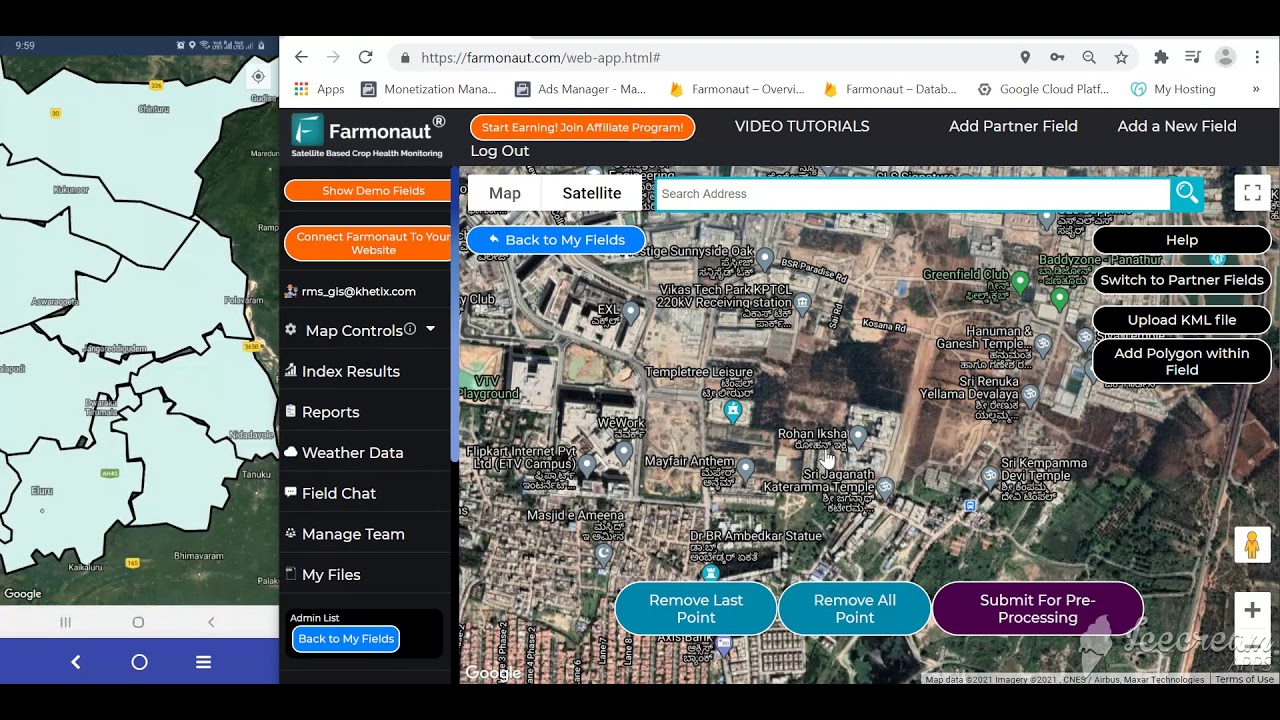
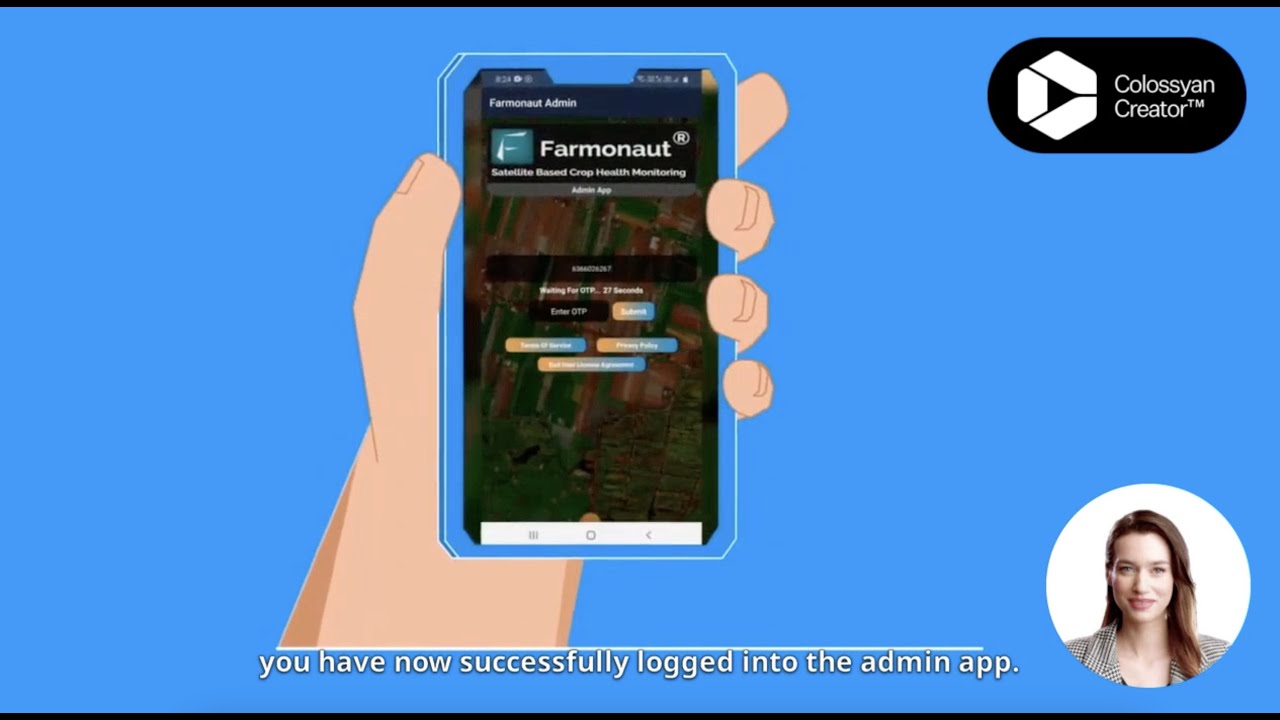
Farmonaut’s platform is available as a native Android app and an iOS app, alongside the web app — the same task and time data syncs across all three, so a manager reviewing a roster on a desktop sees the same completed-task log a field worker recorded from a phone.
Agriculture Shop and Equipment Scheduling
Behind staff and livestock scheduling sits a third layer: equipment and shop management. Maintenance scheduling for machinery, irrigation pumps, fleet vehicles, and drones prevents the downtime that stalls a labor schedule regardless of how well the crew side is planned. Real-time inventory tracking for fertilizers, seeds, and spare parts, plus purchase-order management, keeps input delays from cascading into missed task windows.

Shop software connects naturally to environmental tracking: Farmonaut’s carbon footprinting dashboard uses the same equipment and fuel-use records a shop system logs, giving a single data trail for both maintenance planning and sustainability reporting.
Production Tracking Tied to the Schedule
Once tasks are scheduled and completed, production software closes the loop by tracking yields and quality against what was planned. Ground-truthing satellite or drone data with physical sampling, benchmarking progress field by field, and generating audit-ready reports all depend on having an accurate schedule of what happened and when — production data without a task-level schedule behind it is much harder to explain to a lender or auditor.
That link between scheduling records and finance access matters directly: Farmonaut’s Crop Loan & Insurance solution uses verified digital records, including task and production history, to support satellite-verified lending decisions.
UAV Data Feeding Back Into the Schedule
Drone-based UAV agriculture software adds a fourth data stream into the same scheduling system: multispectral imagery revealing crop stress, canopy moisture, pest pressure, and weed outbreaks that a ground crew would otherwise miss. The practical value for scheduling is automatic — a UAV flight that flags a stressed block can trigger a new task in the same calendar staff already use, rather than sitting in a separate report someone has to remember to act on.
Read more on UAV-driven precision farming.
Calculator: Estimate Your Scheduling Software Payback
Use your own crew size and current wage rate — not an industry average — to see how many labor-hours a month a scheduling system would need to recover before it pays for itself.
Run your own numbers
Assumptions: uses the wage figure you enter (default is the April 2025 US average gross hourly wage for hired farm workers, $19.52, per USDA NASS) multiplied by hours you estimate are lost per worker per month, minus your software cost. It excludes equipment downtime savings, contractor invoicing errors, and any productivity gains from better task timing — those are separate benefits this tool does not attempt to quantify. It is a labor-hour recovery estimate only, not a full ROI model.
Comparison Table: 5 Agriculture Scheduling Software Tools
Features below are taken from each vendor’s own site. Confirm current pricing directly with each vendor before purchasing, since subscription tiers change more often than this article is updated.
Looking for affordable, scalable satellite-powered farm management? See Farmonaut’s pricing and modules for all farm sizes.
Staff Scheduling and Rostering Tools Farms Use
Farm rostering tools fall into two groups: general workforce apps that sell into agriculture, and farm software with labour tracking built in. The table lists features each vendor describes on its own site, checked September 2026.
| Tool | Type | Rostering and time features | Listed price |
|---|---|---|---|
| Deputy | General workforce app with an agriculture page | Drag-and-drop rostering across jobs, mobile time and break records, labour-law compliance tools, one-click payroll export | US$5, US$6.50 or US$9 per user per month (Lite, Core, Pro), per Deputy pricing, September 2026 |
| Fareclock | Time and attendance for field crews | GPS and geofenced mobile clock-in, facial recognition against buddy punching, offline sync, bulk shift assignment by job, team or worker | Not published; quote on request |
| Hectre | Orchard management software | Digital timesheets with piece-rate and hourly pay, bin counts per picker, task planning with GPS locations, unlimited users per annual subscription | Not published |
| Farmonaut | Satellite farm monitoring | Staff task assignment and progress tracking through the Agro Admin App, tied to satellite field data | See the pricing link below |
If your crew is mostly hourly and shift-based, a general rostering app is usually enough. If pay depends on bins, trays or rows, pick software that records piece-rate output against each worker, or you will still be reconciling spreadsheets at the end of the week.
Farmonaut: Satellite-Driven Scheduling and Farm Management
Farmonaut builds agriculture scheduling around satellite and UAV data rather than treating the calendar as a standalone module. The platform incorporates:
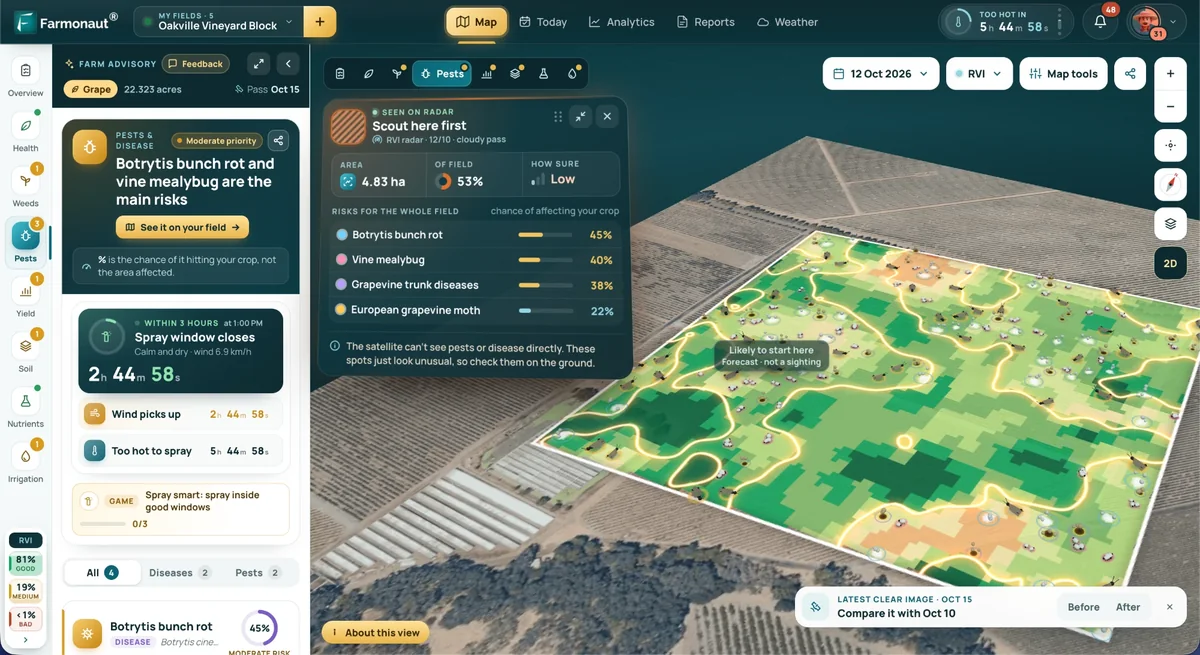
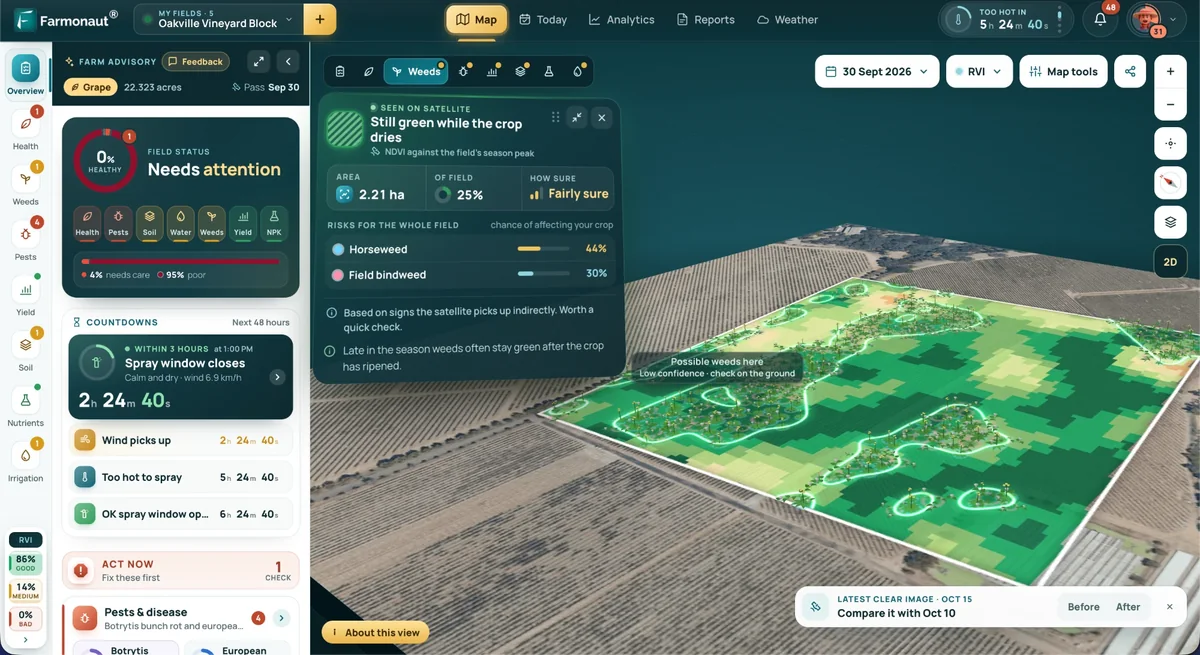
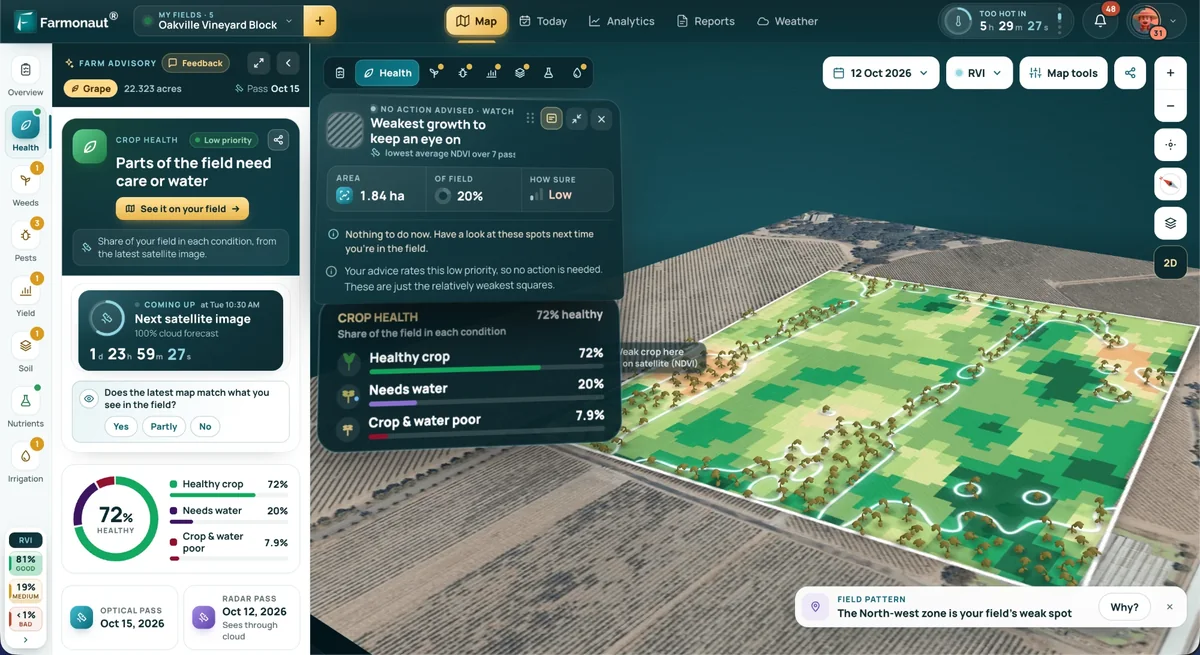
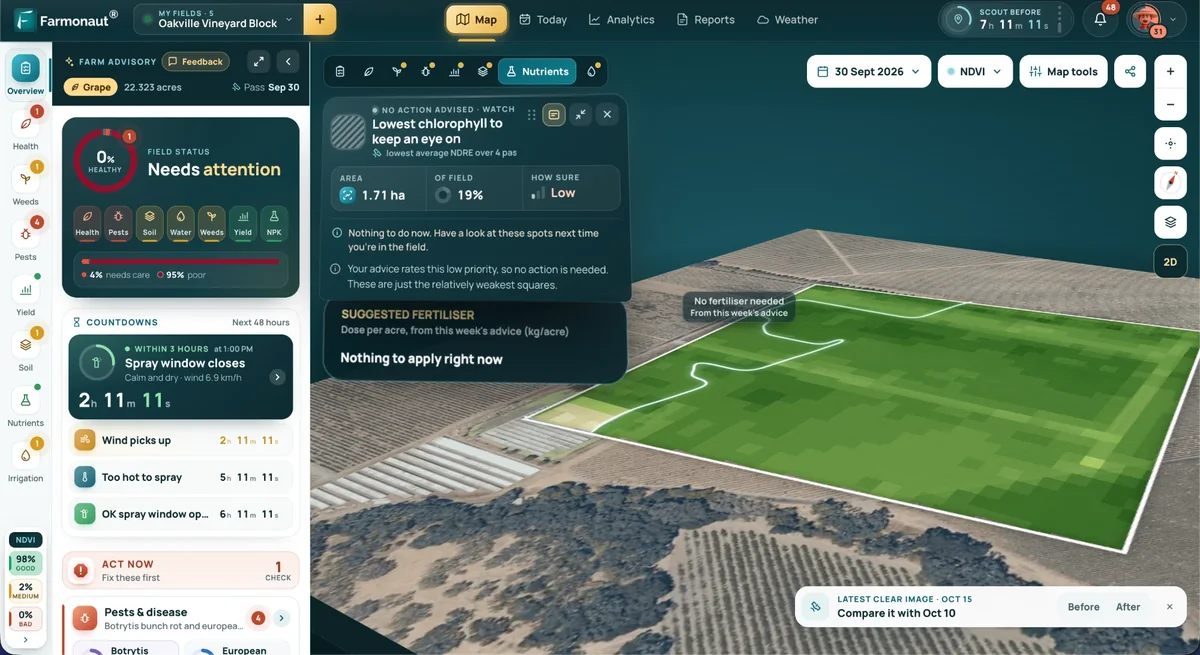
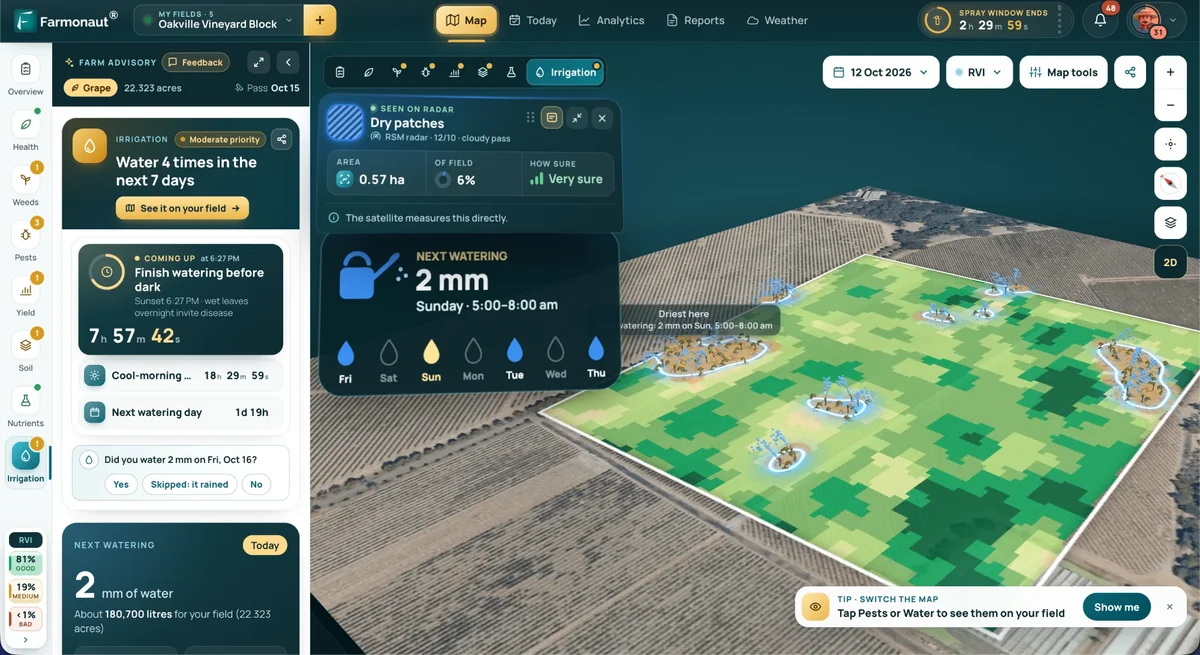
- Satellite-based monitoring powered by multispectral imagery and AI, supporting NDVI crop health, soil moisture, and production planning that feeds directly into the task schedule — accessible via web, Android, and iOS apps.
- Real-time advisory (Jeevn AI) providing farming, weather, and risk-management guidance integrated directly into operational schedules and dashboards.
- Blockchain-based traceability for supply chain transparency and regulatory compliance — see our traceability solutions.
- Fleet and resource management for coordinating labor, machinery, and logistics against the same schedule — see how we optimize farm fleets.
- Environmental tracking, including carbon footprint monitoring, drawing on the same equipment and task data.
The pricing model is built to scale from smallholder operations to large agribusinesses, with API-driven data and subscription tiers so the scheduling, staff, and fleet layers grow with the operation rather than requiring a platform switch at a certain size.
For fleet managers, agri-processors, and financial institutions, the same records support remote audits and scalable compliance documentation without a separate reporting system.

Frequently Asked Questions
-
What is agriculture scheduling software?
It is a digital system that plans, assigns, and tracks farm tasks — planting, irrigation, harvesting, maintenance — on a shared calendar, typically with real-time weather and equipment data layered in. It replaces paper logs and phone/text coordination with a timestamped, auditable record.
-
How is agriculture staff scheduling different from general task scheduling?
Task scheduling covers what needs doing and when; staff or rostering scheduling covers who does it, tracking shifts, contractor assignments, and hours worked. Most platforms combine both, but “rostering software” searches usually mean a buyer wants shift-level depth, not just a task list.
-
Is there farm management software built specifically for Android?
Yes — check specifically for a native Android app rather than a mobile browser view, since offline task completion and one-tap time tracking depend on native app functionality. Farmonaut offers a native Android app, an iOS app, and a web app on the same account.
-
Does farm animal management software handle automated livestock scheduling?
Yes — recurring feeding, health-check, and breeding-cycle tasks can be automated so they repeat on a fixed schedule rather than needing manual re-entry, with alerts routed to the responsible handler.
-
Is there subscription software built specifically for rabbit farms?
No rabbit-specific platform is documented in the sources reviewed for this article. The practical path is general livestock/farm animal management software with a recurring-task engine, checking directly with the vendor that feeding and breeding-cycle intervals for rabbits are configurable.
-
What does farm time tracking software need to do well?
Capture hours against a specific task, field, and worker from a mobile device in real time, then export that data cleanly for payroll or contractor invoicing — not just log a start and end time with no task context.
-
How many US farms use this kind of software already?
No USDA survey measures farm management software use directly. The USDA NASS 2025 Technology Use report found 85% of US farms had internet access and 82% had a smartphone, the baseline a mobile scheduling app needs. A scheduling-specific adoption figure is not published.
-
Where can I get current US farm labor wage and headcount data myself?
USDA’s National Agricultural Statistics Service publishes quarterly Farm Labor reports (reference weeks in January, April, July, and October) at its Farm Labor survey page. USDA’s Economic Research Service tracks longer-run employment trends at its Farm Labor topic page.
-
Where can I access Farmonaut’s platform?
Via Web, Android, and iOS apps. Developer documentation is at Farmonaut API Docs.
Conclusion
Agriculture scheduling software now spans four connected jobs: task scheduling, staff and contractor rostering, livestock task automation, and mobile time tracking — all against a labor market where hired farm worker wages reached $19.52/hour in April 2025 and the hired workforce grew 3% year over year (USDA NASS). The durable way to evaluate any platform, this year or in three years, is the same checklist used throughout this article: does it centralize tasks and staff on one calendar, does it run natively on Android and iOS with offline capture, does it automate recurring livestock or maintenance tasks, and does it export a clean, timestamped record for payroll, lenders, or certifiers. Vendor prices and market-share numbers will move; that four-part test will not.
We at Farmonaut build scheduling around satellite, AI, and blockchain data so the same record that assigns a task also verifies it happened — useful for day-to-day management and for demonstrating responsible agriculture to a lender, buyer, or certifier.
Ready to put a shared schedule in place? Start with Farmonaut’s web, Android, or iOS app and compare it against your own labor-hour numbers using the calculator above.
Discussion
Questions, corrections or field experience? Share them below. First-time comments are reviewed before they appear, and your email is never published.
No comments yet. Be the first to add a question or your experience.

 Red August Group
 Farm Inc
 JJM Farms
 WeMe Global
 Pixxel
 Agrotoken
 Blue BearX
 Insignito
 Croptimum
 DnCubed
 Field Capacity
 Indosistim Teknologi
 Liquify Digital
 CU Foods
 BeyondTech Global
 Rouge VC
 AgroGreen Dynamics
 AgroRisk
 Oath Inc
 Reddane Farming
 Licence holder · Niger · Gold