Farm software · Buyer guide
GPS Farm Mapping App: Accuracy, Prices and Fit Compared
A phone’s GPS is typically accurate to within about 4.9 m under open sky (GPS.gov): enough to map a field boundary, not enough to steer a tractor. Five apps compared on how they map and what the vendor lists as the price on 26 October 2026.
Key takeaways
- Phones are typically accurate to within a 4.9 m (16 ft) radius under open sky, and worse near trees and buildings (GPS.gov). A 2024 Cal Poly volunteer study averaged 10.6 ft.
- Typical overlap settings by guidance type: WAAS-class 12 to 15 in, OmniStar-class 6 to 8 in, RTK 3 to 4 in (Kansas State University, 2012).
- Vendor list prices on 26 October 2026: FieldView Basic from $0 a year and Plus from $649 a year; Farmbrite crop plans $290, $390 or $590 a year.
- Guidance autosteer ran on 52% of midsize and 70% of large-scale crop-producing US farms in 2023; USDA does not track mapping-app use (ERS).
- The calculator turns your implement width, overlap and operating cost into a yearly saving, using the K-State equation.
In this article
- What a GPS farm mapping app actually does
- How accurate is GPS on a phone
- GPS farm mapping app prices side by side
- Five apps compared by how they map and what they cost
- How to choose
- How to map a field boundary with your phone in six steps
- Questions to ask before you pay
- Common mapping mistakes and how to avoid them
- Phone GPS or tractor guidance: the accuracy tiers
- How many US farms use GPS guidance
- Calculate what field overlap costs you
- Where satellite monitoring fits
- How we checked the numbers
- FAQ
A GPS farm mapping app records a field boundary with your phone’s satellite receiver, which GPS.gov says is typically accurate to within a 4.9 m (16 ft) radius under open sky (GPS.gov). That is enough for acreage, records and job lists. It is not enough to steer a tractor, which needs a correction service and steering hardware. This guide compares five apps by how they build the map and what the vendor lists as the price on 26 October 2026, explains the accuracy tiers with university data, and ends with a calculator for what field overlap costs you.
Prices below are list prices copied from each vendor’s own page on 26 October 2026. They change, so check the vendor before you buy. Nothing here is financial advice; get professional advice before a large equipment purchase.
What a GPS farm mapping app actually does
People search for the same words and mean three different jobs. Mixing them up can lead to buying the wrong tool.
- Boundary mapping. You walk, tap or import the outline of a field. The app stores the shape and area once and reuses it for records, jobs and reports.
- Machine guidance. The same satellite signal, plus a correction service, keeps a tractor or sprayer on straight, even passes. This is about the machine’s path, not the field’s shape.
- Farm software. Boundaries plus crop records, task lists, input costs and often a satellite or drone layer on top.
Phone apps do the first job and part of the third. Guidance is a separate hardware and subscription decision. The USDA Economic Research Service describes guidance systems as technology that uses GPS to visualize and track the position of tractors, harvesters and sprayers in the field in real time (ERS chart of note, March 2023).
How accurate is GPS on a phone
The signal from the satellites is not the limit. What you receive depends on satellite geometry, signal blockage, the atmosphere and the quality of the receiver. GPS.gov lists buildings, bridges and trees as common causes of error, and says accuracy worsens near them (GPS.gov, GPS Accuracy). A hedgerow or tree line along a field edge is exactly where a boundary walk goes wrong.
A 2024 Cal Poly master’s project had volunteers record 30 survey control points with the ArcGIS Field Maps app on their own phones. The average error was 10.6 ft (about 3.2 m), and the best models averaged 4.87 ft and 5.10 ft (Dike, Cal Poly, 2024). That is a student project on one set of volunteers and phones, so read it as a guide to scale, not a guarantee.
What does a few metres mean for acreage? The arithmetic is simple. Take a square 160-acre field: each side is about 805 m, so the perimeter is about 3,220 m. If every edge were recorded 3 m too far in, the mapped area would be about 9,660 m² too small, roughly 2.4 acres or 1.5%. On a square 10-acre field the perimeter is about 805 m, and the same 3 m shift removes about 0.6 acre, or 6%. Small fields lose the most. Errors that point in different directions partly cancel, so this is a worst case for one-sided drift, not a typical result.
GPS farm mapping app prices side by side
Apps that map fields range from a $0 entry plan to a few hundred dollars a year. The chart shows the annual list prices of the plans that show a number on the vendor’s page. The plans differ in what they include, so it compares price points, not value.
Chart
Annual list price of plans that show a price
US$ per year, vendor pricing pages read 26 October 2026; FieldView Plus is a starting price; plans differ in features
Five apps compared by how they map and what they cost
We chose these five because each has a public page that describes its mapping and, where the page shows one, a price. They are not the only options, and we have not ranked them: the right one depends on whether you run crops, livestock or both.
| App | How it builds the map | Best for | Price on vendor page, 26 Oct 2026 |
|---|---|---|---|
| Climate FieldView | Field boundaries and a digital map book; data from compatible equipment | Row-crop farms that want yield and seed-script tools | Basic from $0 a year; Plus from $649 a year, billed annually |
| Farmbrite | Farm mapping inside a records and planning suite | Small crop, livestock or mixed farms | Crop plans $29, $39 or $59 a month; $290, $390 or $590 a year |
| AgriWebb | Interactive farm map with mob and paddock records | Livestock and grazing farms | Priced from your animal numbers in its online calculator (excludes GST) |
| fieldmargin | Draw fields or import boundary files; works offline | Mixed farms and contractors | No price on the pages read |
| OneSoil | Field boundaries with a satellite vegetation layer | Crop monitoring and variable-rate maps | No price on the page read |
Climate FieldView
FieldView’s pricing page lists a Basic plan that starts at $0 a year and a Plus plan that starts at $649 a year, with prices per year billed annually (FieldView pricing page, 26 October 2026). The plan page lists yield analysis, a digital map book and scouting tools such as image-enhanced scouting. The company says its products are compatible with most equipment types and connect with 60+ partners (FieldView home page, 26 October 2026). Those are the vendor’s claims, so ask your dealer about your own display and make.
Farmbrite
Farmbrite lists crop-grower plans at $29 a month (Essentials), $39 (Performance) and $59 (Premium), or $290, $390 and $590 a year, all in US dollars. Farmbrite also showed a time-limited discount on 26 October 2026, so list prices may differ at checkout. Its page lists custom farm mapping among the features, and puts historic climate reporting and satellite mapping from the Performance plan up (Farmbrite pricing page, 26 October 2026). It is a records suite first and a map second.
AgriWebb
AgriWebb is built for livestock. Its pricing page includes an interactive farm map in the Essentials plan and says the app works offline; the cost comes from a calculator that takes your cattle and sheep numbers and excludes GST (AgriWebb pricing page, 26 October 2026). Its mapping page describes dragging a mob into a new paddock so the animals’ records update (AgriWebb, farm mapping).
Fieldmargin
fieldmargin says you can map a farm in about 30 minutes, import boundaries from your computer or from MyJohnDeere, split fields into sub-fields and work offline. It also lists NDVI analysis as an add-on called Field Health (fieldmargin features page, 26 October 2026). Its home page claims 50 million hectares mapped, a vendor figure (fieldmargin home page, 26 October 2026).
OneSoil
OneSoil is a satellite-first platform. It says it is used by 140,000+ farmers and offers field monitoring and variable-rate application maps (OneSoil home page, 26 October 2026). It suits a farmer who wants the vegetation layer more than the records.
How to choose
Work through these questions in order. You can often rule out two or three options by the second question.
- Which job do you need done? A boundary and acreage record needs only a phone. Straight passes need guidance hardware and a correction service.
- What do you grow? Livestock farms need paddock and mob records, which is why AgriWebb is built around them. Row-crop farms usually want yield and input records that read data from the machines.
- Does it work offline? Some fields have weak signal. AgriWebb and fieldmargin say their apps work offline; confirm it on your own phone in your worst field.
- Can you get your boundaries out? Ask how to export them for your machine display or your advisor. fieldmargin, for example, says it imports boundaries from MyJohnDeere.
- What does a year cost, in total? Add the plan, any add-on layers and the correction service for guidance. The prices above are starting points.
If you are new to digital tools, start with one field and one job. Our video on precision agriculture for beginners walks through six plain first steps.
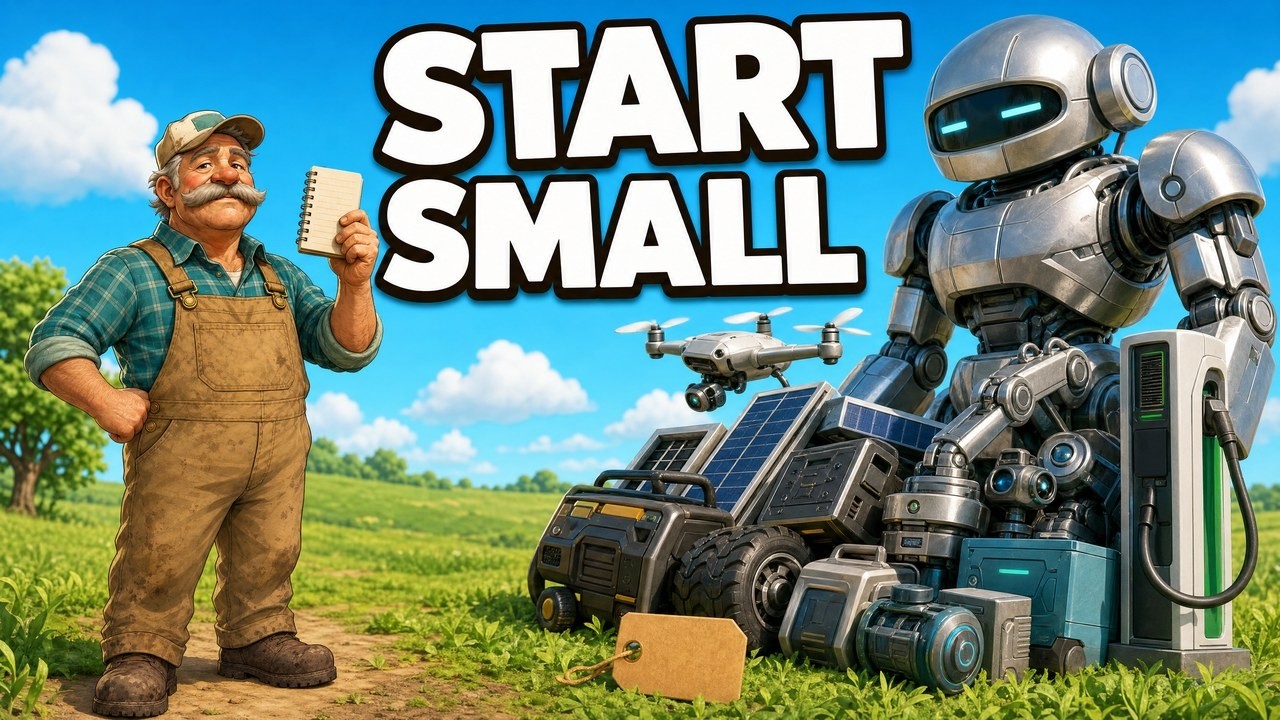
▶ Six plain steps to start precision agriculture without buying a robot. · 4:18
How to map a field boundary with your phone in six steps
- Pick open sky. Trees, buildings and bridges reduce phone accuracy (GPS.gov), so start in a clear part of the field.
- Let the phone settle. Open the app and wait a minute for the position to steady before you start.
- Choose your method. Walk the edge, tap the corners on a satellite basemap, or import an existing boundary file. Tapping corners on imagery can avoid tree-line error if the imagery is recent and lines up with the field. Walking is better where imagery is out of date.
- Close the shape. End at the start point and save the field.
- Check the area. Compare the app’s acreage with the figure on your deed, lease or farm records. A gap of more than a few percent on a small field is a sign the walk drifted.
- Redo awkward edges. Re-walk or re-tap edges beside hedges, creeks and buildings, then lock the field.
Our short video shows three ways to get a boundary into a mapping app: tapping corners on satellite imagery, dropping a circle over a centre pivot, and uploading a boundary file you already have.
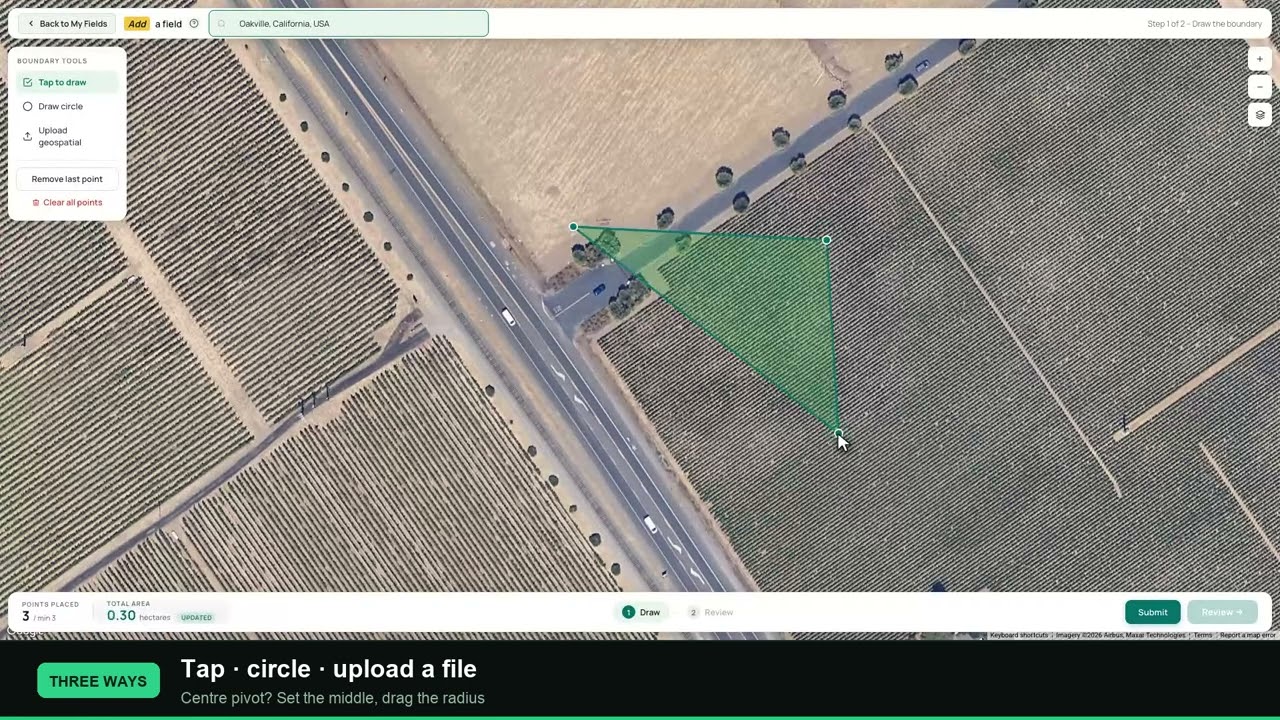
▶ Three ways a farm mapping app gets a boundary in: tap corners on satellite imagery, drop a circle over a centre pivot, or upload a boundary file. · 2:21
Questions to ask before you pay
A short list keeps a sales call useful. Ask each vendor for the answer in writing.
- Which accuracy tier does the app or hardware actually deliver, and with which correction service?
- Can I export my field boundaries in a format my machine display and my advisor can open, and can I take them with me if I stop paying?
- Does the app work with no signal, and does it sync later without losing edits?
- Which plan includes the satellite layer, the scouting tools or the guidance link, and what do add-ons cost?
- Who can see my field data, and can I remove a person’s access?
- Is the price per farm, per field, per animal or per user, and does it rise as I add land?
The fifth question matters because field records are business data. If an answer is vague, treat that as information.
Common mapping mistakes and how to avoid them
Bad maps often come from a small set of habits. Each of these has a simple fix.
- Walking too close to a tree line. GPS.gov lists signal blockage by buildings, bridges and trees, and signals reflected off buildings or walls, among the common causes of a wandering position. Tap the corners on imagery instead, or walk a few metres out and correct the edge afterwards.
- Trusting a line because it looks neat. GPS.gov notes that in many cases the receiver works fine and the map software is at fault, for example an incorrectly drawn map. A smooth polygon is not proof of a correct one. Check the area against a record you trust.
- Mapping once and never updating. New fences, drains, field splits and rented blocks change the shape. Redraw the field when the ground changes, and keep the old outline if past records refer to it.
- Using a phone boundary to set machine overlap. A phone boundary tells you where the field is. It says nothing about how tightly passes can be spaced. Use the overlap your guidance system is rated for.
- Entering the wrong overlap setting. K-State warns that a wrong setting can cut field efficiency by up to 50 percent or more; its own example, a WAAS setting on an RTK system, is 30 percent less on a 40-foot toolbar.
Phone GPS or tractor guidance: the accuracy tiers
A phone is fine for a boundary. For machine passes, what matters is how far apart the passes can safely sit. Kansas State University engineer Randy Price lists typical overlap settings by guidance type: WAAS-class systems 12 to 15 inches, OmniStar-class 6 to 8 inches and RTK 3 to 4 inches (K-State MF3069, December 2012). The publication calls these estimates and says individual units may do better or worse. It is a 2012 publication, so newer receivers may do better than these numbers.
Chart
Typical overlap setting by guidance type
inches of overlap between passes; the publication’s estimated range for each type
| Tier | Typical overlap setting | Fit |
|---|---|---|
| Phone GPS | Not rated for passes | Boundaries, acreage, scouting notes |
| WAAS-class | 12 to 15 in | Wide sprayer booms and tillage |
| OmniStar-class | 6 to 8 in | Mid-width implements |
| RTK | 3 to 4 in | Narrow implements such as mowers and rototillers |
The same publication explains why width matters. For a wide toolbar, a WAAS-class system gives nearly the same gain as RTK at sprayer-boom widths, 9% against 9.5%. Below about 60 feet the difference grows, and under 10 feet a WAAS-class system can be worse than an unaided driver. It also assumes an unaided driver overlaps by about 10% of the toolbar width, and warns that entering the wrong overlap setting can cut field efficiency by up to 50 percent or more.
K-State gives a worked example. On a 40-foot toolbar with a yearly operating cost of $100,000, a WAAS-class system over an unaided driver could save up to $7,500 a year (7.5%) and an RTK system up to $9,000 (9%). In time, a 4-hour job falls by about 18 minutes at 7.5%. These are the 2012 publication’s own example figures, not a quote for your machine. Narrow implements such as mowers, rototillers and small horticulture tools may need RTK-level accuracy.
Penn State Extension adds that guidance removes skips and overlaps and can set a consistent wheel-traffic pattern, which concentrates soil compaction in fixed lanes (Penn State Extension). If you change a spray overlap, follow the product label and local rules on application.
How many US farms use GPS guidance
Adoption is high on large crop farms and lower on small ones. In 2023, guidance autosteering was used on 52% of midsize farms and 70% of large-scale crop-producing farms, and small family farms had the lowest use within each technology (USDA ERS, December 2024). By crop, guidance covered 58.4% of corn acres in 2016, 55.9% of winter wheat in 2017, 54.5% of soybeans in 2018 and 64.5% of cotton in 2019; each figure comes from a different survey year, so they are not a single snapshot.
Chart
Guidance and autosteer share of planted acres
% of planted acres; each crop is from a different ARMS survey year, shown in brackets
USDA researchers also found that at least half of relatively large row-crop farms use yield maps, soil maps, variable-rate technology or guidance, while, except for cotton, fewer than 25% of the smallest farms (the first acreage quintile) use any of those four (USDA ERS EIB-248). The most common reasons farm operators gave for adopting a technology were to increase yields, save labor time, cut purchased input costs, reduce operator fatigue and improve soils or reduce environmental impacts (ERS chart of note, December 2024). Those reasons are a useful test for any app: if it does not touch one of them on your farm, skip it.
The ERS notes a gap in its data: its adoption data cover guidance, yield maps and similar tools, but are not currently available for smartphone apps (USDA ERS EIB-248). USDA does not publish the share of farms that use a mapping app; ERS notes only that industry reports suggest smartphone use is widespread.
Farm numbers have kept falling, slowly. The US had 1.88 million farms in 2024, down 8% from 2.04 million in 2017, while land in farms fell only 3% to 876 million acres, with an average farm of 466 acres (USDA ERS, March 2025). This is context, not proof that mapping apps pay off; a stored boundary simply saves you walking the edge again.
Calculate what field overlap costs you
This calculator uses the K-State field-efficiency equation: the gain equals the drop in overlap divided by the implement width. Enter your own implement width, today’s overlap, the overlap a better system would give, your yearly cost for that operation and the yearly fee for the correction service. The starting numbers are examples, not benchmarks.
Try the numbers for your own farm below.
Calculator
What is tighter overlap worth on my farm?
Enter your own implement width, overlaps and costs.
- Field efficiency gain: 1.25 %
- Gross saving before the fee: $500
- Operating cost needed to break even: $38,400
Example values only, not a benchmark or a forecast. The formula is the Kansas State University field-efficiency equation (Price, MF3069, 2012): gain = (current overlap minus new overlap) divided by implement width. It assumes the saving applies to the whole yearly cost of that operation, and it ignores the purchase price of equipment. Use today’s real prices for the fee and your own cost figures in US$.
Where satellite monitoring fits
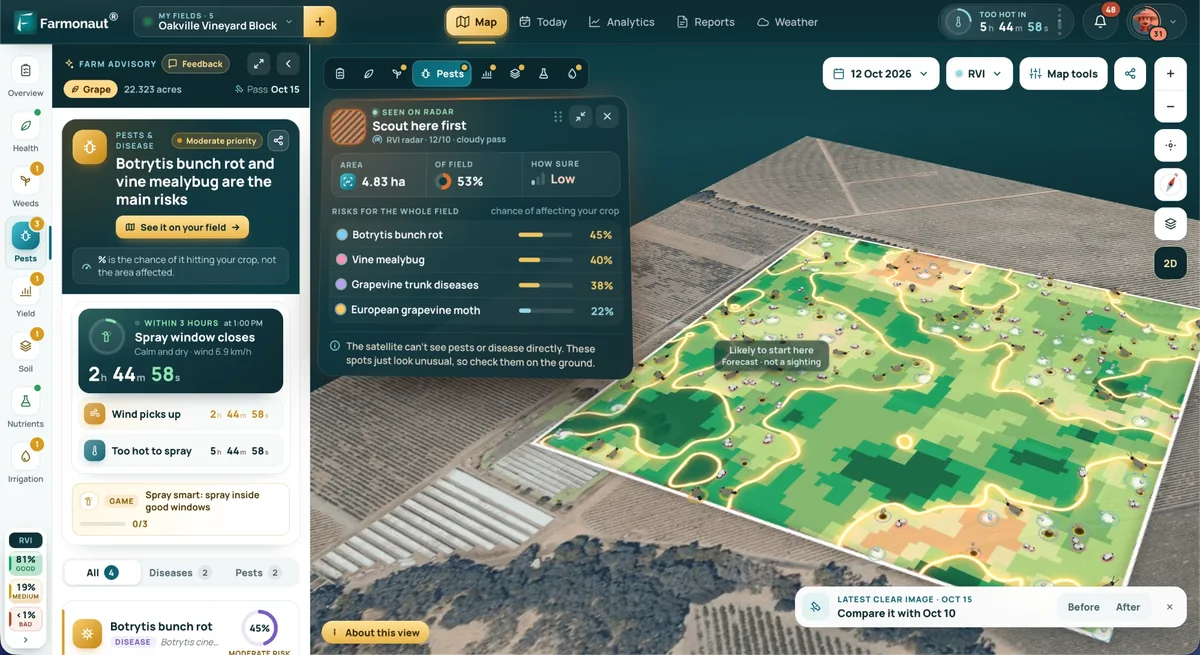
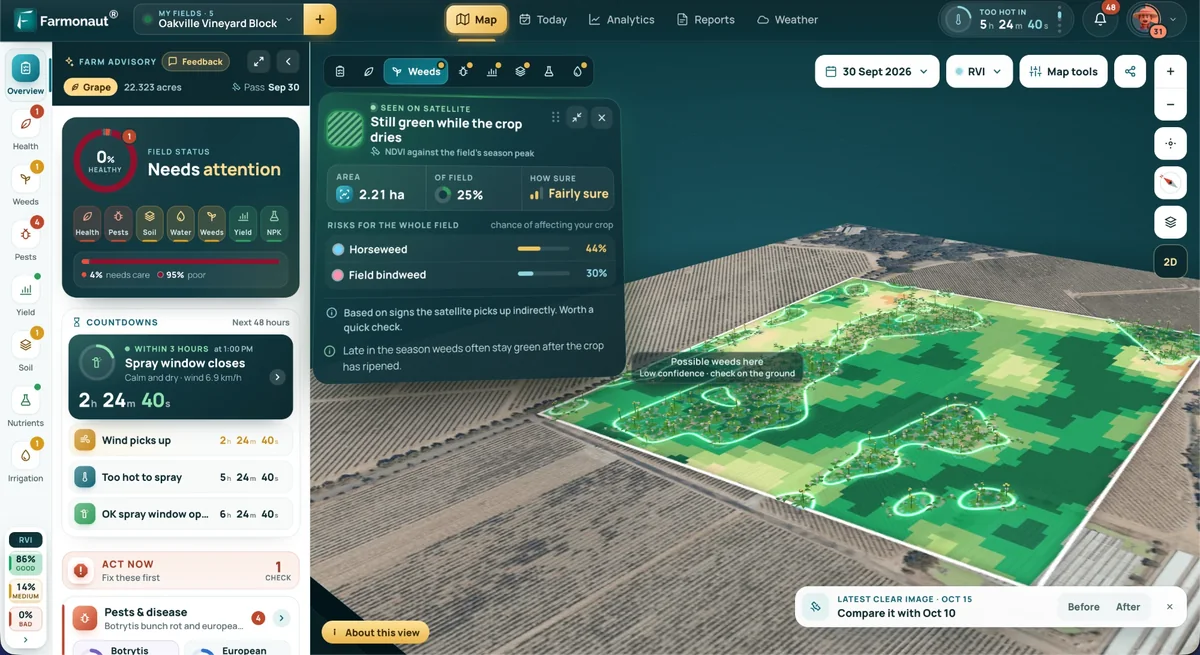
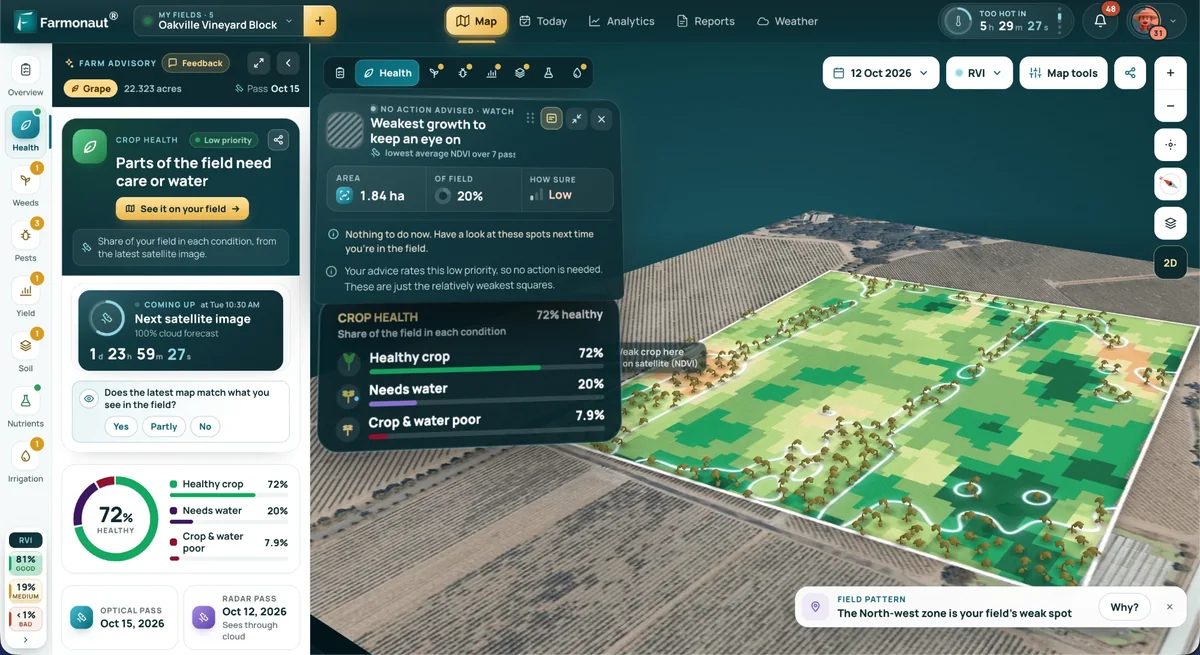
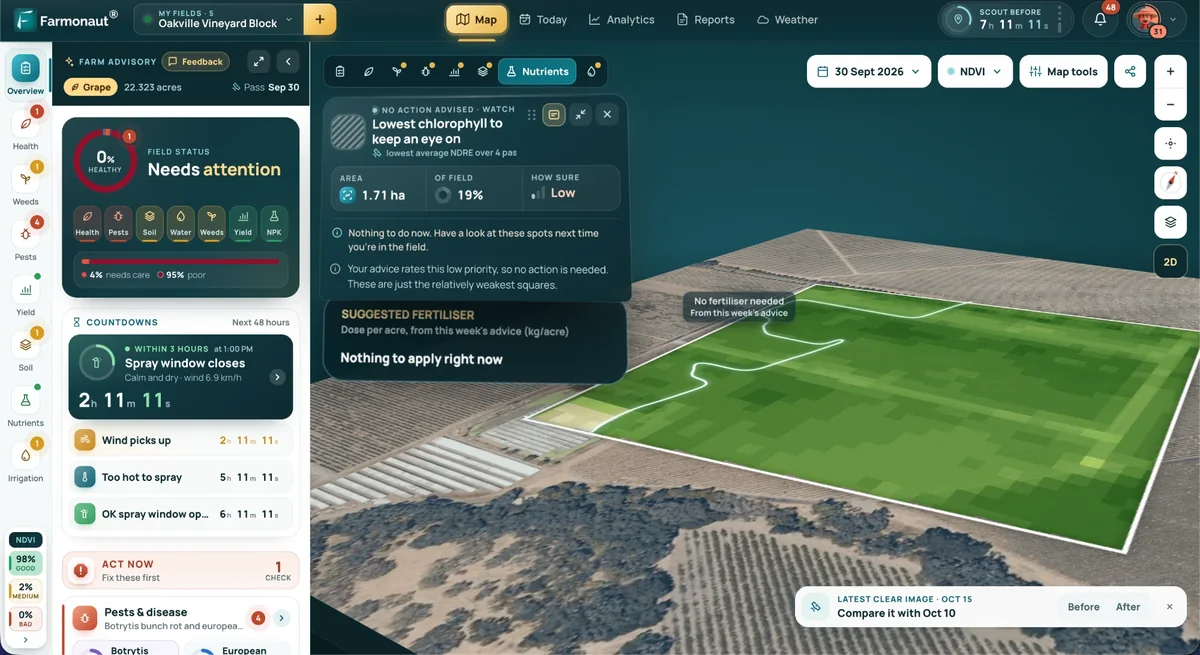
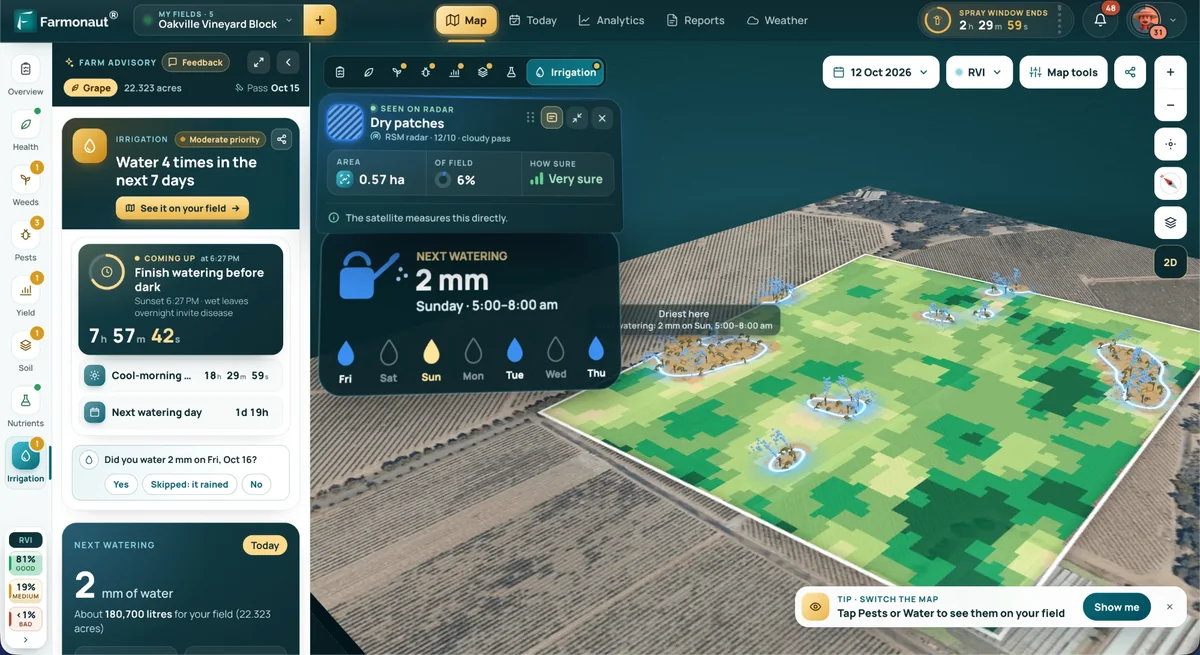
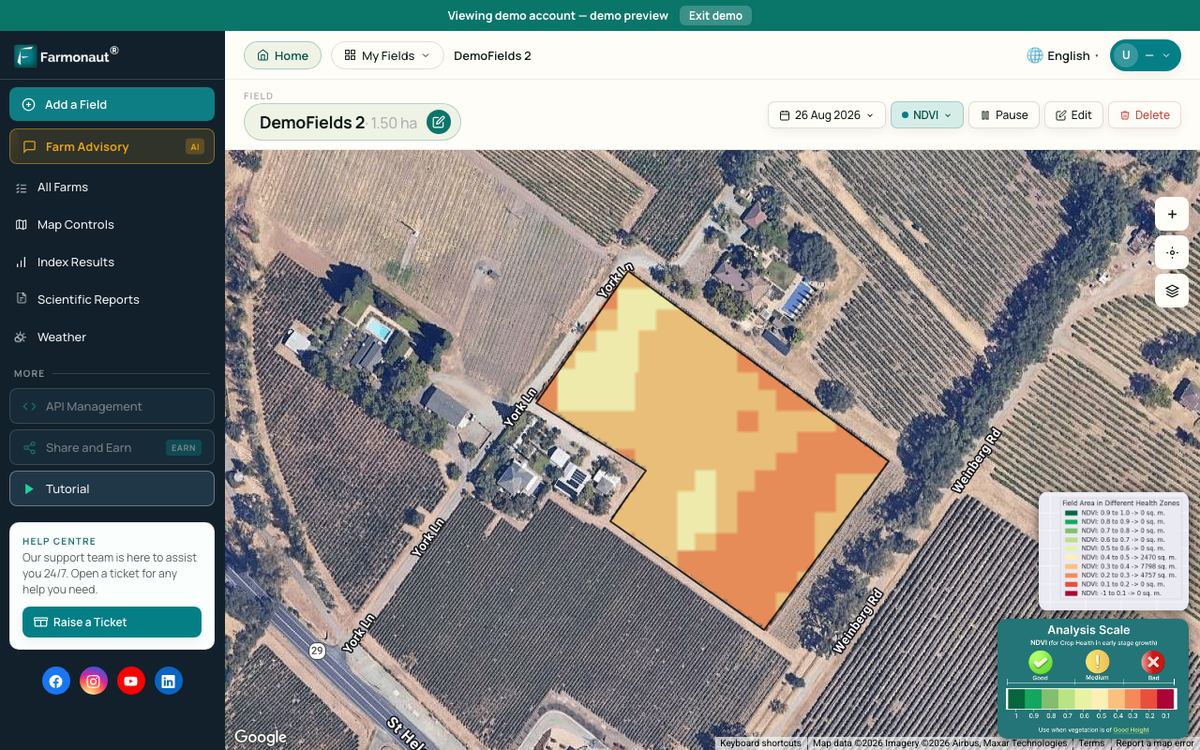
A mapped boundary is also the starting point for satellite monitoring. Farmonaut Satellite + AI Farm Monitoring System is one example of a service that shows satellite vegetation maps for a field boundary you have mapped. A satellite pass shows that vegetation changed in part of a field. It does not tell you the cause, so a walk or a soil test still follows.
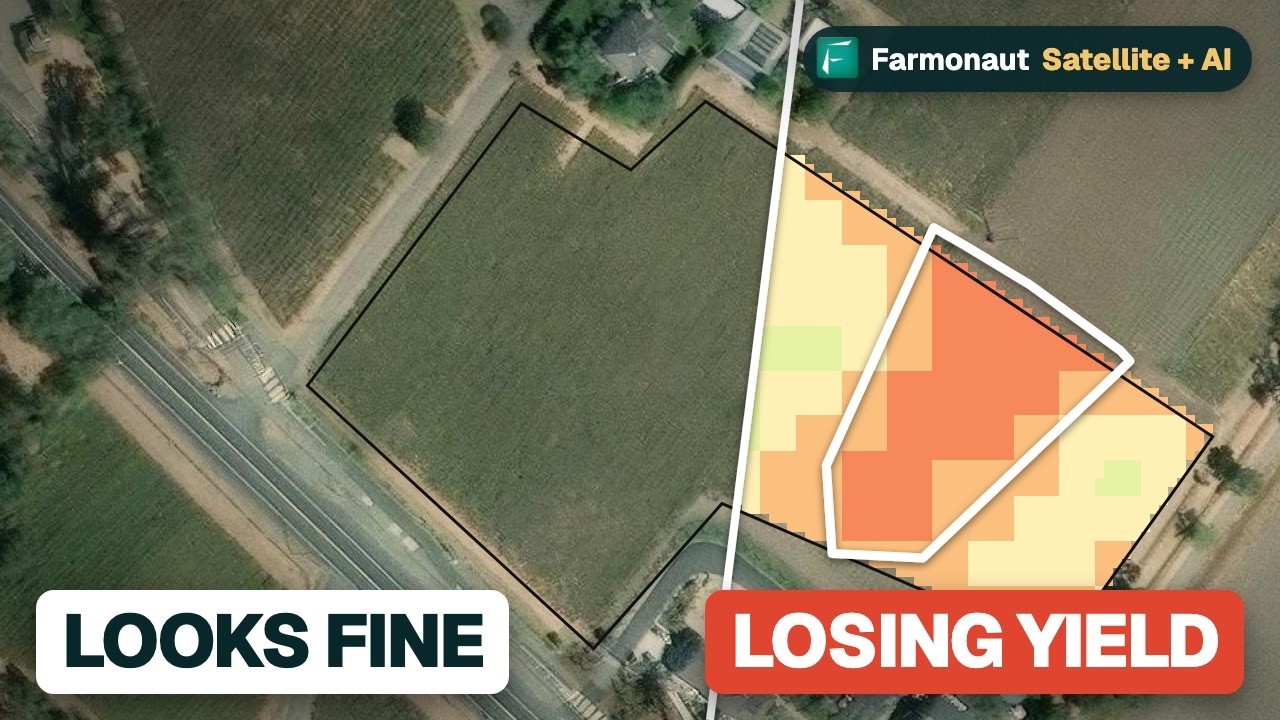
▶ A real field on a demo account: a 3.85-acre apple block with satellite passes from 1 to 16 August 2026 showing a stress strip. · 1:42
How we checked the numbers
Government and university figures come from the pages linked beside them: GPS.gov, USDA Economic Research Service, Kansas State University, Penn State Extension and Cal Poly. Prices and feature lists come from each vendor’s own pages, read on 26 October 2026. Vendor claims such as hectares mapped or number of users are labelled as claims. We did not test the apps’ accuracy ourselves. Guidance hardware prices are not shown because they vary by dealer.
FAQ
What is a GPS farm mapping app?
It is a phone or web app that records field boundaries with GPS and stores their shape and area for records, jobs and reports. Many also add crop notes, task lists and satellite layers.
How accurate is a phone for mapping a field?
GPS.gov says phones are typically accurate to within a 4.9 m radius under open sky and worse near trees and buildings. A 2024 Cal Poly study of volunteers’ phones found an average error of 10.6 ft. That suits acreage and records, not machine steering.
Do I need RTK for farm mapping?
No, not for boundaries. RTK matters for guided passes: K-State lists typical overlap of 3 to 4 inches for RTK against 12 to 15 inches for WAAS-class systems.
Is there a $0 farm mapping app?
FieldView’s pricing page lists a Basic plan starting at $0 a year (26 October 2026). Other tools listed above either charge by plan or show no price on the pages we read. Check what the entry plan includes before you rely on it.
Which app is best for livestock?
AgriWebb is built around mobs, paddocks and animal records, and its Essentials plan includes the interactive farm map. Farmbrite and fieldmargin also list livestock features.
Can a mapping app replace tractor guidance?
No. A phone app records where a field is. Guidance controls where a machine drives, and needs a correction service and steering hardware.
Next steps
Pick the job first, then the tier of accuracy that job needs, then the app. If you are starting a new operation, our guide on starting a farm covers the wider steps, and our farm management apps roundup looks at the software side. For satellite-based monitoring see crop monitoring technologies.
Related pages on our site: product traceability, fleet management, carbon footprinting, multi-field administration, satellite data API, developer docs and crop, plantation and forest advisory.
Farmonaut crop monitoring
See your own fields from space
Draw your field boundary once and view satellite vegetation maps for it through the season, on web, Android or iOS.


Keep reading

Sources
- GPS.gov, GPS Accuracy: gps.gov
- Dike, Cal Poly, GPS Accuracy of Smartphones for Crowdsourcing Research (2024): digitalcommons.calpoly.edu
- Price, Kansas State University, Field Efficiency Gains You Can Expect from a Guidance System, MF3069 (2012): bookstore.ksre.ksu.edu
- USDA ERS, Precision agriculture use increases with farm size (Dec 2024): ers.usda.gov
- USDA ERS, Most row crop acreage is now managed using auto-steer and guidance (Mar 2023): ers.usda.gov
- USDA ERS, Precision Agriculture in the Digital Era, EIB-248: ers.usda.gov
- USDA ERS, The number of U.S. farms continues slow decline (Mar 2025): ers.usda.gov
- Penn State Extension, Top 10 ways field crop farms can save energy: extension.psu.edu
- Climate FieldView pricing page (read 26 Oct 2026): climate.com
- Climate FieldView home page (read 26 Oct 2026): climate.com
- Farmbrite pricing page (read 26 Oct 2026): farmbrite.com
- AgriWebb pricing page (read 26 Oct 2026): agriwebb.com
- AgriWebb farm mapping page (read 26 Oct 2026): agriwebb.com
- fieldmargin features page (read 26 Oct 2026): fieldmargin.com
- fieldmargin home page (read 26 Oct 2026): fieldmargin.com
- OneSoil home page (read 26 Oct 2026): onesoil.ai
Discussion
Questions, corrections or field experience? Share them below. First-time comments are reviewed before they appear, and your email is never published.
No comments yet. Be the first to add a question or your experience.

 Green Bite Farm
 FCF India
 Unifrutti Gulf
 Deluxe Conseil
 TVS Electronics
 BW Pipelines
 WICO
 Gen Chayat
 Chimera Innovation
 SkyHarvest
 Polaris Digitech
 Teledarbas
 Wild Oak Farm
 SFX
 Doodlakine
 Licence holder · Niger · Gold