
Farm software · Build and data guide
Agritech Software Development: Types, Data, Build or Buy
Agriculture software development means building farm tools that work on a phone with weak signal: 85% of US farms had internet access in 2025, but 55% used broadband (USDA NASS). This guide covers six software types, satellite and machine data, data rules and a build-or-buy calculator.
Key takeaways
- US farms in 2025: 85% had internet access, 82% a smartphone, 74% a cellular data plan and 55% a broadband connection (USDA NASS, August 2025), so design phone-first with offline support.
- On US corn acres, yield maps rose from 7.7% (1997) to 43.7% (2016) and guidance from 5.3% (2001) to 58% (2016); drones, aircraft and satellites together covered 7.0% in 2016 (USDA ERS, 2023).
- Sentinel-2 offers 10 m pixels and a 5-day design revisit at the Equator; with Landsat the global median revisit is 2.3 days, but cloud cuts usable scenes from 141.4 to 81.9 a year (Sensors, 2020).
- Plan for data rules early: ADAPT for machine data, the Australian Farm Data Code, the EU Data Act (since 12 September 2025) and the FDA farm-map record for foods on its traceability list.
- Compare the build total (cost plus yearly running cost) with a subscription over the same years before you commission custom work.
In this article
- What agriculture software development covers
- Six kinds of farm software and what each needs
- What US farmers already use, and what it means for new apps
- Build, buy or connect: a cost check
- The data layer: satellites, machines, sensors and weather
- Standards and farm-data rules to design for
- Design for phones and weak signal
- Seven trends shaping agriculture software
- What a first release should include
- Testing in the field and keeping software alive
- Questions to ask a development team
- From idea to first season: five steps
- Tools to test before you build
- Bottom line
Agriculture software development is the work of building apps, platforms and data links that turn field, machine, satellite and weather data into farm decisions. In the US, 85% of farms had internet access in 2025 and 82% had a smartphone, but just 55% used a broadband connection (USDA NASS, August 2025). So a farm app has to work well on a phone and cope with weak signal.
This guide is for farm managers who want to commission software and for small agtech teams that want to build it. It covers six kinds of farm software, what US farmers already use, the satellite and machine data you can build on, the standards and data rules to plan for, and a calculator that compares building your own tool with paying a subscription. It then walks through seven trends, questions to ask a development team, and a five-step path from idea to first season. Examples come from the US, Europe and Australia.
What agriculture software development covers
A farm software project has four layers. The front end is a phone app or web dashboard that a person uses in a field or an office. The back end collects, cleans and stores data. The analysis layer turns that data into maps, scores, alerts or advice. The integration layer links the product to machines, weather services, accounting tools and buyers.
Farm software is harder than a standard business app for four reasons. Fields are shapes on a map, not rows in a table. Data arrives in many file formats from many machines. Signal is weak where the work happens. And the work follows the season: a feature that arrives after the spray window or the planting date is of no use that year.
That is why the first design question is not “which features?” but “which decision, on which day, by whom?”. A planting-date alert for an agronomist and a harvest record for a packer are different products, even if they share a map.
Six kinds of farm software and what each needs
Projects fall into six groups. The table shows what each does, the data it relies on and who usually pays.
| Kind | What it does | Main data in | Main buyer |
|---|---|---|---|
| Farm records | Fields, tasks, inputs and costs | Manual entry, receipts, photos | Farm managers |
| Precision ag | Yield maps, prescriptions, as-applied records | Machine logs, soil tests, yield monitors | Row-crop growers, agronomists |
| Crop monitoring | Vegetation maps and alerts | Satellite, drone, weather | Managers, agronomists, insurers |
| Traceability | Lot codes and field-to-buyer records | Harvest, packing and shipping events | Produce growers, packers |
| Fleet and machines | Machine location, hours and jobs | Telematics, GNSS | Large farms, contractors |
| Finance and reporting | Loan, insurance and carbon reports | Field boundaries, activity records | Lenders, insurers, programmes |
Farm records software is the simplest to build and the most crowded. The value is in fast entry on a phone and clean exports to accountants. Precision ag tools depend on machine data, which is why file formats matter (see the standards section below).
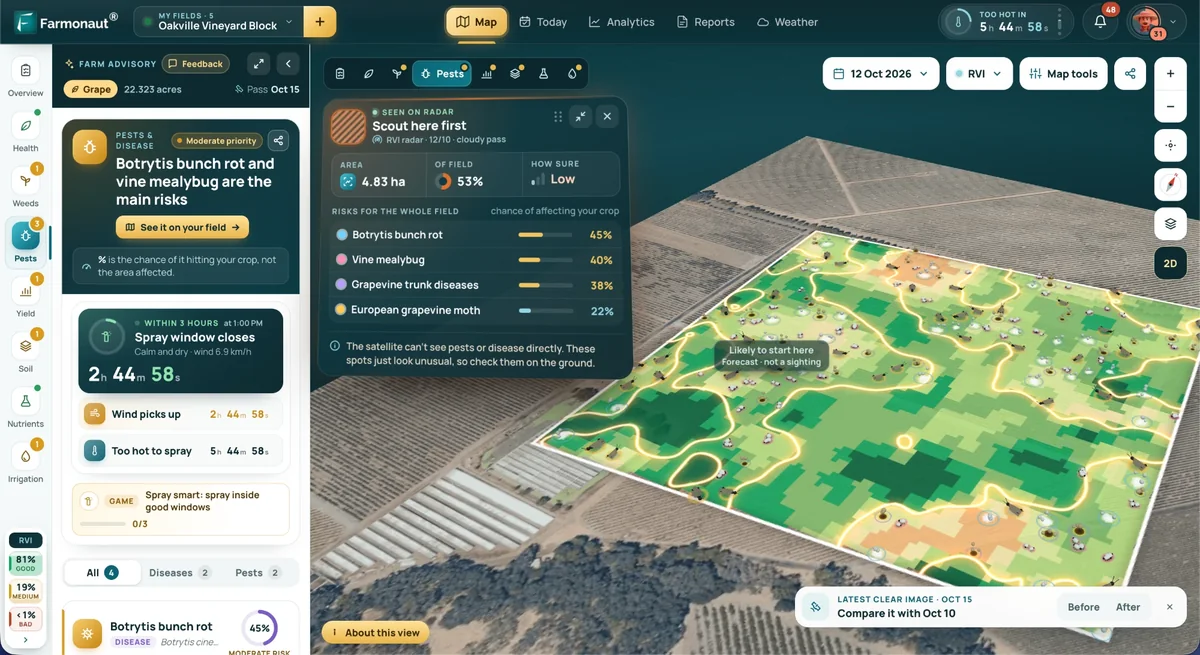
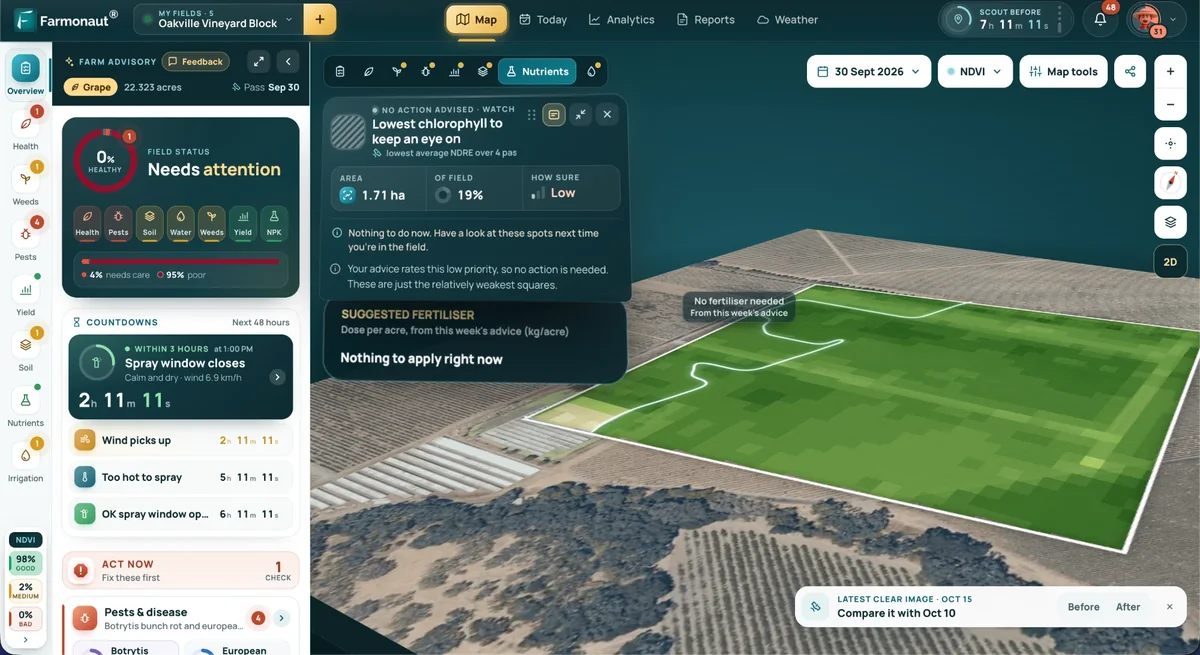
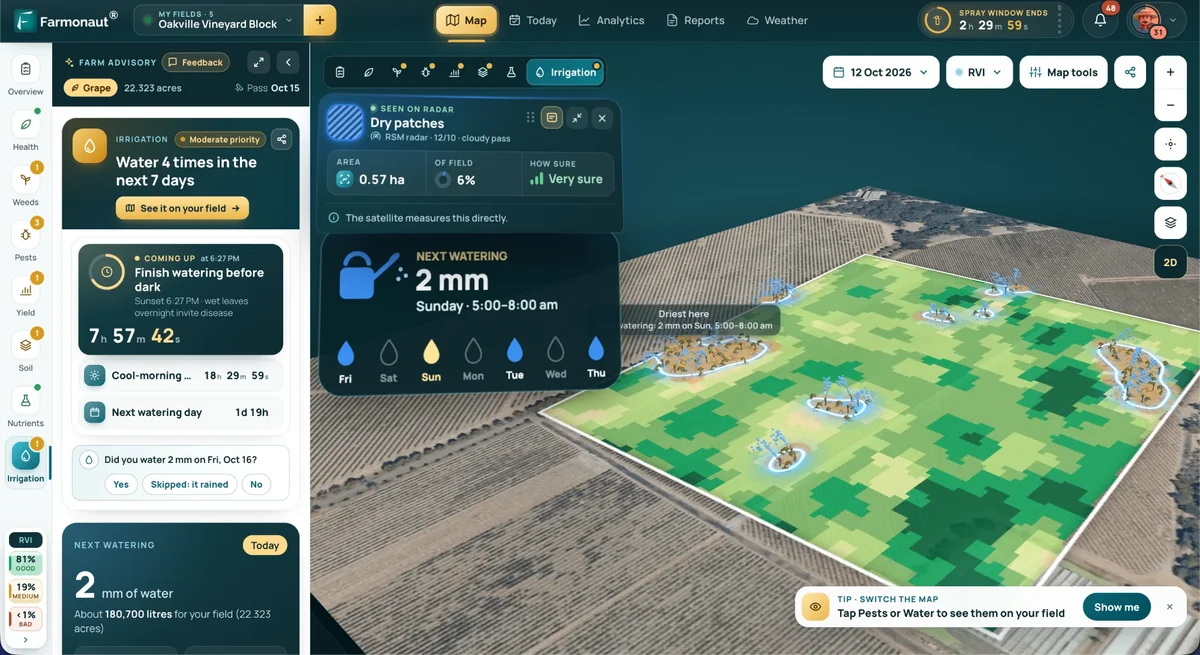
Crop monitoring software relies on satellite scenes. It needs a scheduler that fetches new images, a cloud mask, an index such as NDVI, and a way to show change over time. Satellites show a change in the vegetation signal, not its cause, so a good product sends the user to a field check rather than a diagnosis.
Traceability software records where a crop was grown and when it moved. In the US, the FDA rule on food traceability gives it a legal anchor for foods on the FDA list, covered below. Our product traceability page shows one example.
Fleet software tracks machines and jobs; see our fleet management page for one example. Finance and reporting software uses the same field records for lenders, insurers and carbon programmes, see our pages on crop loan and insurance verification and carbon footprint reporting. These modules can share one field-boundary layer.
Chart
Variable rate technology use by crop
Percent of planted acres managed with variable rate technology; survey year in each label
What US farmers already use, and what it means for new apps
The USDA Economic Research Service tracked precision agriculture on US row-crop farms using its Agricultural Resource Management Survey. Yield maps covered 7.7% of corn acres in 1997 and 43.7% in 2016. Auto-steer guidance went from 5.3% of corn acres in 2001 to 58% in 2016 (USDA ERS, February 2023). Soybean yield maps rose from 5.3% of acres in 1996 to 43.8% in 2018.
Chart
Share of US planted acres using each tool
Percent of planted acres; years in the labels (first survey year to latest year shown)
Other tools are used less. Variable rate technology covered 37.4% of corn acres in 2016, soil maps 21.5%, and drones, aircraft and satellites together 7.0%. The survey could not separate those last three, so the 7.0% is one combined number.
Farm size matters. In the same report, at least half of larger row-crop farms (the top three of five size groups) used yield maps, soil maps, variable rate technology or guidance, while fewer than 25% of the smallest farms did, except for cotton. These are survey years from 2016 to 2019, so newer use may differ.
Three lessons follow for anyone building software:
- Import before you ask for typing. Machines already log yield and guidance data. A tool that reads those files saves hours.
- Price for small farms separately. Smaller farms adopt less, so a simple tool with a small monthly cost fits them better than a full platform.
- Plan for mixed imagery. Because drone, aircraft and satellite use is counted together, assume users will bring all three.
Build, buy or connect: a cost check
You have three routes. Build a custom tool from scratch. Buy a subscription to an existing product. Or connect existing products through their APIs and add a thin layer of your own. Custom work makes sense when your process is unusual, when you must own the data model, or when the product itself is your business. A subscription makes sense when a standard tool covers your main tasks.
The calculator compares the total cost of a custom build with a per-acre subscription over the same period. Enter your own quotes. The example numbers are placeholders chosen to sit near break-even; they are not market prices.
What the calculator leaves out matters too: staff time to define requirements, data migration, training, security reviews and the cost of a failed season. Ask each vendor and each developer for written quotes that list these items. Set the yearly running-cost rate in the calculator from your own quote, not from a rule of thumb.
Try the numbers for your own farm below.
Calculator
Does building cost less than a subscription?
Enter your own quote and price. The totals cover the years you choose.
- Custom build total (US$): $120,000
- Subscription total (US$): $125,000
- Subscription minus build (US$): $5,000
- Build cost per acre per year (US$): 12.00
Example values only, not prices or benchmarks. Replace the build cost, running-cost share and subscription price with your own written quotes. Yearly running cost is a percentage of the build cost, charged every year. The calculator leaves out staff time, data migration and training.
The data layer: satellites, machines, sensors and weather
Satellite imagery covers many fields on a schedule. Sentinel-2 is a pair of satellites that carries a 13-band optical instrument. Four bands have 10 m pixels, six have 20 m and three have 60 m, the swath is 290 km wide, and the design revisit is 5 days at the Equator (Copernicus SentiWiki, Sentinel-2 mission). The Level-2A product gives surface reflectance, with a scene classification layer that marks clouds (SentiWiki, S2 processing).
Clouds cut the number of usable scenes. A 2020 study in the journal Sensors modelled one year of orbits. It found a global median revisit interval of 2.3 days when Landsat-8, Landsat-9 and Sentinel-2A and 2B are combined. For Landsat-8 and Sentinel-2A and 2B, it counted a global mean of 141.4 daytime observations a year, which fell to 81.9 once cloud cover was weighted in (Sensors, 2020). For a builder, that means storing cloud masks with every scene and showing the user the date of the last clear image.
NDVI is the usual first index. NASA explains that it compares near-infrared and visible light, and that values run from minus 1 to plus 1, with 0.8 to 0.9 meaning the densest green leaves (NASA Earth Observatory). A product should show NDVI as change against the same field’s own history, because crops, soils and growth stages differ.
Radar satellites see through cloud, so they fill gaps in optical series. The short video below explains the difference.
Other data sources need different handling. Drones give sharper images but create large files and need stitching. Machines log yield, speed and applied rates. Soil and weather sensors send small readings often. Weather forecasts and past weather come from public services. A good design keeps one record per field and attaches each source to it with a date and a quality flag.
▶ A short explainer on why optical satellite images fail under cloud and how radar satellites fill the gap. · 2:37
Standards and farm-data rules to design for
Data formats are a real cost. AgGateway’s ADAPT project describes the problem as systems that struggle to “talk to each other”, and cites an undated survey of North American growers and their business partners in which 84% found it moderately or very difficult to compile and analyse field operations data from different sources (AgGateway ADAPT Framework). ADAPT offers an open-source data model, a common API and plug-ins that convert between machine formats. Building on it may reduce the work of reading many file types, although some of its conversion plug-ins are proprietary.
Data rights are the second area. In Australia, the National Farmers’ Federation runs the Australian Farm Data Code, a voluntary code that sets out how providers should handle farm data, and providers who meet it in full can be certified (NFF, Australian Farm Data Code). In the EU, the Data Act has applied since 12 September 2025. Users of connected products, which the Commission says include agricultural machinery, can access the data they generate and have it shared with a third party they choose (European Commission, Data Act explained). A product that serves European farmers should be able to receive such data.
Traceability rules are the third area. A US grower of a food on the FDA Food Traceability List must keep a farm map showing the location and name of each field or growing container, with geocoordinates, as the rule text is quoted in the GS1 US implementation guideline (December 2025). In August 2025 the FDA proposed moving the compliance date by 30 months, from 20 January 2026 to 20 July 2028 (Federal Register, 7 August 2025). The FDA’s rule page adds that a 2026 appropriations act directed the agency not to enforce the rule before 20 July 2028. This is a general summary, not legal advice. Check the FDA’s pages and a qualified adviser before you design to a deadline.
For the builder, the design rules are simple. Let the farmer export all of their data. Say in plain words who can see it. Keep field boundaries with geocoordinates from day one. And store the date of every record, because audits and programmes ask when something happened.
Design for phones and weak signal
Farm software is used in tractor cabs, orchards and sheds, not at a desk. The USDA’s 2025 survey shows why phone-first design matters: smartphones were on more farms than desktop or laptop computers, and cellular data plans reached more farms than broadband did.
Chart
How US farms connect and trade online
Percent of farms, 2025
The same survey found that 50% of farms bought agricultural inputs online and 29% marketed products online in 2025 (USDA NASS), so online tools are now routine for farm business, not a novelty.
What this means in practice:
- Make the core tasks work offline: view fields, log a scouting note, take a photo with a location.
- Queue changes and sync them when the signal returns, with clear marks for items that have not yet synced.
- Keep downloads small. Send map tiles and summaries, not whole image archives.
- Use large touch targets and plain labels, because users wear gloves and read in sunlight.
- Support more than one language where the workforce needs it.
Seven trends shaping agriculture software
These seven trends describe where the work is heading. For each one, the useful question is what a builder must do differently.
1. Sensor and AI field monitoring
Soil probes, weather stations and cameras feed models that flag stress, water need or disease risk. The builder’s job is to handle noisy readings, missing data and sensors that fail. Start with one decision, such as irrigation timing, and test the alert against what the farmer sees on the ground. Add more decisions after one works.
2. Satellite and drone imagery in one workflow
Drones give close detail for a block, and satellites give a regular look across all fields. Software that puts both on one map, with dates and cloud flags, saves the user from juggling separate apps. Given the 7.0% combined use of drones, aircraft and satellites on US corn acres in 2016 (USDA ERS), this area may have room for simple products.
3. Cloud analytics for farm data
Image archives, machine logs and weather series grow quickly. Cloud storage and queued processing let a small team handle thousands of fields without owning servers. The design tasks are cost control (process only active fields), clear data retention rules and fast loading of maps on a phone.
4. Traceability and records
Buyers and regulators want to know where a crop was grown and when it moved. Blockchain is one way to share such records, but a 2026 study in Scientific Reports on Australian seafood traceability notes that blockchain adoption remains limited because of technical complexity, high implementation cost and fragmented integration between supply chains (Scientific Reports, 2026). A plain database with good records and standard identifiers solves many cases at a lower cost; use a ledger only when partners need to share records they do not trust each other to hold.
5. Farm management systems that connect people and machines
Next-generation farm management systems join field maps, tasks, machines, inputs and staff in one place. For large operations, our large-scale farm management platform page shows one example. Integration is the hard part: a system is only useful if it reads data from the machines and tools the farm already owns.
6. SaaS, mobile and offline access
Software-as-a-service lets a farm start with a monthly plan instead of a large build cost. A phone app with offline mode extends reach to places with weak coverage. The business questions are price per acre or per field and what happens to the data if the farm cancels. Our mobile and web apps are one example.
7. Autonomous machines and the software behind them
AgWeb reported in January 2025 that John Deere is working toward a fully autonomous production system by 2030, and that it launched retrofit autonomy kits for tractors and tillage tools (AgWeb, 6 January 2025). Autonomous machines need accurate field boundaries, job plans and records that software supplies. Our guide to autonomous agriculture covers the machines; for builders the point is to keep boundaries clean and job records machine-readable.
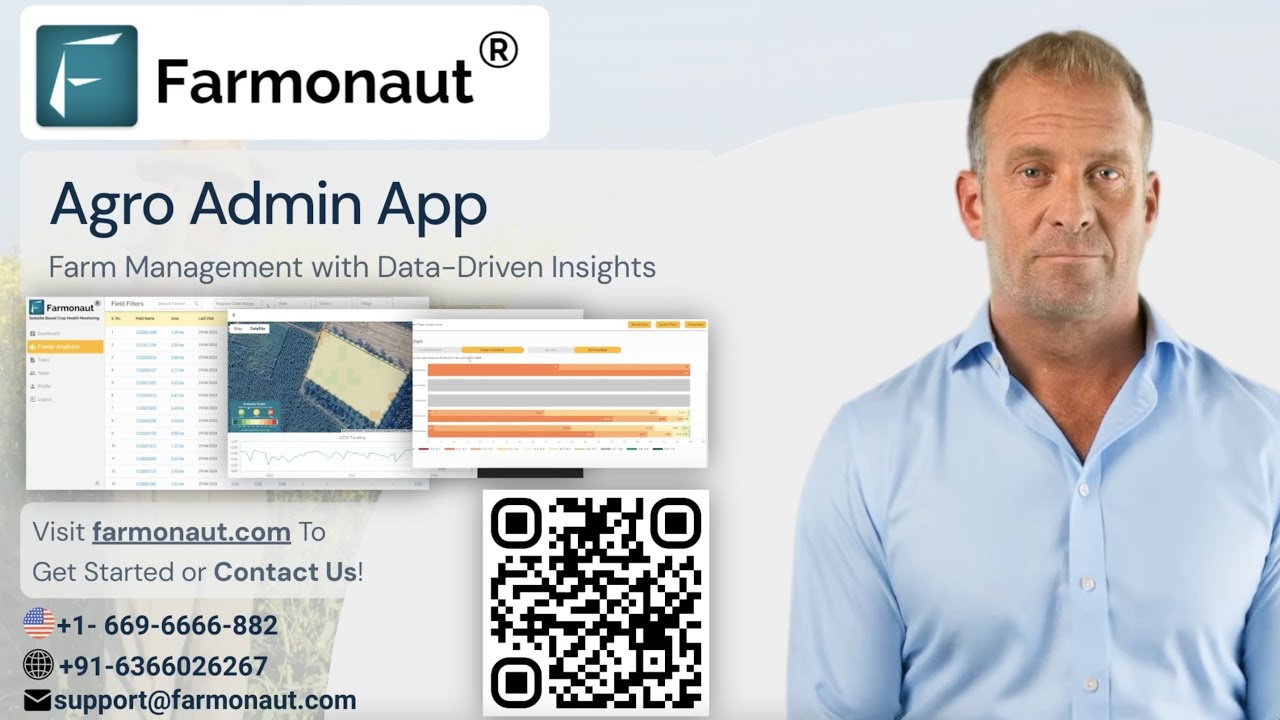
▶ A walkthrough of an admin app for large-scale farm management, crop health and task management, the kind of system trend 5 describes. · 7:27
What a first release should include
A first release should do a few jobs well. A late release misses the season it was built for, so keep the first release small. These six items form a sensible core for a farm tool.
- Field boundaries. Let users draw a boundary, upload a shapefile or KML, or search an address. Every other feature hangs on this.
- One map with a date slider. Show the latest clear image and let the user step back through earlier dates.
- Notes with photos and locations. A scouting note that works offline can be a feature a crew uses every day.
- Simple alerts. Send an alert when a field’s index drops against its own history, and say what to check.
- Export. Provide a spreadsheet or PDF so records can go to an agronomist, lender or buyer.
- Account and sharing. Let an owner invite a manager or adviser and remove access in one step.
Leave out advanced features until users ask for them. Yield predictions, prescription files and chat assistants all need good base data first, and each adds testing work.
Testing in the field and keeping software alive
Test with farmers, in the field, in season. Give a few users the app for a few weeks, watch where they get stuck, and fix those spots before adding features. Check battery use, sunlight readability and how the app behaves when a call comes in or the signal drops.
Plan for upkeep from the start. Satellite providers update their processing from time to time, and the Copernicus documentation lists successive processing baselines for Sentinel-2 Level-2A products (SentiWiki, S2 processing), so a pipeline should record which version produced each image and be re-tested when a new one appears. Phone operating systems change each year, and machine makers change file formats and API terms. A yearly budget for fixes and updates is part of the real cost of any build.
Keep a release calendar tied to the farming year. Ship changes in the quiet months, freeze changes in the busiest weeks, and keep a support contact that answers during planting and harvest.
Questions to ask a development team
Use these questions in a first call. A good team answers them in plain words and shows examples.
- Who owns the data, and can I export all of it? You should be able to leave with your fields, records and images in open formats.
- Which machine and file formats do you read? Ask about ADAPT, ISOXML and the brands on your farm.
- What works offline? Ask for a demo with the phone in airplane mode.
- How do you handle clouds and gaps in satellite series? Look for cloud masks and a date of last clear image.
- Can you pilot one field for one season? A short test with a farmer’s feedback is better than a long specification.
- How are security and privacy handled? Ask where data is stored, who can see it and how access is removed.
- What does support cost after launch? This sets the running-cost rate in the calculator.
- What happens if we stop working together? Ask for source code, documentation and data export terms in the contract.
From idea to first season: five steps
The path below suits a small team. It keeps the first release small enough to test within one growing season.
Infographic
Five steps to a first release
- 1Pick one decisionName the user, the decision and the day it is made, such as an irrigation check or a scouting round.
- 2Draw the field mapBuild field boundaries first, with geocoordinates and dates on every record.
- 3Connect one data sourceStart with one source, such as satellite images or one machine brand, and mark clouds and gaps.
- 4Pilot one seasonGive a few farmers the app in a few fields and fix what slows them down.
- 5Add the next featureAdd exports, sharing or alerts only when users ask for them.
Tools to test before you build
Trying an existing product for one season shows which features you really need, and it gives you a price to compare with the build quote in the calculator. Farmonaut has a data API; its developer documentation lists satellite imagery, crop-health indices, weather, PDF reports and AI advisory delivered as JSON. The video below shows how to retrieve farm data through the API.
Whatever you test, check three things: can you export your data, does it read your machine files, and does it work on a phone with weak signal. Compare the answers with the questions above.
▶ A tutorial on retrieving farm data, field details and satellite indices through the API. · 2:25
Bottom line
Good agriculture software starts with one decision, one field boundary and one phone with weak signal. Use open data and standards where they exist, plan for data rights from the first sprint, and test in a real season before you scale. Use the calculator with real quotes to decide whether to build, buy or connect.
Numbers on this page come from USDA NASS (August 2025), USDA ERS (February 2023, with survey years 2016 to 2019), Copernicus, NASA, AgGateway, the National Farmers’ Federation, the European Commission and the Federal Register. Survey years are given beside each figure so you can judge how current it is.
FAQ
What is agriculture software development?
It is the design and building of software for farms and food supply chains, such as record-keeping apps, crop monitoring dashboards, machine-data tools and traceability systems. It combines normal software work with field maps, satellite and machine data, and a calendar set by the growing season.
How much does it cost to build farm software?
The cost depends on scope: the number of modules, the number of integrations, offline support and security needs. Ask for written quotes, then use the calculator on this page to compare the build cost plus running costs with a subscription over the same period. Running costs usually continue after launch, so include them.
Should a farm build its own tool or buy a subscription?
Buy or connect first if a standard tool covers the main tasks. Build when your process is unusual or when the software is part of your product. A one-season subscription is a low-risk way to learn what you need.
Which satellite data can a farm app use?
Sentinel-2 offers 10 m pixels and a 5-day design revisit at the Equator, and Landsat adds more passes. Combined, a 2020 study found a global median revisit of 2.3 days, reduced in practice by cloud. Radar satellites can fill cloudy gaps.
Who owns farm data?
It depends on the contract and the local law. Australia has a voluntary Farm Data Code, and the EU Data Act gives users of connected products access to the data they generate. Read the terms before you sign and ask for full export rights. For legal questions, get professional advice.
Does farm software need to work offline?
For field tasks, yes. USDA’s 2025 survey found 55% of US farms used a broadband connection while 74% had a cellular data plan, so signal in the field cannot be assumed. Make the key tasks work without a connection and sync later.
Related pages on our site: satellite data APIs, farm management software and FSMA 204 traceability. Check local rules and get professional advice for data, tax and legal questions.
Farmonaut crop monitoring
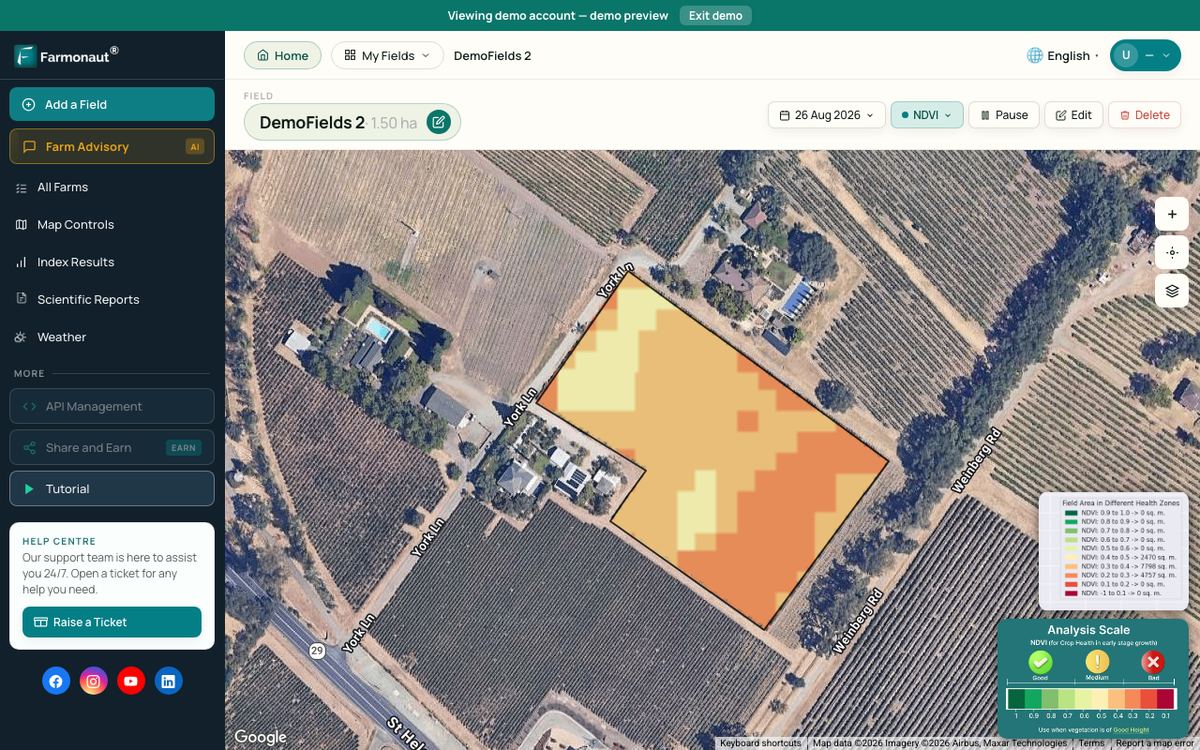
Test satellite field monitoring on your own field
See your own field from space on the web or phone, or read the API documentation if you are building your own tool.


Keep reading
Sources
- USDA NASS, Technology Use (Farm Computer Usage and Ownership), August 2025: nass.usda.gov
- USDA ERS, Precision Agriculture in the Digital Era: Recent Adoption on U.S. Farms, EIB-248 (2023): ers.usda.gov
- Copernicus SentiWiki, Sentinel-2 mission: sentiwiki.copernicus.eu
- Copernicus SentiWiki, Sentinel-2 processing: sentiwiki.copernicus.eu
- Sensors (2020), Global revisit interval analysis of Landsat-8/-9 and Sentinel-2A/-2B: ncbi.nlm.nih.gov
- NASA Earth Observatory, Measuring Vegetation (NDVI and EVI): science.nasa.gov
- AgGateway, ADAPT Framework: adaptframework.org
- National Farmers’ Federation, Australian Farm Data Code: nff.org.au
- European Commission, Data Act explained: digital-strategy.ec.europa.eu
- GS1 US, Application of GS1 Standards to Support the FSMA 204 Guideline, Release 3.0 (December 2025): documents.gs1us.org
- Federal Register, FDA proposed rule on the food traceability compliance date (7 August 2025): govinfo.gov
- Scientific Reports (2026), Unified blockchain services for food traceability: nature.com
- AgWeb, John Deere Introducing Next Generation Perception Autonomy Kits (January 2025): agweb.com
- FDA, FSMA Final Rule on Requirements for Additional Traceability Records for Certain Foods: fda.gov
Discussion
Questions, corrections or field experience? Share them below. First-time comments are reviewed before they appear, and your email is never published.
No comments yet. Be the first to add a question or your experience.

 Red August Group
 Farm Inc
 JJM Farms
 WeMe Global
 Pixxel
 Agrotoken
 Blue BearX
 Insignito
 Croptimum
 DnCubed
 Field Capacity
 Indosistim Teknologi
 Liquify Digital
 CU Foods
 BeyondTech Global
 Rouge VC
 AgroGreen Dynamics
 AgroRisk
 Oath Inc
 Reddane Farming
 Licence holder · Niger · Gold